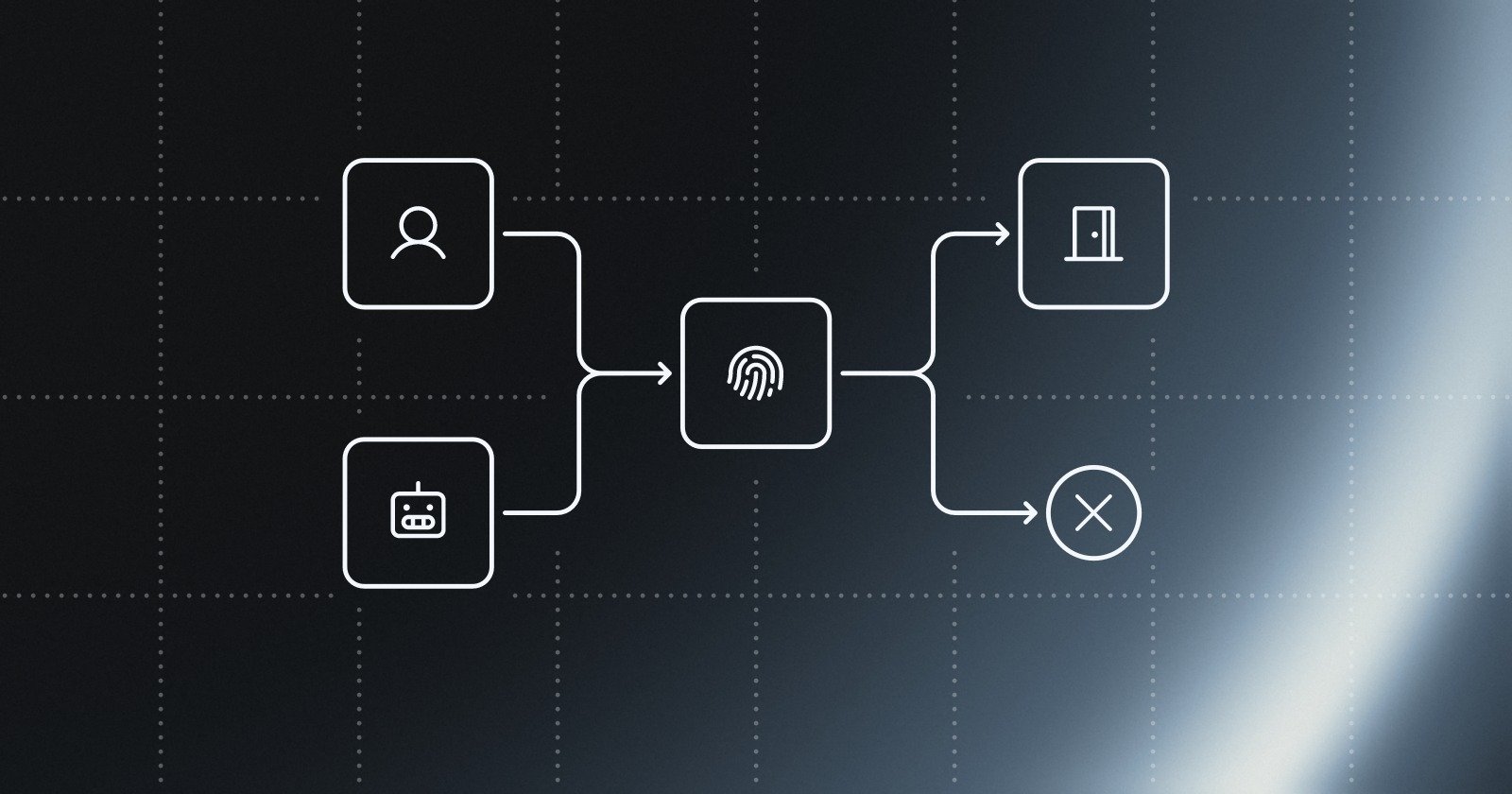
Automated traffic already makes up the majority of what many websites see, and that changes the meaning of “bot protection.” If more than half of request volume is non-human, as Imperva's 2026 Bad Bot Report describes, anti bot verification stops being a niche shield for obvious spam and becomes a control for signups, logins, checkouts, and high-value APIs where abuse can hit revenue and trust directly (Imperva's 2026 Bad Bot Report summary).
A practical example is a checkout page that suddenly sees repeated payment attempts from the same flow, or a signup form that fills with fake accounts built from scripted browsers. In both cases, the problem is not just “bots exist.” The core issue is whether your site can tell a legitimate browser from automated abuse before the request reaches the business action.
Anti bot verification is the decision process that does that job. It checks whether a request looks like it came from a real browser, whether the session is fresh, whether the request path matches normal behavior, and whether the action should be allowed, challenged, slowed, or blocked. Done well, it protects important website actions without forcing every user through a CAPTCHA.
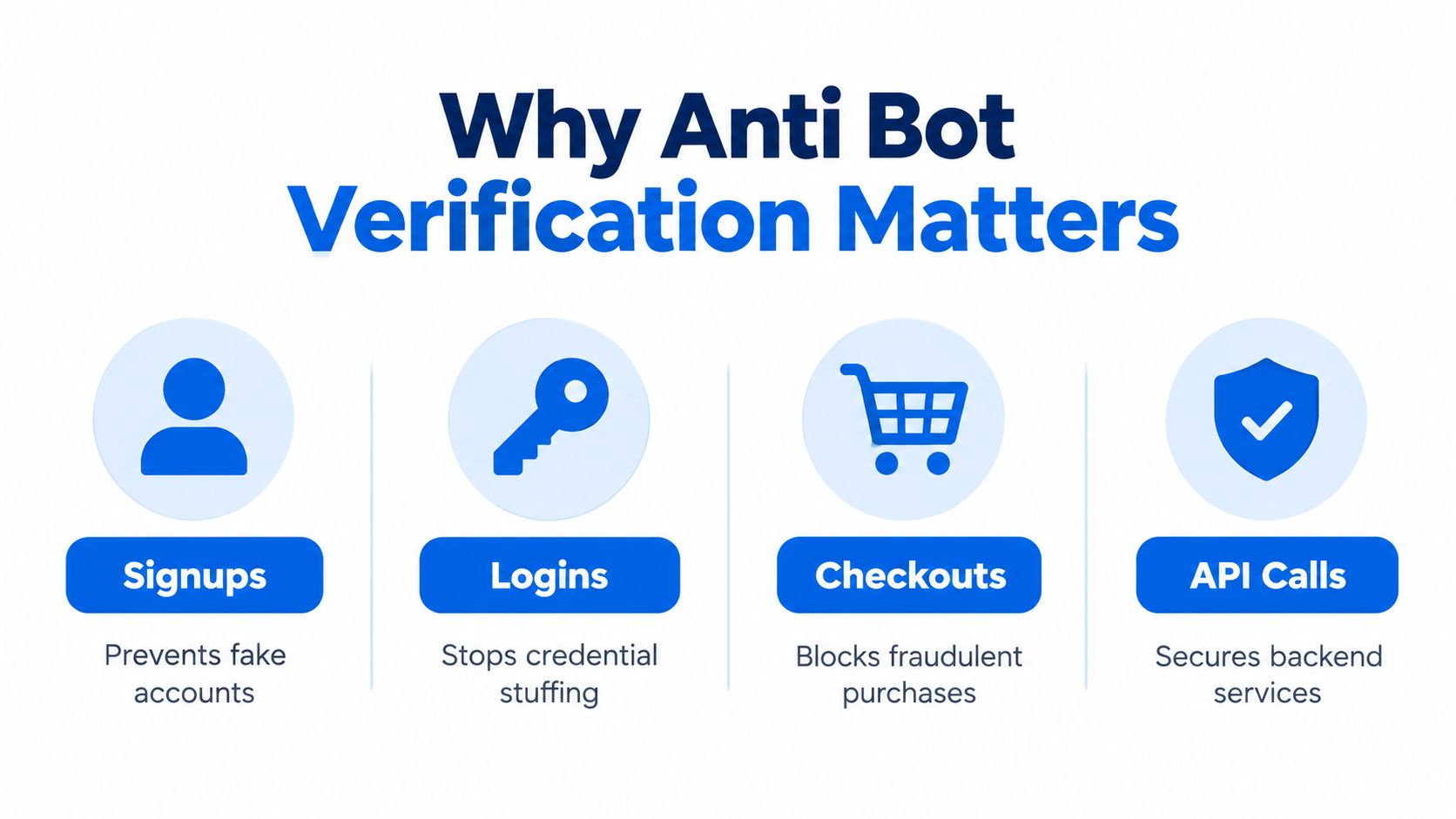
The old mental model was simple, human versus machine. That worked when the main threat was spam on a public form. It's not enough now. Modern abuse includes credential stuffing, scripted checkout abuse, replayed sessions, and AI-driven automation that can imitate browser traffic well enough to bypass simple rules.
Practical rule: treat verification as part of the control plane for sensitive actions, not as a decorative challenge page.
The rest of this guide breaks that down in plain English. You'll see how invisible browser proof works, why layered server checks matter, how this compares with CAPTCHAs, and how to roll it out without breaking the user journey.
Table of Contents
- What Anti Bot Verification Is and How It Works
- How Layered Server Verified Checks Detect Automation
- Invisible Verification Versus CAPTCHAs and Why Friction Matters
- Deployment Options and Staged Rollout Without Disruption
- Real World Applications for Signups Logins and Checkout
- Choosing the Right Anti Bot Verification Approach for Your Team
What Anti Bot Verification Is and How It Works
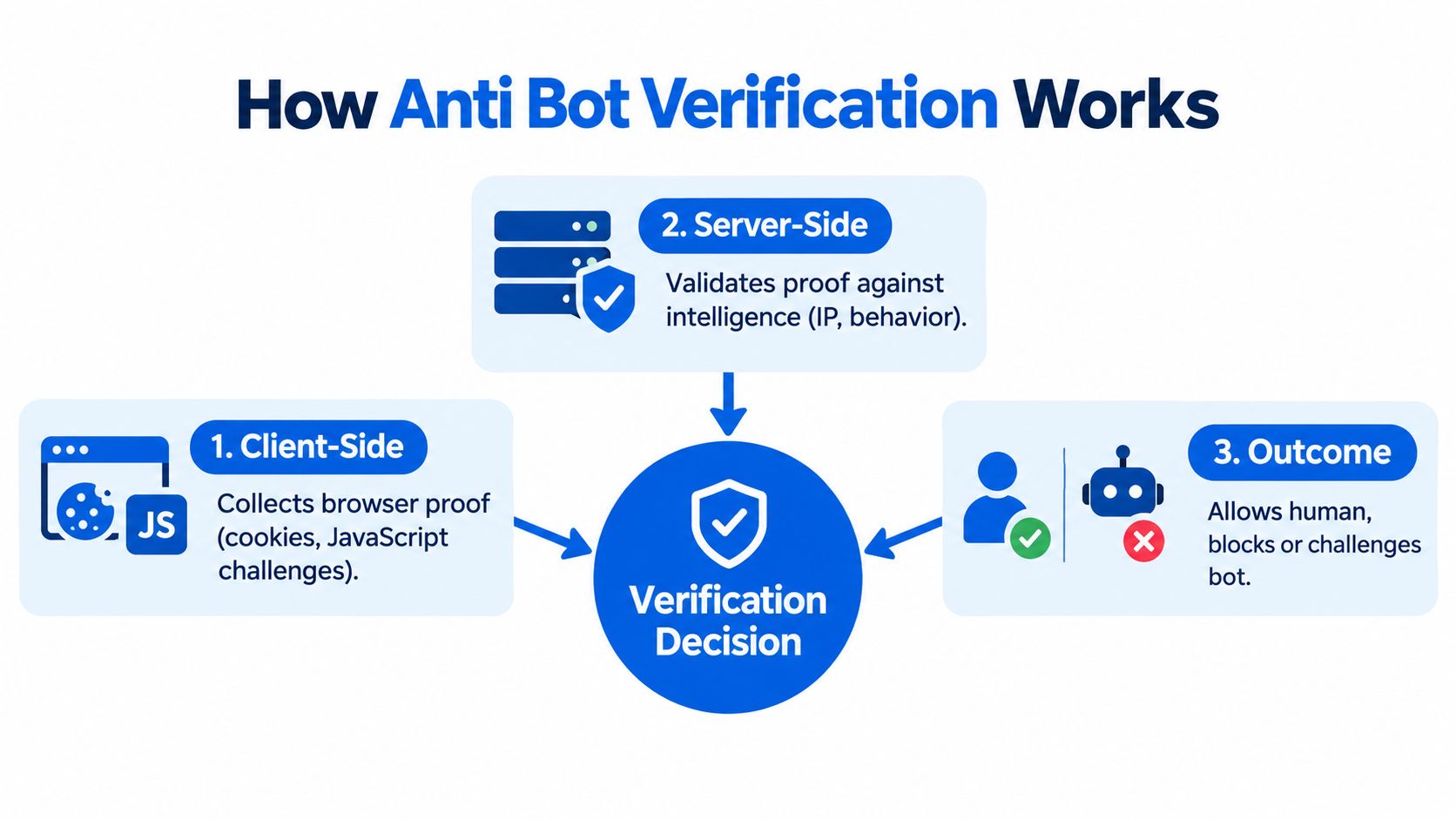
Anti bot verification asks one question before a sensitive action goes through, does this request look like it came from a legitimate browser, or from automation trying to imitate one? The answer shouldn't rely on a single clue like an IP address or a checkbox. It should come from a server-side decision that weighs browser proof, request context, and behavior together.
A simple mental model
A wristband at a venue acts like a token. The browser gets a fresh wristband, the server checks that the wristband matches the person at the door, and the bouncer decides whether to let them in. If someone copies the wristband onto a different wrist, the mismatch shows up at the door.
In practical terms, the browser collects proof while the page loads or just before the action. The server then validates that proof against the session, the request context, and the risk signals around it. That's how MANDATE protects important website actions from automated abuse without CAPTCHAs, by collecting browser proof and validating it on the server.
The point isn't to prove perfect humanity. It's to make automation expensive, fragile, and easy to detect where it matters most.
Where the decision lives
A weak setup asks the browser to answer a puzzle and trusts the result. A stronger setup keeps the decision on the server, where the site can compare what the client claims with what the connection and session look like. That matters because client-side checks are easier to spoof when an attacker controls the browser automation stack.
A browser token is useful only if the server checks freshness, context, and consistency before it accepts it.
That's why anti bot verification shows up most often around signup, login, password reset, checkout, account recovery, and other actions that can be monetized or abused. A human visitor should move through those flows without repeated interruptions. A script trying to create 500 accounts should hit a wall early.
The key idea to keep in mind is this, verification is not the challenge itself. It's the decision system behind the challenge.
How Layered Server Verified Checks Detect Automation
Single-signal defenses fail because attackers can mimic one layer at a time. A request can present a normal-looking user agent string and still come from automation. It can carry a valid cookie and still replay an old session. It can even execute some JavaScript and still be a script farm instead of a human browser.
The layers have to agree
Modern guidance describes combining IP intelligence, HTTP headers, request rate, TLS fingerprints, browser or device fingerprints, JavaScript execution behavior, and behavioral timing into one risk score. That works because real browsers tend to be consistent across layers, while automation often leaves mismatches behind. The server sees the whole path, not just the client's claim, which is why cross-layer inconsistency is so useful for detection (CDNetworks bot detection guidance).
A few examples make this easier to picture:
- User agent says Chrome, TLS says something else. That's a clue the request may be coming from a scripted stack.
- Headers look ordinary, but timing is unnatural. A request that completes browser reads far too fast doesn't behave like a person.
- Request rate is stable but account behavior is strange. A clean network profile doesn't excuse weird form activity.
Why the full path matters
The server shouldn't trust one browser surface and ignore the rest. It should compare connection-layer identity with what the page can prove. That includes whether JavaScript ran, whether the session is fresh, and whether the request sequence fits the expected user flow.
Useful test: if you remove one signal and the decision becomes blind, the control is too weak.
This layered model also helps teams avoid overreliance on IP blocking. IPs change, mobile networks shift, proxies exist, and legitimate users can share infrastructure. A better system uses IP as one input, not the whole verdict.
The result is a risk score, not a binary guess. That score can trigger allow, observe, challenge, slow, or block, depending on confidence and route importance. The server becomes the place where evidence is weighed, not where the browser gets to self-certify.
Why browser proof needs server state
Invisible Verification Versus CAPTCHAs and Why Friction Matters
The choice isn't “security or usability.” It's which control gives you enough confidence without breaking legitimate flows. For many teams, that means comparing invisible browser verification with puzzle-based CAPTCHAs on three dimensions, friction, resilience, and operational cost.
| Criterion | Invisible Browser Verification | CAPTCHA-Based Check |
|---|---|---|
| User experience | Usually invisible to the user | Interrupts the flow with a puzzle or challenge |
| Security model | Server-verified proof, freshness checks, context matching | Relies on puzzle completion and token validation |
| Replay resistance | Stronger when proof is tied to a fresh session and short validity window | Weaker if tokens are reused or intercepted |
| Accessibility | Less likely to block users with visual or motor friction | Can be hard to complete for some users |
| Checkout impact | Better fit for revenue-critical flows | Adds friction at the exact moment users are trying to finish |
| Operational overhead | Requires tuning and policy design | Easier to add, harder to make pleasant |
The checkout tradeoff is especially clear. A survey of 881 U.S. online shoppers found that when a CAPTCHA interrupts checkout, 18.7% give up after one failed attempt and 3.9% abandon their cart immediately to shop elsewhere (checkout friction survey). That doesn't mean CAPTCHAs are useless. It means they're a blunt tool for a delicate flow.
Where CAPTCHAs still fit
CAPTCHAs can still make sense on low-frequency, low-value forms where user friction is acceptable and risk is modest. They're a simpler control when the business can tolerate interruptions. They're less attractive on login, checkout, password reset, and account recovery, where repeated interruptions can hurt conversion and support volume.
Why invisible verification is different
Invisible verification shifts the burden to the server. The user doesn't need to solve a puzzle, but the system still gets a decision point. That's the right tradeoff when the goal is to protect important actions without turning the page into a test.
If the user only notices the control when something is wrong, the control is probably better placed.
A fair security posture is not “CAPTCHA is bad.” It's “CAPTCHA is often the wrong default for high-value paths.” Invisible verification gives engineering teams a cleaner balance between abuse prevention and user throughput, especially when the checkout or signup flow is part of the revenue engine.
Deployment Options and Staged Rollout Without Disruption
The best verification design still fails if it lands in the wrong place or ships too hard. Deployment should be treated as a rollout problem, not just an integration task. The first goal is visibility. The second is confidence. Enforcement comes after both.
Where to integrate
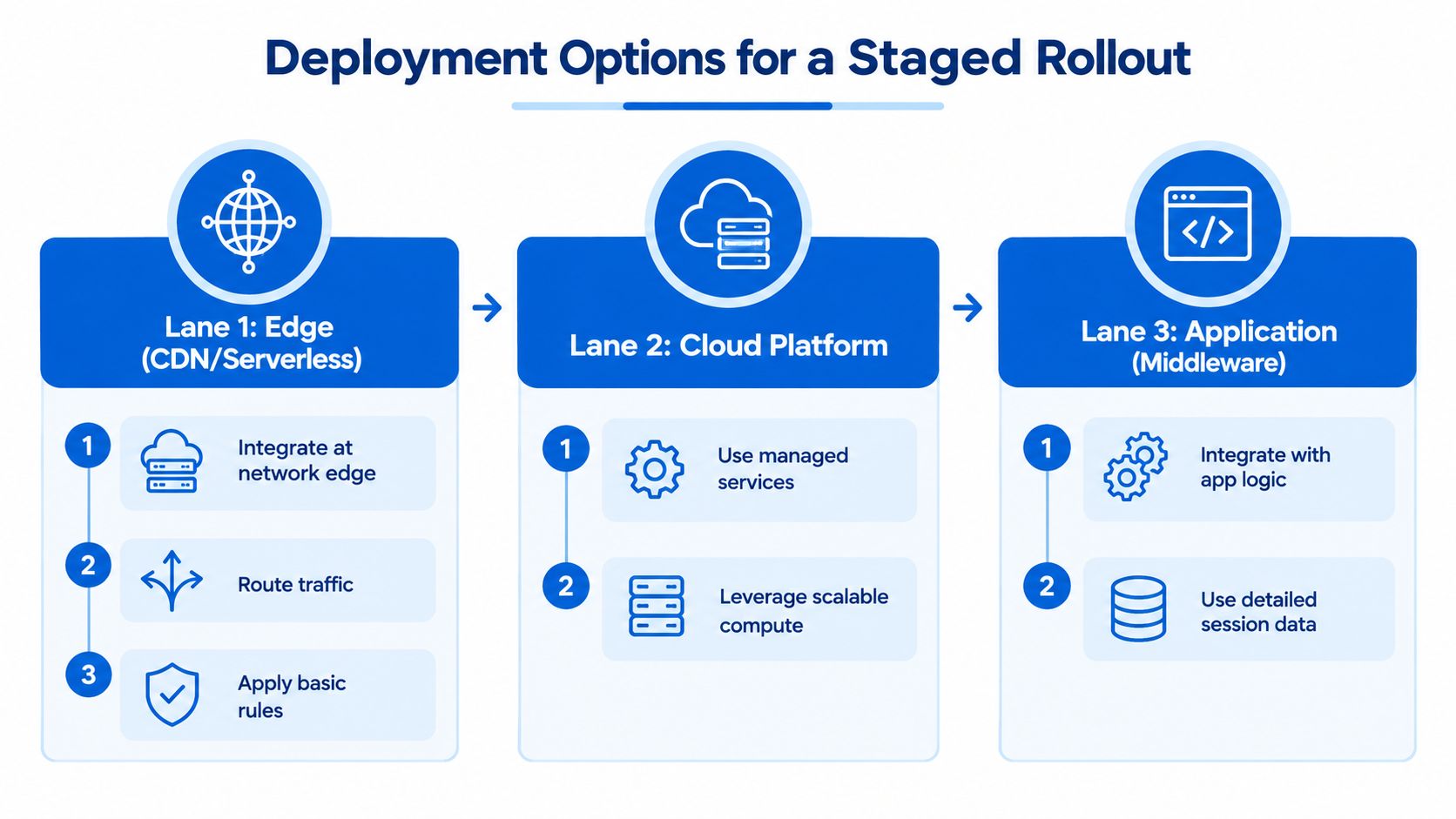
Teams usually place verification in one of three spots. At the edge, it can sit near the CDN or serverless layer, which helps stop bad traffic before it reaches the app. In a cloud platform, it can use managed services and scalable compute. In application middleware, it can read richer session and business context before a sensitive action proceeds.
Each placement has tradeoffs. Edge integration is close to the request path, but it may have less application context. Middleware sees more context, but it sits deeper in the stack. The right choice depends on where you already make trust decisions.
Start with observe mode
A staged rollout avoids breaking real users. In Observe mode, the system records decisions and lets teams review what would have been allowed, flagged, or blocked before enforcement starts. That makes it easier to tune thresholds, inspect false positives, and understand which routes need protection (observe before enforce guidance).
Good rollout rule: don't block first, learn first.
After that review period, teams can set route-specific responses. A signup route might flag suspicious traffic. A checkout route might block only the riskiest requests. A password reset route might deserve stricter controls than a marketing form.
Freshness matters
Freshness binding reduces replay. The verification proof should be tied to a live session and accepted only for a short time window. That way, an intercepted token or reused payload loses value quickly. In operational terms, the server should care not just that a proof exists, but that it still belongs to the current request context.
A thoughtful rollout also means protecting the highest-risk actions last, not first. Start with review, then tune, then enforce on password changes, payments, and data exports. That sequence keeps production stable while you build confidence in the policy.
Real World Applications for Signups Logins and Checkout
A signup form is often the first place abuse shows up. Attackers use automated browsers to create fake accounts, seed fraud, or test stolen identities. Verification here should look for browser proof, session freshness, and repeated patterns across submissions, then route the riskiest attempts into review or blocks.
Login is a different problem. The threat is often credential stuffing, where attackers reuse stolen username and password pairs at scale. The right check is not just “does the password match,” but “does the request look like a real user on a real browser, with a pattern that makes sense for account access?” That's the kind of place where layered verification adds value before the authentication step completes.
Checkout and payment need the gentlest possible friction. A legitimate customer wants to finish, not solve a puzzle. If the system sees browser proof that matches the session and the behavior looks normal, the transaction should move on. If it sees unusual automation signals, the safer move is to stop the abuse without making every shopper pay the cost.
A sensitive action should be protected again right before it matters, even if an earlier step already looked clean.
High-value APIs need the same thinking. If a script is calling backend services directly, browser-visible checks won't help unless the request path and action are tied together. That is why verification should be re-evaluated before account recovery, password changes, payment actions, and data exports, not just at login.
For teams building commerce flows, the practical goal is simple. Put the strongest checks where abuse hurts the most, keep ordinary users moving, and verify again when the action becomes valuable enough to attack. This e-commerce fraud detection guide is a useful companion if your main risk is checkout abuse rather than account access.
Choosing the Right Anti Bot Verification Approach for Your Team
Good verification work starts with a checklist, not a vendor demo. First, decide which routes matter most, signup, login, password reset, checkout, account recovery, payment, or API access. Then map where the decision should sit, at the edge, in cloud services, or inside application middleware.
Next, decide what “good” looks like in Observe mode. You want to know which requests would be flagged, which routes need tighter policies, and where legitimate users might get caught. After that, set route-specific actions, allow, flag, challenge, slow, or block, based on confidence and business impact.
For teams considering MANDATE, the relevant pieces are straightforward. It provides invisible browser verification, server-side verification libraries, edge, cloud, and app integration, an Observe mode for review before enforcement, and a dashboard for decision visibility. Keep any preview or availability limitations in mind, and check current documentation before rollout.
A practical buying or build decision usually comes down to three questions:
- Can the system bind proof to a fresh session? If not, replay risk stays high.
- Can the server validate the full request path? If not, client claims can be spoofed.
- Can you tune by route before enforcing? If not, you're likely to break something important.
If your answer to any of those is no, the design still needs work.
The best anti bot verification setup feels boring to legitimate users and frustrating to automation. That's the point. If you're planning a rollout or comparing options for high-value actions, visit MANDATE to review the platform, documentation, and FAQ, and see how invisible browser verification fits into your stack.