
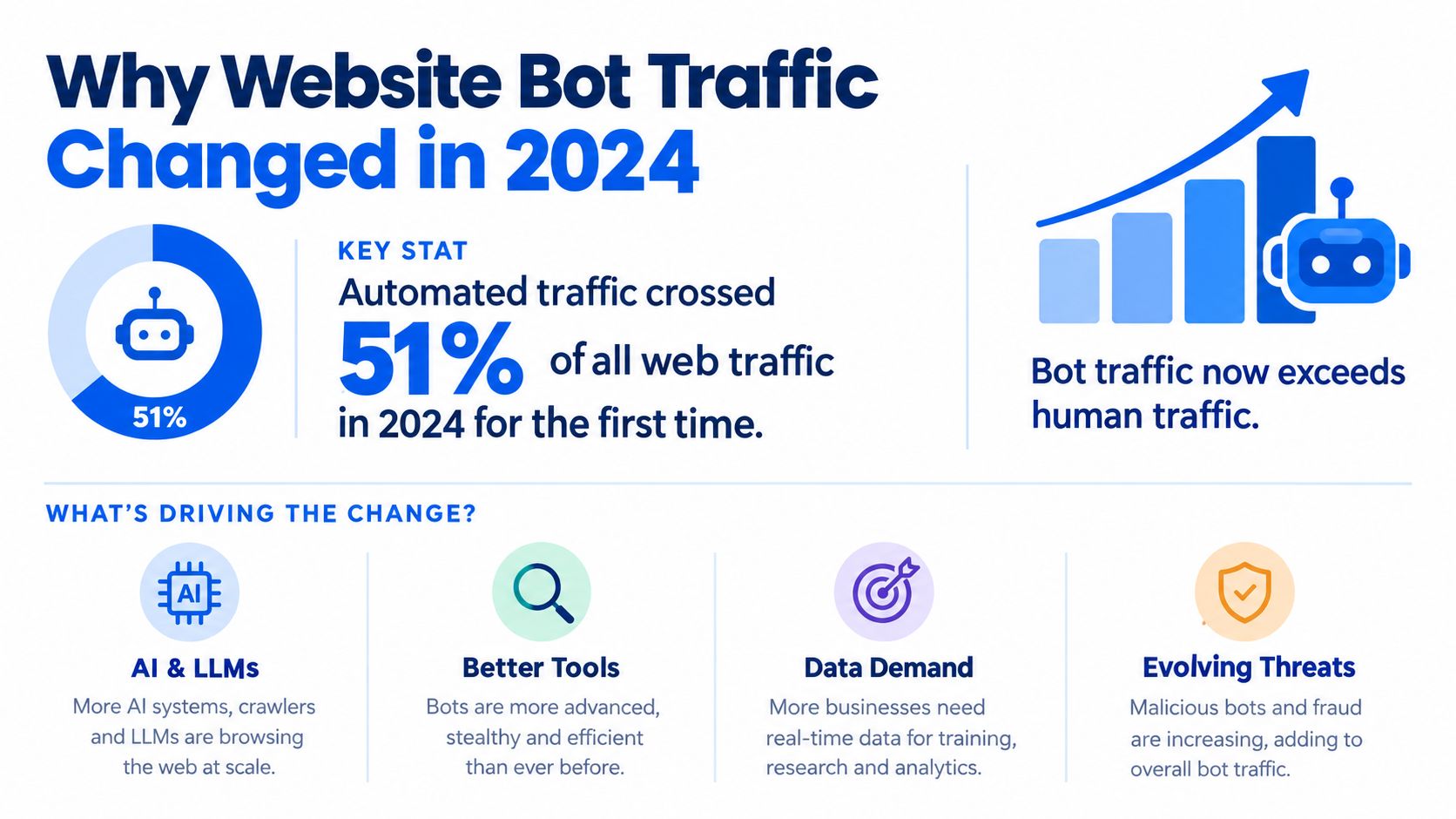
Bots accounted for 51% of all web traffic in 2024, including 37% from malicious bots. Automated traffic has become the majority of web traffic, so protecting signups, logins, checkouts, and other sensitive actions now requires more than basic IP blocking.
That shift changes the question security teams need to ask. It isn't enough to know how much website bot traffic you receive. You need to know which bot class is visiting, what it is trying to do, and whether your controls can verify a real browser without punishing legitimate users.
Scrapers, scalpers, AI agents, fake-account creators, and request-flooding tools behave differently. A control that works against one may miss another, or block search crawlers and genuine customers along with the abuse. The practical approach is to measure traffic by endpoint and workflow, then apply layered, mostly invisible verification where the business risk is highest.
Table of Contents
- Why Website Bot Traffic Changed in 2024
- Measuring and Categorizing Bot Traffic
- Good Bots vs Malicious Bots - What's the Difference
- How Modern Bots Evade Simple Detection
- Invisible Browser Verification Without CAPTCHAs
- Building Layered Defenses for Sensitive Actions
- Common Misconceptions About Bot Traffic Protection
Why Website Bot Traffic Changed in 2024
The majority milestone matters because it changes the operating baseline for every public-facing application. Industry measurements found that bots made up 51% of all web traffic in 2024 for the first time in a decade, with malicious bots accounting for 37% of total traffic. The historical direction is just as important. From 2018 to 2025, human traffic fell from 62% to 47%, malicious bots rose from 20% to 40%, and benign bots declined from 18% to 13%. These figures are reported in the Imperva Bad Bot Report coverage from Thales.
Why the ratio matters to security teams
A site can have stable human usage and still face rising operational risk. Automated requests consume application resources, test account defenses, collect proprietary information, manipulate inventory, and probe transactional workflows. Looking only at visitor totals hides that pressure because a bot can generate many requests without behaving like a normal customer.
The result is a foundational change for fraud prevention, account security, and bot detection strategy. A login endpoint needs protection against credential abuse. A product page may need controls against scraping or price monitoring. A ticketing or retail workflow may need to distinguish ordinary browsing from scalping automation. Each workflow has a different definition of harmful behavior.
Practical rule: Treat automation as a traffic category that needs classification, not as a single threat with one universal block rule.
What changed operationally
Security teams that still treat bots as a minor nuisance tend to deploy controls reactively. They add an IP denylist after a spike, place a CAPTCHA on login, or increase a rate limit across the entire site. Those actions can help temporarily, but they don't answer whether the request came from a genuine browser, a legitimate crawler, or an automated client replaying a stolen session.
A better baseline is to map the traffic that matters to business outcomes. Identify the actions that create accounts, authenticate users, reserve inventory, submit payments, change credentials, or expose valuable content. Then measure how automation reaches those actions and whether your current controls can separate acceptable activity from abuse.
Measuring and Categorizing Bot Traffic
Raw request volume is a poor starting point. A dashboard may show a large traffic increase, but it won't tell you whether the cause is a search crawler, an AI agent reading public content, a scraper collecting prices, or a script attempting account creation. Measurement becomes useful when it connects bot identity, behavior, endpoint, session, and business impact.
Start with an endpoint inventory rather than a traffic chart. Group routes into workflows such as registration, login, password reset, checkout, search, product detail, content access, and account changes. For each workflow, record the request rate, response status, authentication state, browser signals, challenge outcome, and downstream business result.
Measure exposure by workflow
Uniform blocking is usually a mistake because not every request has the same risk. A public article can tolerate a different policy from a password reset endpoint. A product catalogue may allow verified search crawling while limiting high-frequency extraction of prices and stock.
Use a simple measurement sequence:
- Establish a baseline. Compare normal browser sessions with scripted clients across headers, cookies, JavaScript execution, navigation order, timing, and session continuity.
- Segment by action. Separate requests that read content from requests that create or modify state. Give special attention to account creation, authentication, payment, inventory reservation, and credential changes.
- Classify behavior. Look for repeated navigation paths, unusual concurrency, rapid account creation, token reuse, and requests that skip the browser steps your application normally requires.
- Connect signals to outcomes. Track failed logins, duplicate registrations, abandoned carts, inventory contention, scraping volume, and suspicious payment attempts alongside traffic decisions.
- Test detection deliberately. Use controlled simulations to see which bot types your controls identify, challenge, flag, or miss.
Detection quality can be the primary bottleneck. A June 2026 test of 21,491 popular websites found that 65.3% failed to detect any of 10 simulated bot types, while only 2.4% stopped all 10. The findings are documented in DataDome's website bot detection test report.
For implementation context, teams can also review this guide to fraud prevention and detection, especially when connecting browser signals with application decisions. The important point is to test against the workflows you need to protect, not just against a generic bot sample.
Good Bots vs Malicious Bots - What's the Difference
Not all automation is hostile. Search crawlers can help users discover content. Uptime monitors can alert teams when a service fails. Feed readers, accessibility tools, ad verification systems, and authorized security scanners can all generate automated requests that a site may want to allow.
The problem starts when teams treat every automated request as equivalent. In a 2026 analysis covering more than 75,000 customer sites, scraping represented 70.9% of bad bot traffic. The same analysis reported that AI traffic rose 82.3% and scalping rose 290.7%, showing why a single “bot” category doesn't provide enough information for enforcement. These figures appear in the State of Bot and Agent Security report summary from DataDome.
Bot classes and the workflows they affect
| Bot Type | Growth Rate | Primary Target | Business Impact |
|---|---|---|---|
| Legitimate search crawler | Not specified | Public content and indexable pages | Can support discovery when identifiable and rate-limited |
| Scraper | Dominant attack type at 70.9% of bad bot traffic | Product pages, content, prices, and availability | Removes data, increases load, and can support competitive abuse |
| AI agent | Rose 82.3% in the cited 2026 analysis | Homepages, general content, and task-oriented journeys | Creates attribution, access-control, and content-use questions |
| Scalper | Rose 290.7% in the cited 2026 analysis | Inventory, ticketing, and limited-release purchase flows | Concentrates supply and interferes with genuine buyers |
| Fake-account automation | Not specified | Signups, login preparation, and account recovery | Enables spam, promotion abuse, fraud, and later account attacks |
| DDoS-like automation | Not specified | High-volume public and application endpoints | Consumes capacity and can mask other activity |
Scraping deserves separate treatment from fake-account creation. A scraper may never log in, but it can still extract commercially sensitive information from public pages. A fake-account script may send fewer requests while creating more direct fraud exposure. If marketers need to understand how public addresses can be collected, a resource on email extraction methods for marketers provides useful context, but security teams should distinguish authorized collection from abusive harvesting.
Blocking every automated request can damage search visibility, monitoring, integrations, and legitimate agent-assisted journeys. The safer policy is to verify and control the actions that create material risk.
Good bots should have a clear purpose, predictable behavior, and an identification method that the site can evaluate. Malicious bots often conceal intent, rotate infrastructure, reuse sessions, or move between anonymous browsing and authenticated actions. That difference is more valuable than the simplistic question of whether a request came from a bot.
How Modern Bots Evade Simple Detection
Consider a checkout replay. An attacker captures a valid request or session artifact, then sends it again from a different environment. The payload may look correct, and the request may arrive at a normal pace. If the server checks only whether the token exists or whether the IP remains below a threshold, the replay can pass even though the current browser did not create the original proof.
The same weakness appears across different bot classes. Scrapers usually target public product pages, pricing, listings, and content. Scalpers focus on inventory reservation, cart creation, and checkout timing. AI agents may browse plausibly, submit forms, or interact with support and account workflows. Detection becomes more useful when it connects the bot class to the business action it is attempting, rather than treating every automated request as the same problem.
Why volume isn't enough
Stolen tokens and session artifacts create a second problem. A valid token does not prove that the current environment generated the original evidence. Verification should evaluate whether the browser proof, session history, timing, and request context belong together.
The scale of abuse also makes weak detection expensive. The 2026 findings cited earlier reported that scraping grew 185.2% year over year, while DDoS-like request floods peaked above 2 billion requests in a single day, according to DataDome's malicious automated traffic report. A denylist may stop one source while the operator changes networks, browsers, or hosting providers.
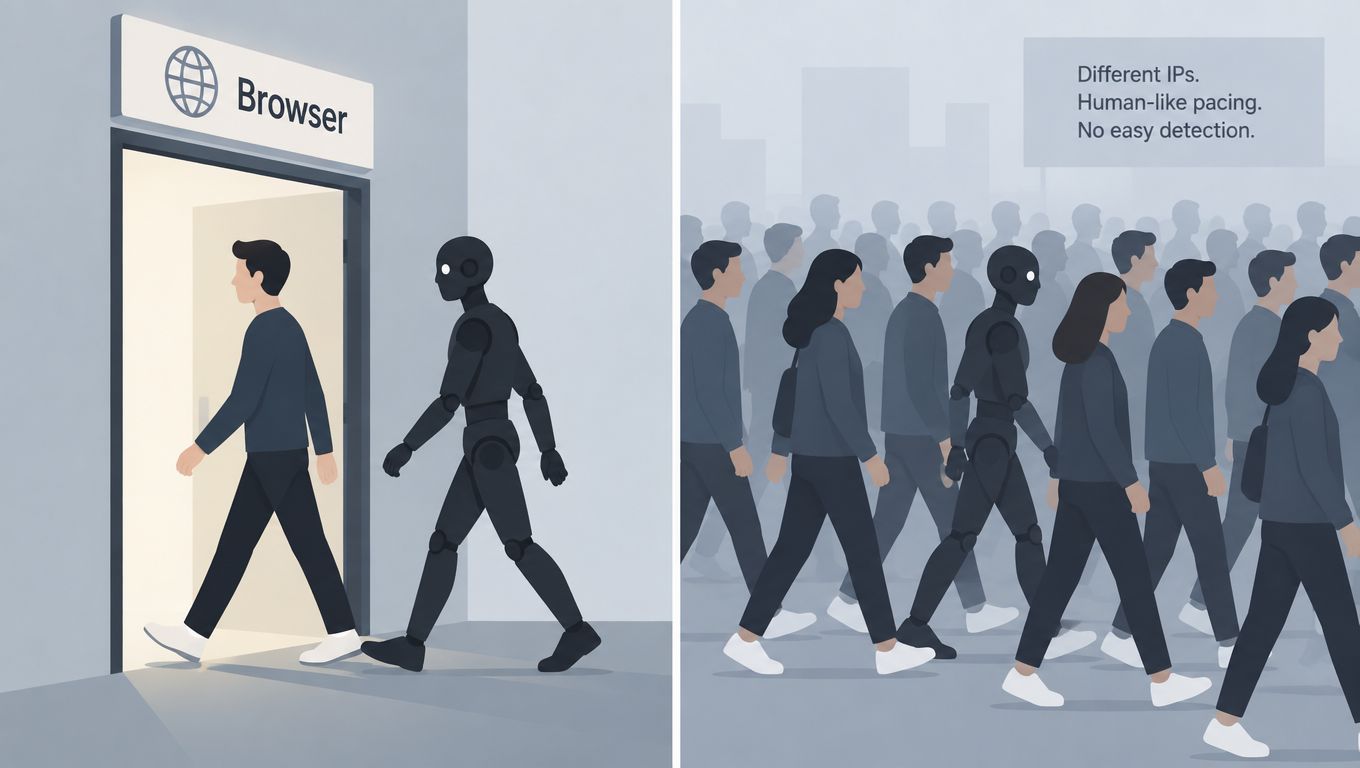
A production decision should draw on several independent signals:
- Is the browser authentic? Check whether it can produce the expected browser-side proof instead of trusting headers alone.
- Is the session coherent? Compare the request with how the session was created and how it has behaved.
- Is the action plausible? A login followed immediately by a sensitive change deserves more scrutiny than a public page view.
- Does the identity stay bounded? Apply limits to accounts, devices, sessions, and workflows, not only network addresses.
- Can the response be staged? Observe or flag suspicious activity before blocking when a false positive could interrupt a customer action.
Browser proof should support these decisions without forcing every visitor through a CAPTCHA. The goal is to make replay and environment switching harder at the point where automation creates material cost, while keeping low-risk browsing available.
Simple IP controls still belong at the edge, especially during floods. They should not decide alone whether to approve a password reset, account creation, inventory reservation, or payment submission. Teams can compare their telemetry with patterns described in this overview of common bot attacks, then apply controls according to the action each bot class is targeting.
Invisible Browser Verification Without CAPTCHAs
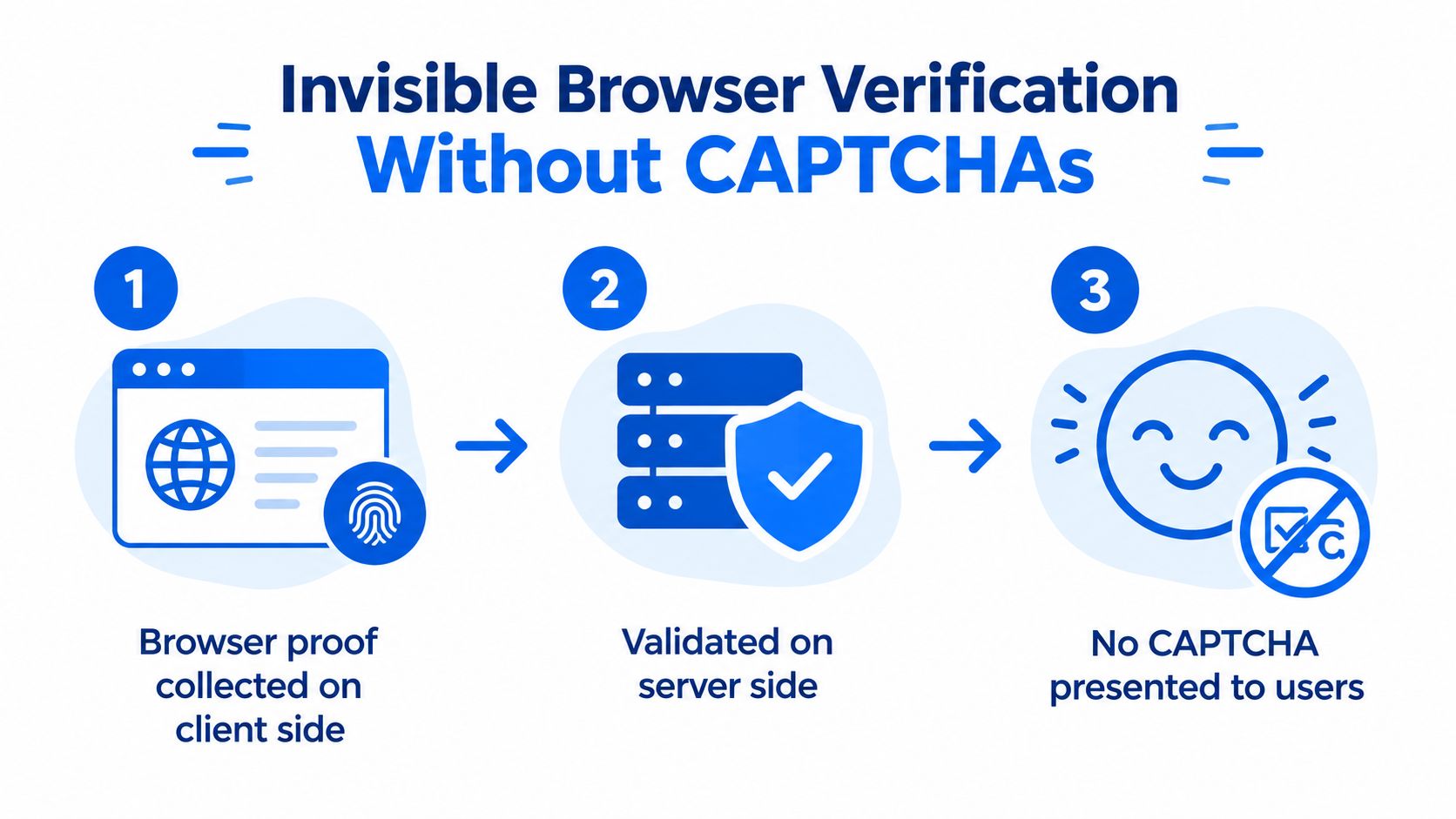
Invisible verification works by asking the browser to provide proof, validating that proof on the server, and using the result in an enforcement decision. Legitimate users don't need to solve a puzzle, while the application gains evidence that a request came through a browser environment capable of completing the expected verification flow.
The design has three important boundaries. The client collects browser proof, the server verifies it, and the application decides whether to allow, flag, or block the action. Keeping the final decision on the server matters because client-side checks alone can be inspected, modified, or bypassed.
A safe rollout pattern
Start with the workflow, not the entire site. Protect the point where an automated action creates a meaningful cost, such as registration submission, login completion, password reset, checkout, or inventory reservation.
- Collect proof before the sensitive action. The browser obtains the required evidence during the normal page flow, without interrupting the user with a CAPTCHA.
- Validate on the server. The backend checks the proof and confirms that it is fresh and consistent with the request context.
- Choose an outcome. Allow verified activity, flag uncertain traffic for review, and block requests that fail the policy or show clear abuse.
- Deploy in observation first. Review decisions, false positives, and workflow impact before enforcement. This is especially important for customers behind corporate browsers, privacy tools, or unusual network paths.
- Tune by action. A public content request and a payment submission shouldn't necessarily use the same threshold or response.
MANDATE provides this model for protecting important website actions from automated abuse without CAPTCHAs. Its browser proof is collected on the client and verified on the server, with deployment options at the edge, in cloud environments, and around application middleware. Observe mode lets teams review decisions before enabling enforcement, while dashboard events, APIs, and SDKs support operational review and application integration.
The trade-off is that invisible verification isn't a complete security program. It should sit alongside session controls, identity-bound quotas, fraud rules, authorization checks, and monitoring. It can reduce exposure to token theft and replay attempts, but teams still need to investigate compromised accounts, suspicious payments, and abuse that originates from genuine browsers.
For teams evaluating implementation patterns, this guide to anti-bot verification is relevant when the priority is protecting high-value actions while keeping ordinary users moving.
Building Layered Defenses for Sensitive Actions
The most reliable production design uses multiple layers because each signal has a different failure mode. An edge control can absorb obvious automation and reduce load before requests reach the application. An application control can understand the account, session, workflow, and business consequence.
OWASP's Bot Management and Anti-Automation guidance describes this layered model. At the edge, teams can combine CDN, WAF, or anti-bot service signals with IP reputation, ASN filtering, TLS fingerprinting such as JA3 or JA4, HTTP/2 fingerprinting, and basic rate limits. At the application layer, it recommends session-aware rate limits, identity-bound quotas, behavioral signals, honeypots, and CAPTCHA challenges when necessary. A summary of these recommendations is available in this OWASP bot management and anti-automation reference.
Put controls where the abuse becomes costly
A practical policy might look like this:
- Public content receives monitoring, crawler classification, and sensible caching or rate controls.
- Login receives browser verification, session-aware limits, credential-abuse detection, and account-level monitoring.
- Signup receives proof validation, identity or device quotas, disposable-account checks, and post-creation limits.
- Checkout receives fresh verification, replay resistance, payment-risk controls, and clear escalation paths.
- Inventory or ticket reservation receives concurrency controls tied to the account and session, not just the originating network.
This arrangement avoids a common failure mode, where a team adds aggressive blocking to every page because it lacks endpoint-level visibility. Measure which workflows experience scraping, scalping, fake-account creation, or replay attempts. Then tune the response to the type of harm.
Audit the current stack
Ask four questions during a security review:
- What does the edge know? Can it identify infrastructure and connection patterns before the request reaches application code?
- What does the application know? Can it connect the request to a session, account, workflow stage, and business outcome?
- What happens when signals disagree? Do you have a flag or review path, or does one weak signal trigger a hard block?
- Can you prove impact? Do logs show prevented abuse, false positives, customer friction, and downstream fraud outcomes?
Layering also helps adjacent fraud teams. For example, teams investigating how to stop chargebacks fast need reliable evidence about the request, session, account, and transaction path, not just an IP address. Bot mitigation and payment controls should share useful signals without assuming that every suspicious request is a chargeback event.
Common Misconceptions About Bot Traffic Protection
The first misconception is that bot protection only matters on login and checkout. Those workflows deserve strong controls, but they aren't the only places bots operate. AI bot traffic reached 1.7% of total traffic by June 2026, and 97.9% of AI bot requests still went to homepages and other general content pages, according to the 2026 State of Bot and Agent Security report. Public pages can expose valuable content, reveal product information, and provide the reconnaissance that precedes a sensitive action.
The second misconception is that any blocking is better than none. Broad blocking can disrupt search, monitoring, integrations, privacy-conscious users, and legitimate automation. Targeted enforcement is usually more defensible because it connects the control to a specific workflow and measurable business risk.
The third misconception is that CAPTCHAs solve the problem. They add friction to genuine users, create accessibility concerns, and don't provide the full browser, session, and workflow context needed for modern abuse decisions. A CAPTCHA may still have a place as an escalation step, but it shouldn't be the default answer to every uncertain request.
Effective website bot traffic protection has a clearer shape:
- Classify traffic by behavior and purpose.
- Measure exposure by endpoint and workflow.
- Verify browser and session evidence on the server.
- Use edge and application controls together.
- Observe decisions before enforcing them broadly.
- Preserve a low-friction path for legitimate users.
Teams focused on account abuse can pair this approach with credential stuffing prevention that stops bots, but the same principle applies beyond authentication. Protect the action that creates the risk, and use enough context to distinguish a real customer from automation that merely looks like one.
MANDATE provides invisible browser verification, server-side proof validation, Observe mode, and enforcement controls for signups, logins, checkouts, and other high-value website actions. Visit MANDATE to evaluate a frictionless approach to reducing automated abuse without placing CAPTCHA challenges in the normal user path.