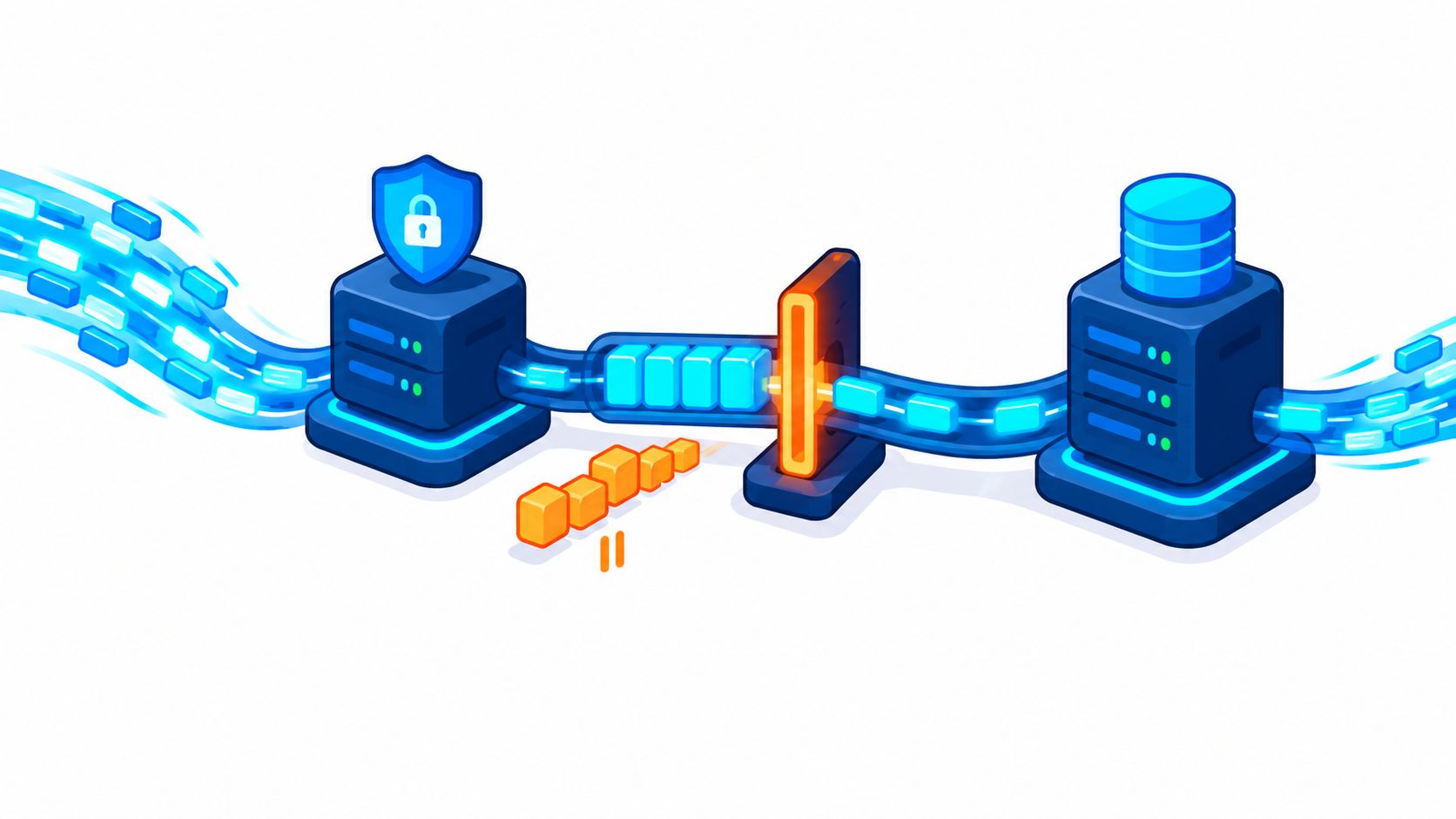
A rate-limiting step is the stage in a sequence that sets how fast everything after it can move, and in security it is the control that caps how often an actor can attempt an action. So why do teams add a limit to an endpoint and still watch signups, logins, or checkouts fail under scripted traffic?
Often the limit is guarding the wrong stage. The request count looks normal while a payment call, database lock, or verification queue saturates behind it. That gap is where confusion starts, because the same phrase means a natural bottleneck in one field and a deliberately enforced cap in another.
What a Rate Limiting Step Means in Each Field
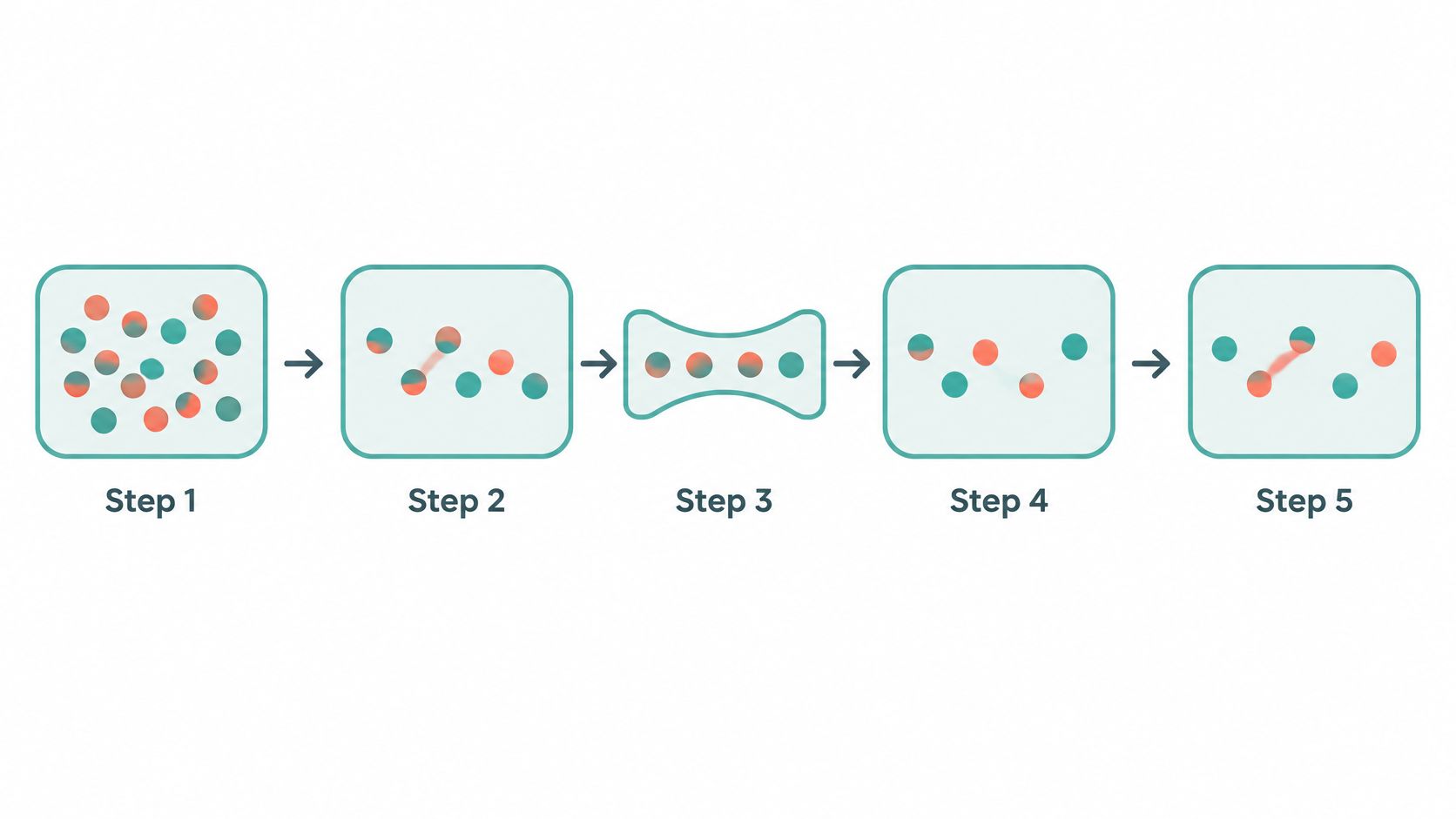
For readers asking what is rate limiting step in plain terms, the short answer is this. It's the slowest stage in a sequence, and the whole sequence can't finish faster than that stage allows.
The term started in chemistry. A reaction with several steps runs no faster than its slowest elementary step. Process engineers borrowed the idea for production lines, where one slow conversion stage sets the pace for everything downstream.
Web teams use the phrase differently again. They mean the resource that runs out first as traffic rises, such as database writes or a payment provider's quota. Security teams use the narrowest meaning of all, the control that caps attempts.
Matching the Meaning to the System
Say a policy allows five sign-in attempts per account in fifteen minutes. That's a hypothetical illustration, not a recommended setting. In security writing, teams usually call that control a rate limit, not a rate limiting step.
All four meanings share one idea. A single point sets the pace. What changes is whether that pace is natural, measured, or enforced.
| Field | What the step is | What limits it | Example |
|---|---|---|---|
| Chemical kinetics | Slowest elementary step in a reaction mechanism | Activation energy and reactant concentrations | Overall rate cannot exceed the slowest step |
| Process engineering | Slowest conversion stage in a treatment or production line | Conversion rate under current conditions | A slow biological stage in anaerobic digestion |
| Web and API systems | Stage whose capacity saturates first under load | Database writes, queue concurrency, downstream calls | Payment API calls capping checkout throughput |
| Security | Control point that caps how often an action may be attempted | Attempts allowed per key within a time window | Sign-in attempts limited per account |
The systems and security meanings matter most for website actions. Chemistry is useful background for the phrase, but it isn't a design tool for login or checkout protection.
How a Rate Limit Decides Which Requests Pass
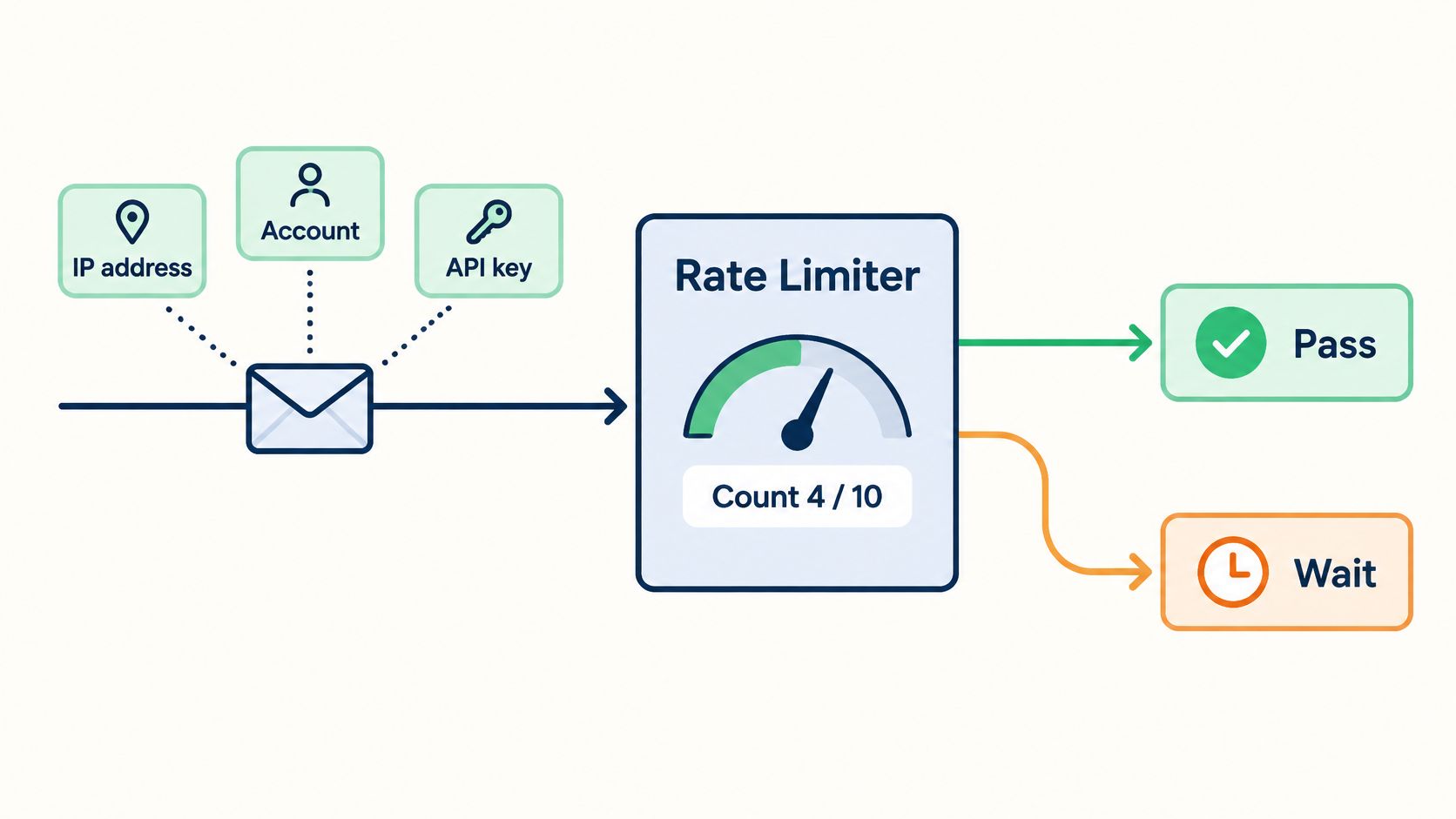
A limiter doesn't judge whether a request is honest. It counts requests against a key, compares the count with a policy, and either allows or rejects the request.
The path is simple enough to test, which is the point. A team can reproduce each decision if the steps stay explicit.
- Identify the key: The server decides what the request counts against, such as an IP address, account, or API key.
- Read the counter: It checks how many requests that key has made in the current window.
- Allow or reject: It allows and counts the request, or rejects it with 429 Too Many Requests.
- Return signals: It sends headers that tell the client the remaining quota and when to try again.
What the Client Is Told
The IETF RateLimit header specification defines RateLimit-Limit as the request quota for the current policy or window, RateLimit-Remaining as the unused quota, and RateLimit-Reset as the time remaining before the quota resets in seconds. It also notes that Retry-After can tell a rejected client how long to wait, and that Retry-After takes precedence when both headers are present.
That specification is draft-polli-ratelimit-headers-01, a draft rather than a settled standard. Teams should check its current status before hard-coding field names into clients.
Practical rule: On a 429, stop sending and wait. As remaining quota nears zero, slow down early instead of retrying into the limit.
Visible signals help legitimate clients back off predictably. They also give engineers observable behavior to test, instead of dropped requests nobody can explain.
Client Behavior Worth Documenting
- Use RateLimit-Reset as the wait: Apply it only when Retry-After is absent.
- Log the headers: Support teams can then tell a throttled client from a broken one.
Finding the Real Bottleneck in a Checkout Flow
A common mistake is putting one IP quota on a checkout endpoint and assuming the flow is protected. The endpoint may stay healthy while the work behind it collapses. The limit guards the door, not the scarce resource.
Take a hypothetical ticketing checkout. Shoppers request browser verification, load a session, hold seats, call a payment provider, then write an order. Each stage consumes a different resource, so a single request count treats a quick session lookup and a provider-bound payment call as identical units of work. The slow resource might be a seat-hold lock or that payment call, not the HTTP request count.
A chemistry note in the Scribd-hosted rate-limiting step document makes the same point in its own field. Identifying the slowest step requires examining the mechanism and the relative forward and reverse rates, not merely picking the smallest apparent rate constant.
A Procedure for Locating the Constraint
- List every stage: Map the action from browser verification through the order write, including background jobs.
- Load each stage realistically: Test under concurrency that resembles a busy sale, not one request at a time.
- Separate latency from throughput: Record both, because a stage can respond quickly for one request and still cap total throughput.
- Watch for growing queues: Note where waits, lock contention, or queue depth start climbing.
- Scope the limit to saturation: Put the cap on the resource that saturates, and add per-route concurrency caps where a count isn't enough.
The stage whose saturation signal climbs first is the constraint. Stages behind it are waiting on it, not failing on their own.
| Stage | Resource consumed | Saturation signal | Suitable limit scope |
|---|---|---|---|
| Browser verification request | Verification capacity | Verification latency rises as concurrency grows | Per session and operation |
| Session and account lookup | Auth store reads | Connection pool wait time grows | Per account |
| Seat or inventory hold | Database row locks | Lock wait time climbs on popular events | Per event and per session |
| Payment provider call | Provider quota and latency | Timeouts and retries from the provider | Per checkout attempt, with a concurrency cap |
| Order write | Database writes and background queue | Queue depth keeps growing | Per-route concurrency limit |
Why the Bottleneck Moves
Fixing one stage exposes the next. Speed up seat holds and the payment provider may become the constraint. Add payment capacity and order writes may queue instead.
Load shifts the constraint too. Lock wait climbs on popular events because many shoppers contend for the same inventory rows, while a quiet event barely stresses them.
That's why a fixed global request limit can protect the wrong resource. Teams need to re-measure after each change and move or retune limits accordingly.
Scripted abuse can consume scarce downstream capacity even when total request volume looks modest, because each cheap request can trigger expensive work.
Complementary controls help where a simple count doesn't. Work queues absorb bursts, body-size and query-complexity controls bound the work inside a request, and early rejection avoids origin processing when a decision is already clear.
Picking a Rate Limit Algorithm and Its Trade-offs
Consider a hypothetical fixed window of 10 attempts per minute. A client can send 10 attempts at the end of one minute and 10 more at the start of the next, reaching 20 attempts within two seconds. The policy looks strict on paper and still permits a boundary burst.
That example shows why the counting method matters. Each algorithm trades accuracy, memory, burst tolerance, and tuning effort differently.
Counting Approaches in Practice
Fixed windows are simple and cheap, which suits coarse flood control. Their weakness is the boundary burst described above.
Sliding windows soften that edge. The log version stores a timestamp per request and counts exactly, but memory grows with traffic. The counter version blends two adjacent windows, giving a close approximation with little storage.
A token bucket refills tokens at a steady rate up to a cap. It allows a shopper to click quickly through checkout, then enforces a sustainable pace. Teams tune two numbers, refill rate and bucket size, and a guide to the token bucket algorithm helps separate those choices.
Concurrency limits cap requests in flight instead of requests per window. They fit scarce downstream capacity, such as payment calls, where simultaneous work is the true constraint.
For teams comparing the shapes before choosing, understanding API rate limit models from Mallary.ai gives useful context on how the models behave.
| Approach | How it counts | Strength | Weakness | Good fit |
|---|---|---|---|---|
| Fixed window | Counts requests in a fixed time slot | Simple and cheap to store | Allows bursts at slot boundaries | Coarse abuse limits |
| Sliding window log | Stores a timestamp for each request | Exact across any window | Memory grows with traffic | Low-volume sign-in attempts |
| Sliding window counter | Blends counts from two adjacent windows | Close to exact with little memory | An approximation, not an exact count | High-volume endpoints |
| Token bucket | Tokens refill at a steady rate up to a cap | Allows controlled bursts | Two numbers to tune | Checkout and browsing with short bursts |
| Concurrency limit | Caps requests in flight at once | Protects scarce capacity directly | Says nothing about request count | Expensive downstream calls |
A workable decision rule is strict per-window counting for sign-in and recovery, plus burst tolerance and concurrency caps for checkout. Multiple application servers also need shared counters, which adds a dependency. Each route needs a documented choice for whether it fails open or fails closed when that counter store is unavailable.
Choosing What a Limit Counts Per
An IP limit stops broad flooding from one source, then runs into two problems. Many real users share one address on office or mobile networks. An attacker can also rotate addresses and spread attempts across them.
The OWASP REST Assessment Cheat Sheet warns that a limit keyed only to IP address can be bypassed by changing source addresses, and recommends per-account or per-API-key limits instead. It also says authenticated sessions should not automatically bypass those limits, and that request frequency doesn't bound the work inside one request.
What Each Key Misses
An account identifier slows guessing against one account, but attempts can spread across many accounts. An API key gives integrations a clear quota, yet a leaked key is shared by everyone holding it.
A session key budgets actions per visitor, although attackers can open new sessions. An operation type key separates sign-in, recovery, and checkout budgets, which requires a clear map of routes and actions.
| Key | Helps with | Weakness |
|---|---|---|
| IP address | Broad flooding from a single source | Shared networks and rotated addresses spread traffic |
| Account identifier | Guessing against one account | An attacker can spread attempts across many accounts |
| API key or client ID | Per-client quota for integrations | A leaked key is shared by everyone who holds it |
| Session | Action budget per visitor session | Attackers can open new sessions |
| Operation type | Separate budgets for sign-in, recovery and checkout | Needs a clear map of routes and actions |
| Combined key, such as account plus operation | Targeted limits on one costly action | More state to store and tune |
A checkout might combine several scopes at once. An account gets an attempt cap, a payment identity gets a card-authorization cap, and the route gets a concurrency limit.
Keeping one simple coarse key for flood control and combined keys for costly actions is usually enough. Choosing the key is a policy decision, separate from how any browser signals are collected.
Where Rate Limits Stop and Replay Protection Starts
A rate limit doesn't make a captured valid request safe to send again. That's the assumption worth challenging first, because throttling and replay protection solve different problems.
The NIST SP 800-63-3 implementation resources describe rate limiting as a primary defense against online attacks and define replay resistance as an authenticator output being usable only once for authentication. Throttling limits how often credentials can be tried. Replay resistance stops a captured valid output from being reused.
Each control fails alone. A limit doesn't stop a stolen token being replayed within quota, and single-use proof doesn't stop repeated password guesses with fresh requests.
Keeping the Threats Separate
Credential stuffing means leaked username and password pairs tried at volume, where one valid pair can succeed at a slow pace. A detailed view of blocking repeated access key guesses from Ciphar helps teams keep that guessing problem distinct from replay.
Account takeover is broader. An attacker gains control through a valid credential or a recovery flow. Session theft is narrower still, a copied live session reused by someone else. A client retry that duplicates an order involves no attacker at all.
| Threat | What happens | Rate limit alone enough? | Control that addresses it |
|---|---|---|---|
| Credential stuffing | Leaked username and password pairs are tried at volume | No; slow attempts still succeed if a pair is valid | Per-account throttling plus strong authentication |
| Account takeover | An attacker gains control of an account through a valid credential or recovery flow | No | Throttled recovery endpoints and review of recovery changes |
| Session theft | A live session token is copied and reused | No | Short session lifetimes and server-side session checks |
| Replay of a captured action proof | A valid proof is resent to repeat an action | No, unless each proof is single use | Short-lived, replay-resistant proof checked by the server |
| Client retry duplicating an order | A retry after a lost response repeats a purchase | Not designed for this | Idempotency key on the operation |
A practical pairing is per-account and per-session attempt limits on sign-in and recovery, plus short-lived, single-use proof for high-value actions. Teams that need the replay mechanics in depth can start with an explanation of what a replay attack is.
Placing Rate Limits Beside Browser Verification and Idempotency
Order matters because each layer answers a different question. A team can adapt this sequence for sign-in, recovery, checkout, or reservations.
- Coarse edge limits: Blunt floods before they reach application code.
- Browser verification: Check browser-originated proof on high-value actions.
- Authentication and authorization: Confirm the account and its permissions in the application.
- Idempotency check: Recognize a repeated state-changing operation before executing it again.
- Operation-specific budgets: Apply caps scoped to the costly action.
- Transaction controls: Let payment and business rules validate the final operation.
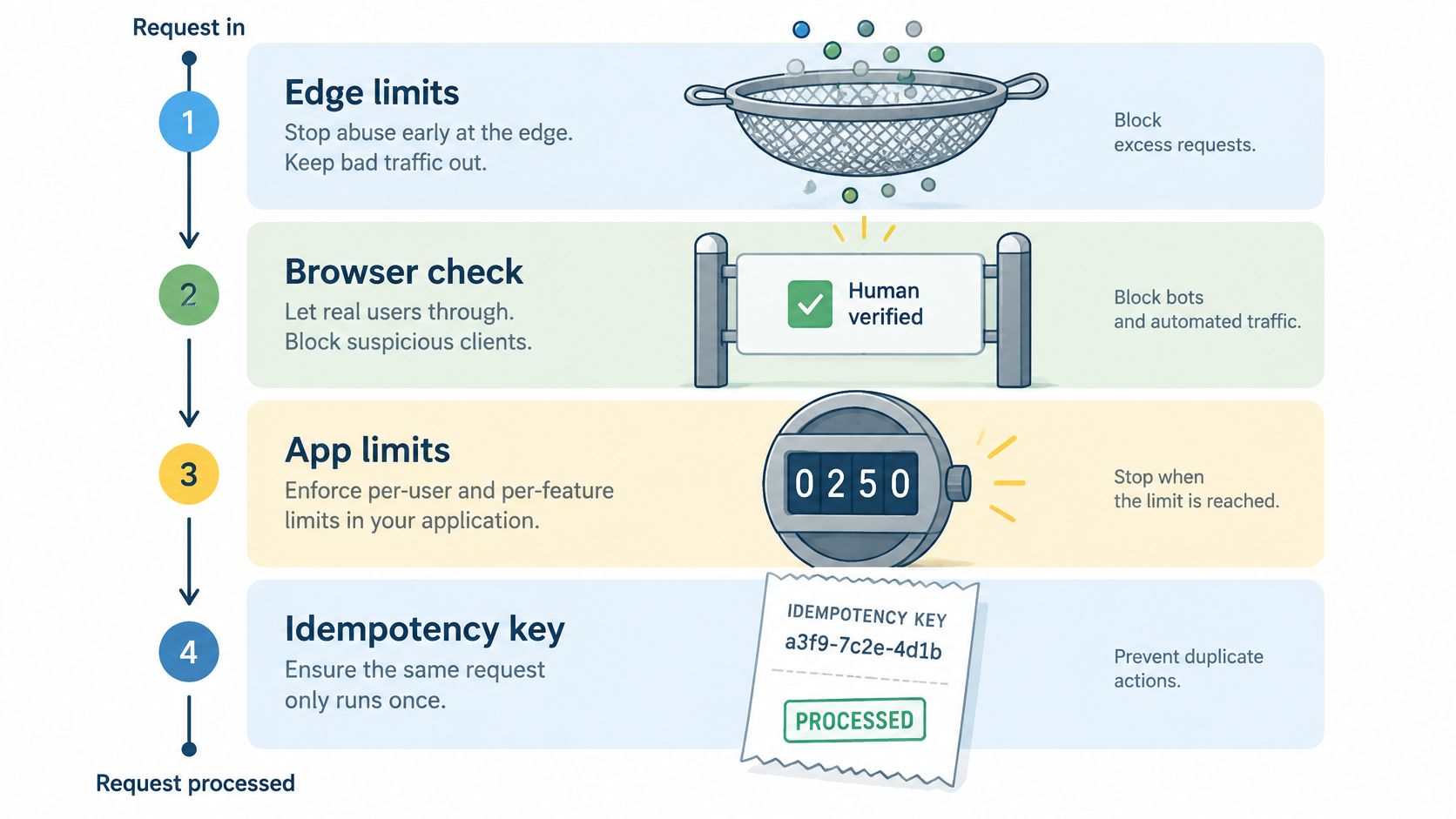
Read the list as cheapest checks first, costliest last. Each stage rejects a different failure class, so a request that survives to step six has already cleared five distinct questions about it.
The Ordering Decision Teams Must Document
Should the system check idempotency before consuming rate-limit budget? The BackendBytes guide to idempotency patterns argues that replayed requests should be recognized through the idempotency store before rate limiting, because replays may otherwise waste quota without preventing duplicate effects. It also recommends binding keys to the caller and request intent, retaining results for a documented retry window, and rejecting conflicting reuse.
The concrete case is a client on a flaky connection. Its retry arrives after the first request already consumed budget. If the idempotency check runs first, the retry is recognized as a repeat and returned cheaply. If the budget check runs first, that honest retry burns allowance it should have kept. The reverse order is still simpler to implement and audit, and some teams accept the wasted quota for that simplicity. Neither order is automatically wrong, but the team should document its choice and the trade-off it accepts.
The same placement question shows up wherever a system holds a pause before an irreversible step. The discussion of pause controls for automated trading applies it to order execution, where a stop placed after the trade is already committed protects nothing. In the web sequence, the equivalent is a duplicate check placed after a charge has already run.
Rate limiting controls resource consumption. Idempotency controls duplicate execution. Browser verification checks browser-originated proof. None of them proves legitimacy alone.
Browser verification for high-value actions uses hosted server-side checks and does not require CAPTCHAs. Application authentication, authorization, transaction validation, and payment controls remain necessary, since browser verification is not a WAF, DDoS service, payment-fraud engine, or proof of human identity.
Confirm Your Limits Before You Enforce Them
A limit that hasn't been tested is a guess with side effects. The checklist below follows the order a team would normally work through one protected action.
Pre-Enforcement Checklist
- Name the action: Identify the route for signup, login, recovery, checkout, or reservation.
- Measure each stage: Find the stage that saturates under realistic concurrency.
- Choose per route: Pick the counting algorithm that fits that action.
- Key beyond IP: Use account, operation, or session keys for sign-in and recovery.
- Return clear signals: Send rate limit and Retry-After headers clients can follow.
- Test throttling directly: Confirm authentication and recovery endpoints really engage their limits.
- Add idempotency keys: Protect state-changing operations from duplicate execution.
- Place verification deliberately: Decide where browser verification sits relative to the limit.
- Document failure behavior: Record fail-open or fail-closed behavior for each route.
Rolling Out in Stages
Enforcement doesn't have to be the first step. A staged rollout starts in Observe mode, reviews grouped evidence and legitimate-user impact, then enables enforcement for one selected action. The reasoning behind that sequence is set out in the research note on observing before enforcing.
That pause catches shared-network false positives and mis-scoped keys before real users hit them. It also shows whether the chosen bottleneck was the right one, under real traffic rather than a load test alone.
A rate limit is one control among several, and no configuration gives complete protection. Teams should keep claims about availability, integrations, and features tied to current public documentation rather than assuming a particular SDK or deployment path is generally available.
Protecting a checkout, login, or signup takes more than counting requests, because the scarce resource and the replay risk rarely sit at the same point. MANDATE provides browser verification for high-value website actions without CAPTCHAs, so teams can pair server-checked browser proof with the scoped limits and idempotency controls described here. Visit the site to review how an Observe-first rollout fits a selected action before enforcement begins.