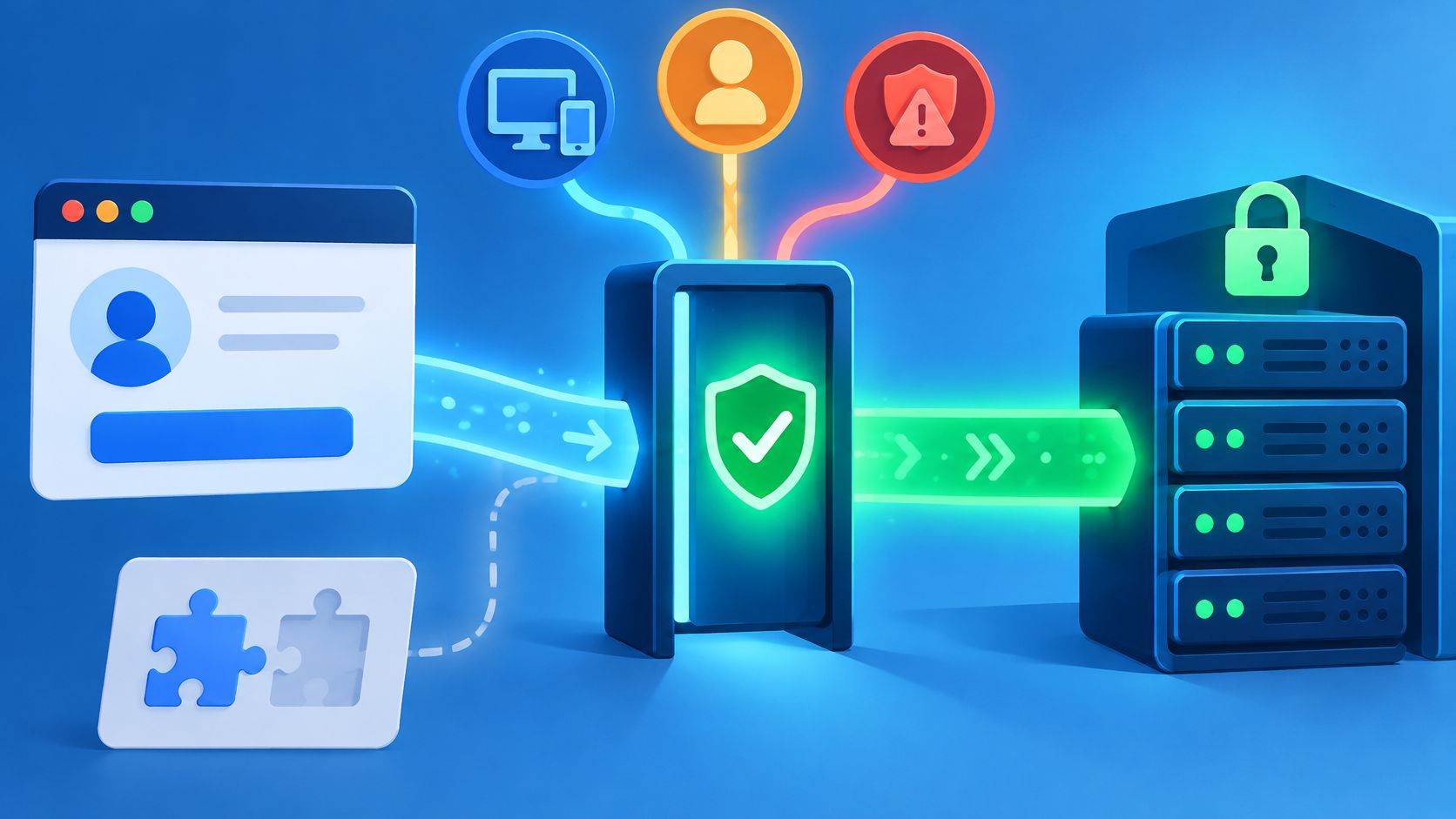
The usual advice, replace the CAPTCHA widget with an invisible score, skips the hardest part. A quieter check won't protect a checkout if the backend accepts the same proof repeatedly, and it won't help legitimate customers if an unexplained rejection leaves them stranded.
A useful CAPTCHA alternative combines evidence about a browser-originated request with rules for the action being attempted. For engineering teams, the decision should start with server-side state, replay limits, recovery paths, and measured legitimate-user impact, not the appearance of the replacement widget.
The CAPTCHA Alternatives You Can Choose From
A CAPTCHA alternative is a control that decides whether a request proceeds without asking the visitor to solve a visible puzzle. Most options belong to a few families, each observing a different part of the interaction.
CAPTCHA alternative families compared
| Option | What it observes | Visible friction | Main weakness |
|---|---|---|---|
| Invisible browser verification | Browser-collected proof checked against server state | None for most visitors | Requires fresh proof and reliable server-side state checks |
| Risk-based authentication | Account history, device, location, and login velocity | Step-up only when risk is high | Needs account history, so weak for anonymous signup |
| Behavioral biometrics | Typing rhythm and pointer movement | None | Needs privacy review; can misread unusual or assistive input |
| Honeypot fields | Hidden form inputs that people never see | None | Simple bots can learn to skip them; weak against real browsers |
| Device fingerprinting | Browser and device attributes | None | Consent and privacy exposure; attributes change over time |
| Server-side heuristics | Request rate, headers, and timing | None | Shared addresses and carrier network address translation can cause false positives |
| Interactive CAPTCHA, baseline | Answer to a visible puzzle | A visible puzzle for each challenged attempt | Accessibility gaps and abandonment cost |
Match the Evidence to the Action
Invisible browser verification is a sensible starting point for valuable anonymous actions, such as signup or promotion redemption. The important distinction is whether the server validates current proof state, rather than merely accepting a browser-generated value.
Risk-based authentication adjusts authentication requirements according to estimated account risk. It suits existing-account sign-in, where known login patterns can justify a step-up, an additional authentication check, but offers less context for a visitor creating an account.
Behavioral biometrics can supplement an established risk model when input patterns are meaningful. They shouldn't become the sole gate for users whose assistive tools produce unfamiliar interaction patterns.
Use Lightweight Controls Where They Fit
A honeypot field is a hidden form input that legitimate visitors shouldn't fill. It's a reasonable first filter for low-risk contact forms, provided its implementation doesn't expose it to assistive technology or autofill.
Device fingerprinting can support continuity checks, but teams need a privacy review covering collection, retention, and consent requirements. Server-side heuristics are useful across endpoints because they're inexpensive to apply, although network signals alone can't reliably distinguish a household, office, or mobile carrier's customers.
Migration remains a practical concern: the HTTP Archive Web Almanac found CAPTCHAs on 18% of desktop websites and 17% of mobile websites in 2025. A shortlist should reflect the protected action, not which option removes the most interface elements.
None of these families proves human identity. Each belongs beside authentication, authorization, and appropriately scoped rate limits.
How Invisible Verification Reaches a Decision
A browser passing a verification check should not earn lasting trust. It should give the server evidence to consider for one request, against current server-side state.
Follow a Protected Request
Consider an account-recovery flow. A visitor enters an address and submits the form.
Collect browser proof. A script gathers evidence when the protected page opens or the visitor activates the submit button. Match collection timing to the action. If the page can remain open for a while, proof gathered at page load may be stale by submission.
Send the proof with the request. Treat the proof as opaque. The application should pass it to the verifier rather than interpret its contents or make its own security decision from them.
Check current server state. The verifier assesses whether the proof has expired, matches the intended action and session, and has already been used. Authenticity alone is not enough; the proof must still be valid for this request.
Continue application checks. The verifier returns an allow or deny decision. An allow result lets the recovery flow continue, but the application still applies its own account checks, delivery restrictions, and protections against account enumeration.
Enforce the result in the route handler. A disabled button or client-side success callback is not a security boundary; callers can send requests directly.
Background Assessment Isn't Business Authorization
Invisible verification moved assessment away from distorted text and visible checkbox challenges toward background signals and scores. The assessment can inform whether to consider a request, but it does not take over application responsibilities.
A verifier cannot establish that a password is correct, that an authenticated account may change another account, or that an order has valid prices and available inventory. The application must check those conditions using its own state and business rules.
A verification result is evidence for one decision, not a permanent label for the visitor.
Replay and Token Theft After the Browser Passes
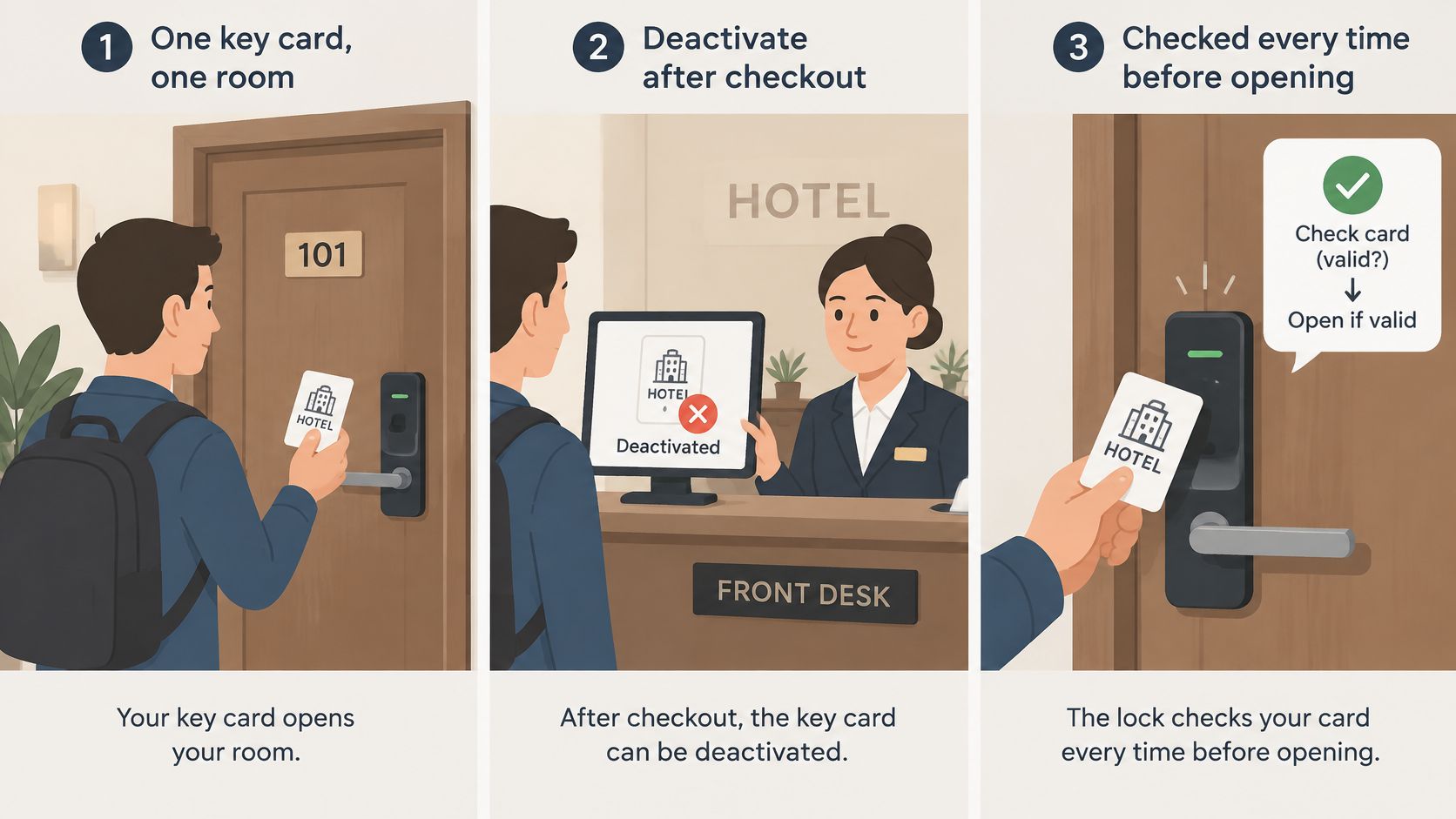
A photocopy of a valid ticket gets through a turnstile if the turnstile never records which tickets have been used. Browser verification can fail the same way: the browser passes, but an attacker later resends the captured request.
Replay means reusing previously accepted request material. Token theft means copying a credential from its intended holder, potentially before its first legitimate use. These require related but different safeguards.
Post-verification attacks and the controls that address them
| Attack | How it works | Control that addresses it | Verification alone enough? |
|---|---|---|---|
| Replay of a captured request | Attacker resends a previously valid request | Nonce bound to one transaction plus atomic single-use marking | No |
| Token theft | Proof copied from a browser and used elsewhere | Short lifetime, action and audience binding, session continuity check | Partly |
| Duplicate submission | Customer retries after a lost response | Idempotency key on the order operation | No |
| Session theft | Attacker reuses an active session cookie | Session binding, short session lifetime, re-authentication for sensitive actions | No |
| Trial eligibility abuse | One person deliberately creates repeat trial accounts | Eligibility rules tied to account and payment signals | No |
A nonce is a value issued for a particular exchange. Atomic single-use marking means concurrent requests can't both observe the credential as unused and proceed.
Replay resistance prevents successful reuse of recorded messages. For action proofs designed for one use, the server must atomically record consumption within the validity period. Ordinary session cookies remain reusable under their own session policy; browser verification does not itself establish an authentication assurance level.
Illustrative Checkout Retry
Synthetic example, not a customer result: a checkout API accepts valid proof and creates an order, but the response never reaches the customer. The customer retries.
Rejecting the consumed proof doesn't tell the customer whether the order exists. Accepting it again without an operation-level safeguard risks another order.
An idempotency key identifies the intended operation so a retry can return its existing result. The server should bind that key to the customer and operation, preserve the outcome, and reject conflicting payloads.
The guide to replay attacks separates captured-request reuse from ordinary retries. Keep operation-level idempotency alongside action-proof consumption so customers can recover safely from a lost response.
Session theft is reuse of an active session cookie; account takeover is the outcome when someone else gains control of an account. Trial eligibility abuse is deliberate repeat-trial registration, separate from misleading billing or cancellation practices. Keeping these labels distinct prevents a browser-proof policy from becoming a catch-all for unrelated business risks.
Accessibility, Recourse and Hidden Costs
A visible challenge fails visibly. A silent control can fail without the customer understanding what happened, or the engineering team noticing that legitimate users disappeared.
A Luxembourg government accessibility study detected CAPTCHAs on 101 of 821 public websites tested in 2025, approximately 12.3%, and reported accessibility problems in more than half of the detected CAPTCHAs. Removing the visible challenge helps only if the replacement doesn't create another barrier.
The W3C CAPTCHA accessibility note explains the underlying problem: image challenges can't offer ordinary text alternatives without revealing their answers, which is why alternative challenge formats are required. A 2025 systematic review covering 30 peer-reviewed studies also identified accessibility and inclusivity shortcomings across text, image, audio, behavioral, biometric, and newer CAPTCHA designs.
Test the Complete Flow
Testing should include the submission, rejection, recovery, and eventual completion, not just whether the page renders.
Screen reader users: Complete the flow with a screen reader and confirm that status changes and errors are announced.
Keyboard-only users: Submit and recover without a mouse. Check focus placement after an intervention.
Reduced-motion users: Confirm that disabled animations don't prevent progress or remove meaningful status information.
Privacy-focused users: Test blocked scripts and fingerprinting protections. Missing telemetry shouldn't automatically mean malicious intent.
Older-browser users: Exercise the supported browser baseline and provide a comprehensible response when required functionality is unavailable.
Mobile WebView users: Test embedded browsing environments, including interrupted navigation and return-to-app behavior.
Design a Recovery Path
Progressive fallback means offering a suitable alternative when the initial decision is inconclusive. An email confirmation or additional authentication step may suit a lower-risk recovery path, but it must preserve the security requirements of the action.
An unexplained block isn't a fallback. The interface needs a clear message, a safe retry route, and access to support without exposing detection criteria.
Practical rule: A user who can't complete verification still needs a way to understand the failure and seek help.
Before enforcement, count confirmed legitimate users who would have been rejected and inspect the affected segments. Support contacts, successful recovery, and completed transactions help validate those cases; a proposed rejection alone doesn't establish that the visitor was abusive.
Collect accessibility-related observations through voluntary testing and appropriately reviewed analytics. Teams shouldn't infer disability from movement or typing patterns merely to populate a dashboard.
Protecting Login From Credential Stuffing
Credential stuffing needs layered defenses; browser proof is one layer. Attackers test username-password pairs leaked from other breaches against a login form to find reused credentials. This isn't the same as repeatedly guessing a password.
The OWASP Bot Management and Anti-Automation Cheat Sheet recommends rate limiting, breached-password checks, and multifactor authentication, with limits across multiple keys rather than only source addresses. An attacker can distribute attempts across addresses, accounts, and browser profiles.
Rate-limit keys for login protection
| Limit key | What it catches well | What it misses |
|---|---|---|
| Account or username | Many attempts against one account | Attempts spread across many accounts |
| Source address | Bursts from one address | Distributed addresses and proxies; shared network address translation causes false positives |
| Device or session continuity | Repeated attempts from one browser profile | Rotating browser profiles |
| Endpoint and action | Total volume on the login route | Slow, low-volume attempts |
| Combined keys with breached-password checks | Attempts that look normal on any single key | Correct passwords still need MFA and normal authentication |
Illustrative Distributed Login Attempt
Synthetic example, not an observed attack: an attacker tries 2,000 usernames once each from 300 addresses. That produces one attempt per account and about seven per address.
If the configured account and address thresholds permit those amounts, neither individual counter triggers. There isn't a universal threshold that makes this example safe or unsafe; the point is that a distributed campaign can remain unremarkable under either key alone.
A combined view may reveal repeated browser continuity, unusual route-wide activity, or related outcomes across the campaign. Breached-password handling adds credential context, while multifactor authentication requires an independent factor when policy calls for it.
Device rotation can weaken the continuity signal. Teams should treat the absence of that signal as uncertainty, not proof that the attempt is legitimate.
Put Each Check at the Right Boundary
Fresh browser proof should be checked before password processing or account-state mutation. Responses should remain uniform enough that an attacker can't easily distinguish nonexistent accounts from incorrect passwords.
The credential-stuffing guide provides an action-specific starting point for this policy. OWASP's recommendations support token-bucket or sliding-window rate limiting: the former permits controlled bursts, while the latter evaluates activity over a moving interval.
Rate-limit decisions also need recovery behavior. Aggressive account lockouts can let attackers deny access to legitimate account holders, so backoff, suspicious-pattern MFA, and support procedures deserve explicit design.
Revisit the threat model when login flows gain recovery routes or authentication options. A protected main login form does not help if another credential-checking route remains unrestricted.
A passed browser proof says nothing about whether the submitted password is correct. Normal authentication, authorization, and suspicious-login handling remain responsible for deciding who gets an authenticated session.
How to Roll Out Verification in Observe Mode
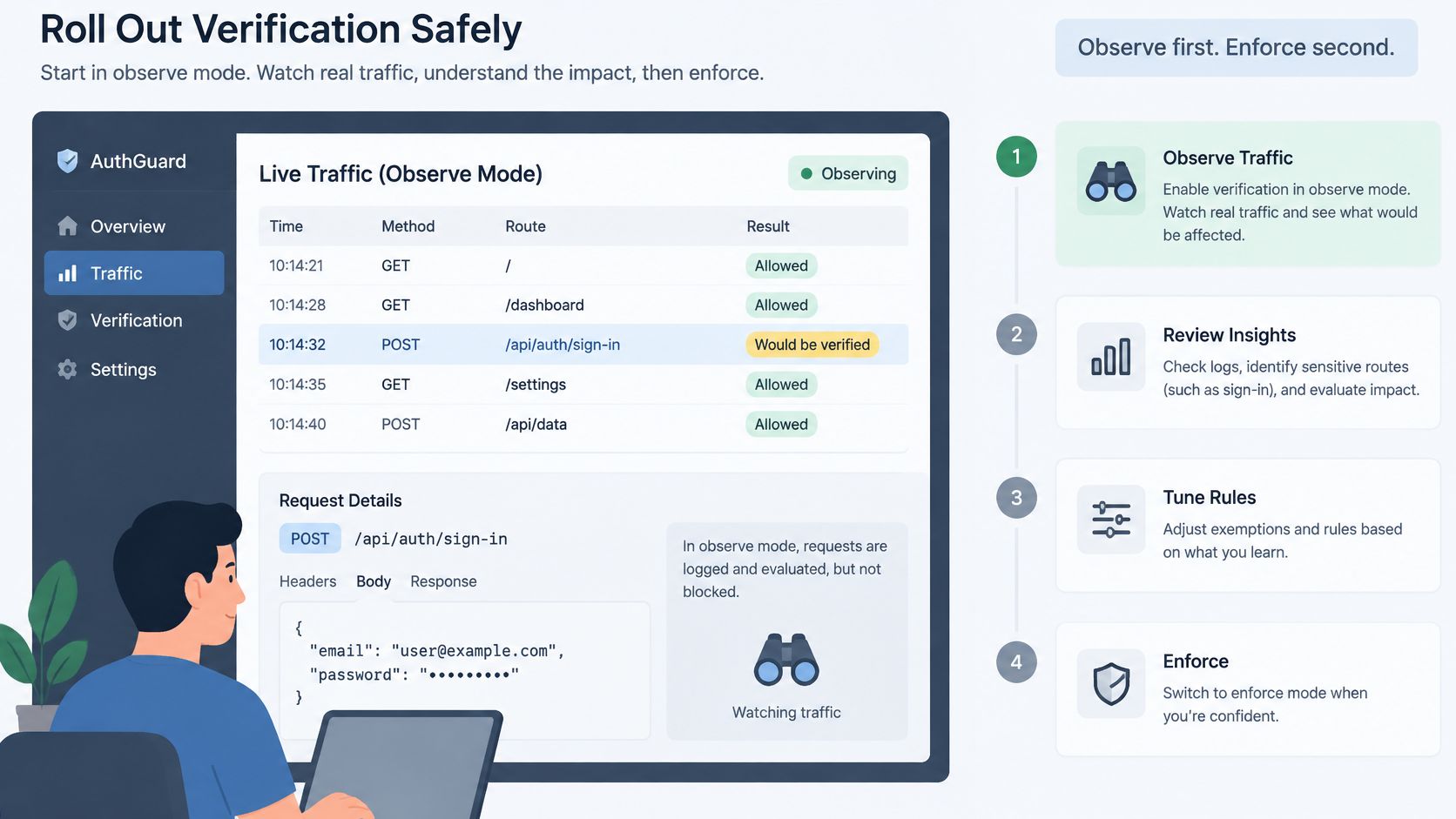
Observe mode records how a policy would treat real traffic without rejecting requests. Use it to assess one named action against application outcomes before enabling enforcement.
The Observe-before-enforce research note explains how to separate verification evidence from enforcement decisions. An application outcome, such as a completed order or created session, is more useful than a dashboard count of suspected automation.
Establish the Enforcement Gate
Name the protected action. Record the route and method, such as the sign-in POST, so the pilot has a clear boundary.
Define successful legitimate completion. A created session or committed order is a stronger signal than a button click or a successful verification response.
Observe a representative cycle. Include normal peak traffic, scheduled promotions where relevant, and routine operational variation.
Separate proposed rejections, verification errors, applied interventions, and failed business operations. Otherwise, a verifier outage can resemble successful abuse prevention.
Inspect completion by segment. Compare browser, device, and region. Assess accessibility through consented testing or appropriately reviewed measurement.
Change policy in small, recorded steps. Untracked changes make outcome comparisons harder to interpret.
Enforce narrowly. Begin with a limited share of traffic for the selected action, retaining a comparison group where appropriate.
Keep a policy-specific rollback. Disabling the pilot should not require removing unrelated application protections.
Choose the Integration Boundary Deliberately
At the edge, a check can reject traffic before it reaches the origin. The trade-off is coordinating edge decisions with origin-owned transaction and session state, then debugging across separate logs.
In the backend, a route handler calls a hosted verifier before processing the action. This adds a verification dependency and network latency, while keeping enforcement close to application decisions and request tracing.
Inside application business logic, the enforcement hook can sit beside order creation or recovery processing. Transaction context is available there, but every entry point must call the same policy and handle consumption consistently.
These are architectural patterns, not claims that a particular vendor supports every deployment. Confirm SDK availability, supported integration paths, timeouts, and state ownership in current vendor documentation before planning.
The operational gate is evidence that legitimate completion remains acceptable under the proposed policy. If completion falls for a user segment, keep observing and adjust the policy before expanding enforcement.
Choose a Verification Layer for Your Highest-Value Action
Choose the layer by the action's risk and available signals, not by which replacement is newest. Anonymous signup, established-account login, and limited-stock checkout have different decision boundaries.
Starting point by situation
| Situation | Starting point | Main reason |
|---|---|---|
| Public signup with heavy automated volume | Invisible browser verification, Observe mode first | Signup lacks established account history for risk scoring |
| Sign-in with credential reuse risk | Browser proof plus multi-key rate limits, MFA for suspicious patterns | The threat is credential testing, not only volume |
| Checkout or reservation with limited stock | Action-bound browser proof plus order idempotency | Duplicate submissions need operation-level control |
| Existing account with login history | Risk-based authentication with step-up | Account history provides a risk signal |
| Low-risk content form | Honeypot field and server-side heuristics | Stronger friction may outweigh the abuse risk |
| Accessibility-critical or regulated flow | Progressive fallback with human recourse | Users need a completion path without an unexplained block |
Keep the Product Boundary Explicit
MANDATE is an option for browser verification protecting account creation, sign-in, account recovery, checkout, reservations, and promotion redemption without CAPTCHAs. Hosted verification is its normal integration path; local verification is limited to an offline emergency tier and legacy compatibility, with current availability requiring confirmation before planning.
It isn't a general bot blocker, WAF, DDoS service, identity proof, or payment-fraud engine. Application authentication, authorization, transaction validation, and payment-provider controls remain in place.
Select one action and establish its legitimate-completion event before enforcement. Use the observe-mode procedure to decide whether the proposed policy protects that action without creating an unacceptable barrier.
MANDATE offers CAPTCHA-free browser verification for high-value website actions, with hosted server-side checks and an Observe-to-enforce rollout. Visit MANDATE to review the current product scope and plan a pilot for a specific signup, login, or checkout action.