Credential stuffing accounted for 19% of all authentication attempts in median single sign-on logs in Verizon's 2025 research. The share reached 25% for enterprise-sized organizations, making credential stuffing one of the most common entry points for account takeover.
That scale changes the engineering response. This isn't just a login problem to solve with a stricter password policy or another CAPTCHA. Attackers increasingly use stolen credentials to enter through authentication, then continue through APIs, account settings, checkout flows, and other business actions that look ordinary when viewed one request at a time.
Table of Contents
- Why Credential Stuffing Dominates Account Takeover Attacks
- The Credential Stuffing Attack Lifecycle Explained
- How Credential Stuffing Has Evolved Beyond Simple Guessing
- Detecting Credential Stuffing Signals and Indicators
- Browser Verification as a Defense Layer
- Implementing Protection for High-Value Web Actions
Why Credential Stuffing Dominates Account Takeover Attacks
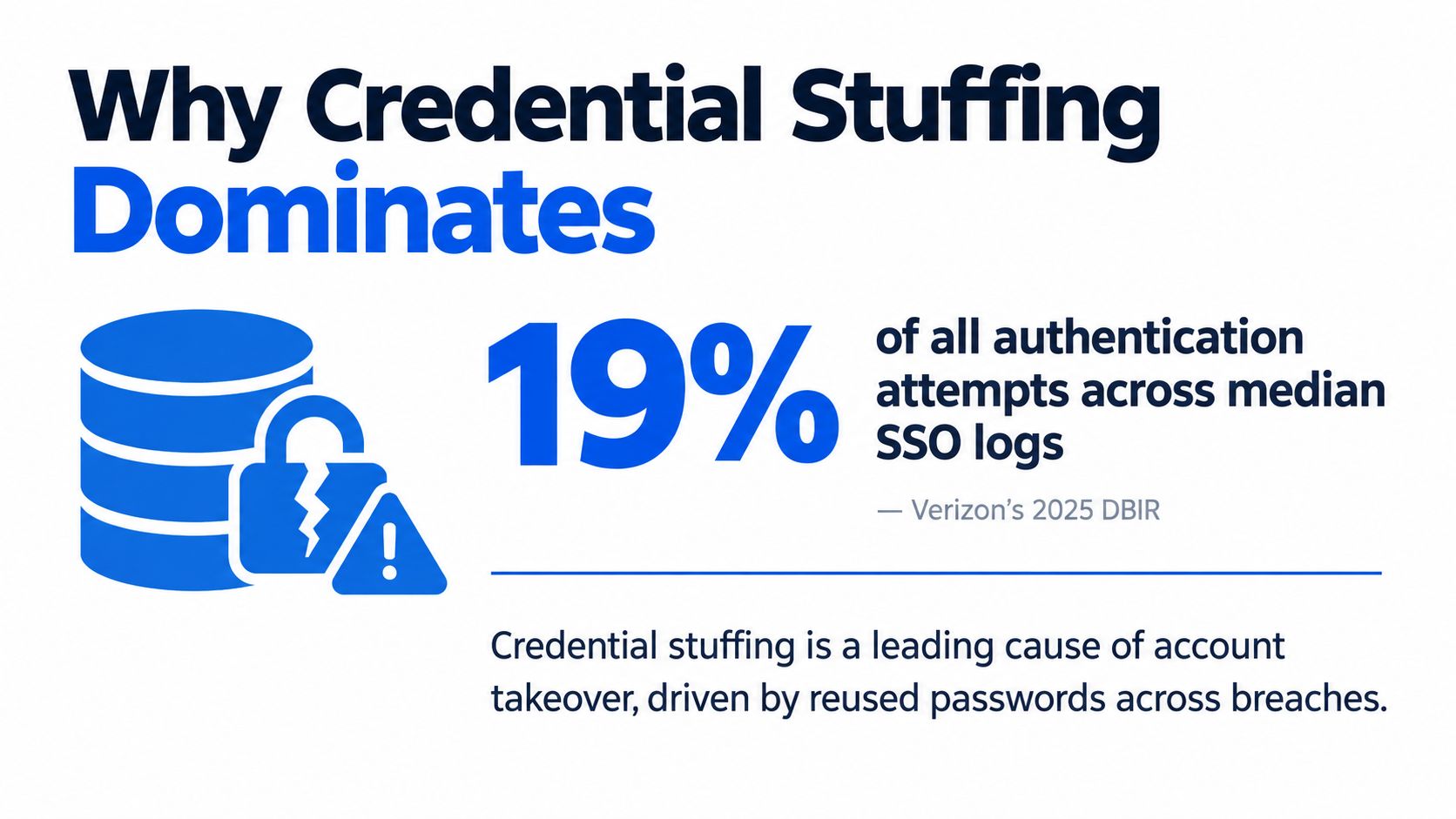
Verizon's 2025 DBIR research on credential stuffing found that the technique represented 19% of all authentication attempts in median single sign-on logs, rising to 25% in enterprise-sized organizations and falling to 12% for small businesses. That makes credential stuffing a routine part of authentication traffic, not an occasional burst that only appears during a major breach.
Credential stuffing means taking username and password pairs stolen from one service and automatically testing them against another. The attacker isn't guessing whether a password might be valid. They're replaying credentials that worked somewhere else and relying on users who reused them.
The technique exploits a human habit rather than a flaw in your application code. A well-built login endpoint can still accept a valid username and password, even when the same combination was exposed by an unrelated service.
Why low success rates still work
Attackers don't need most attempts to succeed. Industry reporting cited in the history of credential stuffing attacks places typical success rates at roughly 0.1% to 2%, while the same reporting estimates about 26 billion credential-stuffing login attempts per month globally in Akamai's 2024 telemetry.
At that volume, a tiny acceptance rate can produce a large inventory of valid accounts. Recorded Future also describes credential stuffing as a widely observed pattern that emerged in late 2014 and early 2015, alongside automated underground marketplaces for trading and testing stolen credentials. The important shift is industrialization. Attackers can buy, filter, test, and resell credentials through repeatable workflows.
Password reuse remains the enabling condition. A government-linked source summarized by Recorded Future estimates that about 75% of users recycle passwords across different accounts. Engineering teams can't fix that behavior at the login endpoint alone, so they need controls before authentication succeeds and controls around the actions that follow.
Practical rule: Treat a valid password as one signal in an authentication decision, not as proof that a human user is operating the session.
That distinction matters for teams protecting ecommerce accounts, subscriptions, customer portals, and financial workflows. Controls that reduce account takeover can also support efforts to prevent friendly fraud in ecommerce, especially when a compromised account is later used for purchases or disputes.
Review the application-level risks alongside the login endpoint in this guide to account takeover fraud. The right question is not only whether the credentials are correct. It's whether the browser, session, request sequence, and intended action are consistent with legitimate use.
The Credential Stuffing Attack Lifecycle Explained
A credential stuffing campaign usually starts outside the target company. An attacker acquires a list of username and password pairs from a breach, malware collection, reseller, or underground marketplace. The list may contain duplicates, stale passwords, or accounts that have already been disabled, but automation makes filtering inexpensive.
The attacker then chooses targets with valuable accounts or forgiving authentication flows. A retail site, SaaS product, ticketing service, or payment-enabled customer portal may all be useful because a successful login can expose stored data, loyalty value, payment methods, or privileges.
From leaked list to login attempt
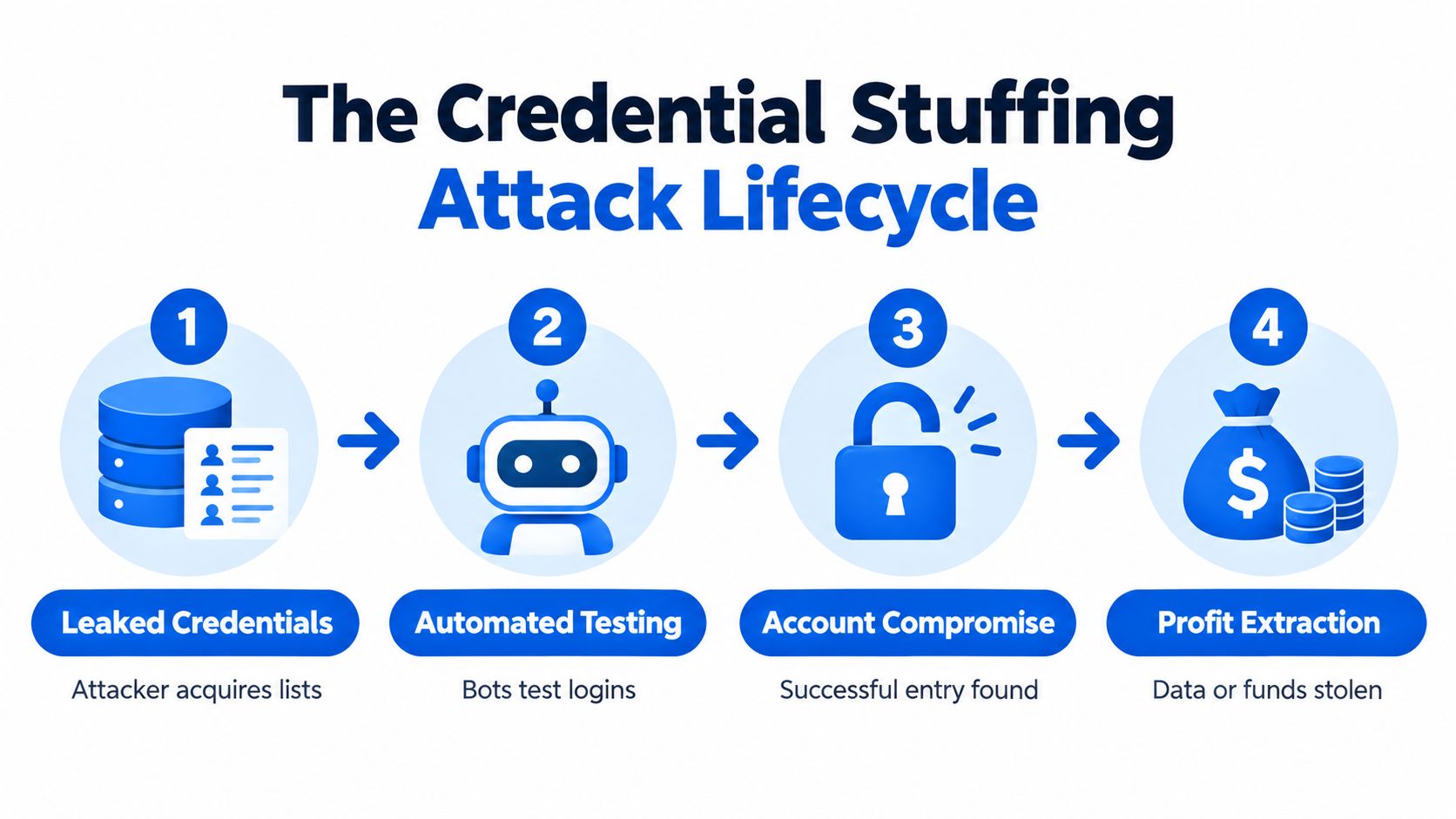
A typical flow looks like this:
The attacker prepares the inventory. Credentials are normalized, deduplicated, and matched to likely services. The attacker may separate records by country, email domain, or historical breach source.
Automation tests the credentials. Account-checking tools submit login requests to the target. They can imitate ordinary browser requests, vary headers, rotate network origins, and spread attempts across time so a simple per-IP threshold doesn't see the full campaign.
The system returns useful signals. A successful password, a distinct error response, or a second-factor prompt can tell the attacker that an account exists and that the credential pair has value. The attacker doesn't necessarily need to complete the login to build a useful list of valid accounts.
The account becomes an asset. Attackers may change recovery details, access personal information, abuse stored payment methods, redeem account value, scrape data, or sell the working account. They can also use the account to make later requests appear more trustworthy.
Historical reporting illustrates the scale behind this process. The Akamai report on credential-stuffing attacks and economies recorded nearly 30 billion credential-stuffing attacks in 2018, with hundreds of millions occurring each day. HHS material also cites 28 billion attempts in the second half of 2018, including 10 billion against retail and 22.47 billion in the United States during that period, as summarized in this credential stuffing threat reference.
Where defenders can intervene
The lifecycle gives defenders several intervention points. Breached-password screening reduces the chance that a newly created or changed password will become useful elsewhere. Multifactor authentication raises the cost of using a valid password, particularly for sensitive accounts. Network and behavioral controls can identify automation before the login reaches application logic.
No single control closes the whole chain. A password blocklist won't stop an attacker using an old but still valid password. A rate limit may miss a distributed campaign. A second factor may protect the final account entry while still allowing attackers to identify which credentials are valid.
The strongest design places verification before expensive or sensitive actions. Reject obviously automated traffic before it reaches the login handler, challenge suspicious sessions selectively, and monitor the account for recovery changes, unusual navigation, and high-risk actions after authentication.
How Credential Stuffing Has Evolved Beyond Simple Guessing
The old mental model is simple: a bot submits many passwords to a login form until some work. That model is still useful, but it's incomplete. Modern campaigns can use valid credentials to reach APIs, manipulate workflows, and move between device contexts while maintaining enough normal behavior to avoid a single obvious detection rule.
A 2025 Radware analysis of SilverBullet attack scripts examined 100 scripts and found that 94% included four or more business-logic attack elements, 83% targeted APIs, 54% used advanced orchestration with 13 or more techniques, and 71% showed cross-platform transitions between device types. Those findings point to a broader abuse pattern, not merely a faster password checker.
The login screen is only the first surface
Business logic is the set of rules that determines what a user can do after a request is accepted. Examples include adding a new payment method, requesting a password reset, applying account credit, changing an email address, creating an API token, or placing an order.
An attacker who gets through login may not behave like a normal customer. They might call an API directly, skip pages in the user interface, repeat an action with altered parameters, or move rapidly from account discovery to value extraction. A login-only defense can miss all of that because the suspicious behavior begins after authentication.
CAPTCHAs have a place in some risk-based flows, but they're a poor default for every user. They add abandonment, create accessibility concerns, and can be farmed or bypassed. Stronger passwords help reduce future exposure, yet they don't invalidate credentials already stolen from another service.
Teams looking for broader defensive context can review these cybersecurity tips from tekRESCUE, but the implementation conclusion is more specific: inspect the whole request journey.
Validate the session, not only the secret
A password proves that a request contains a matching secret. It doesn't prove that the request came from a normal browser, that the browser executed the expected client flow, or that the same environment is making the next sensitive request.
That's why browser and session validation can be more useful than adding friction to the login form. A defense layer should consider whether the client can provide credible browser evidence, whether the session remains consistent, and whether the request sequence fits the action being attempted.
This approach doesn't replace password hygiene, MFA, or authorization checks. It changes where those controls sit in the decision. The application can reject or flag suspicious automation before it consumes authentication capacity, exposes account details, or processes a high-value action. The practical background is covered further in this guide to bot attacks.
Detecting Credential Stuffing Signals and Indicators
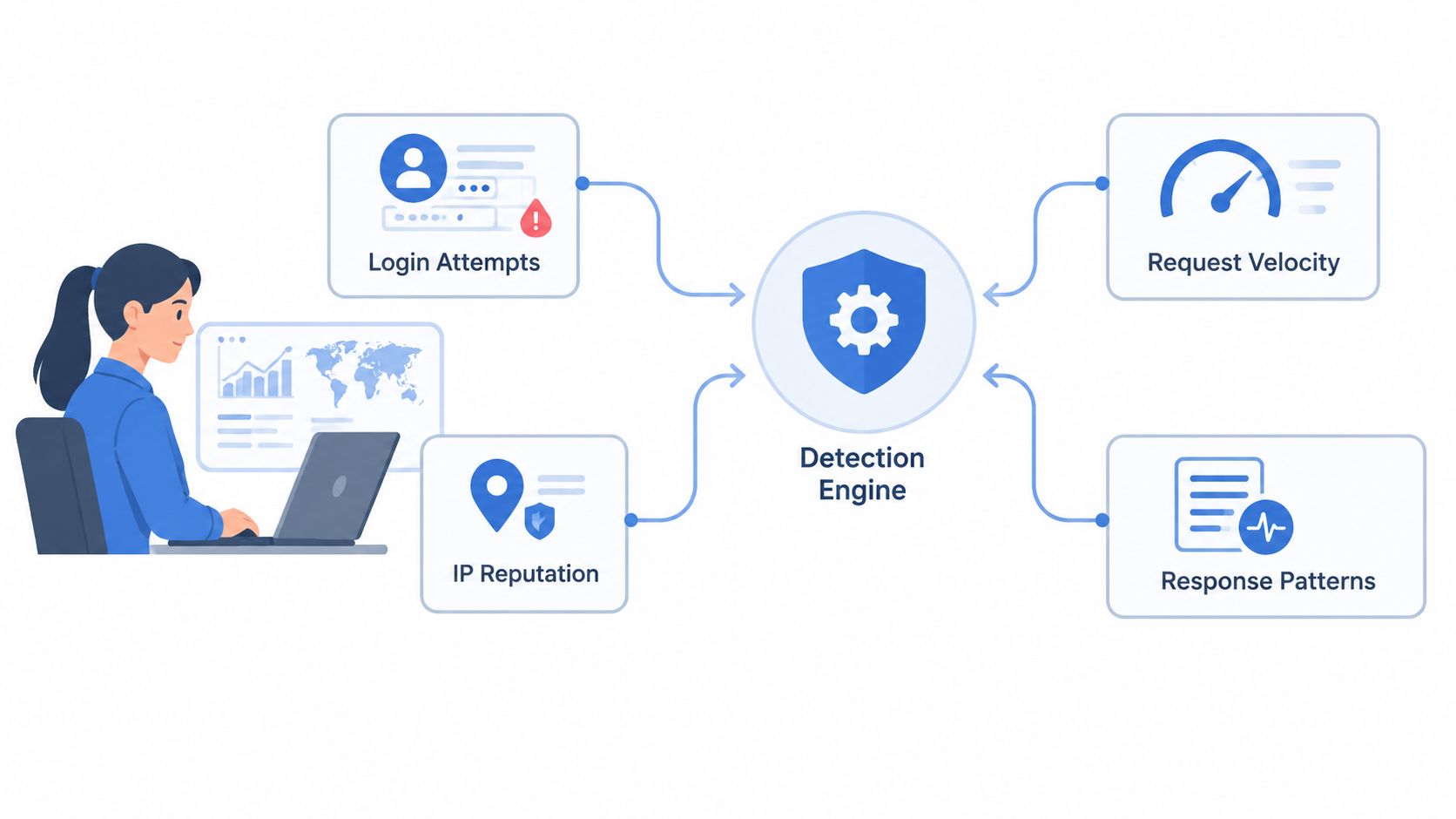
Detection works best as a combination of weak signals. A single IP address may look harmless, a single failed login may look ordinary, and a single unusual browser may belong to a legitimate customer. Together, those signals can identify a campaign without blocking an entire region or forcing every user through an interactive challenge.
Start with traffic and credential signals
Track request velocity at several levels, not just per IP. Useful views include one source contacting many accounts, many sources targeting one account, repeated attempts against a narrow endpoint, and sudden changes in login traffic by geography or network type.
Credential outcomes add context. A stream of failures followed by a sudden run of successful logins deserves attention, particularly if the successful sessions share browser characteristics or immediately call account-management endpoints. Known-compromised password screening at signup and password change also prevents users from selecting credentials already present in breach inventories. OWASP's Authentication Cheat Sheet points to NIST SP 800-63B guidance on screening passwords against blocklists rather than relying only on arbitrary complexity rules or routine resets.
Add behavior and session consistency
Inspect whether requests have the characteristics of a normal browser journey. Relevant signals include:
- Browser execution: Check whether the client completes expected browser-side steps and presents consistent browser evidence across requests.
- Request sequence: Compare the order of navigation, login, account retrieval, and sensitive actions with ordinary flows.
- Session continuity: Look for abrupt changes in client characteristics, network context, or device type after authentication.
- Action concentration: Flag sessions that move directly from login to recovery changes, payment updates, bulk data access, or repeated checkout attempts.
Store enough event context to investigate decisions later, but avoid collecting data that your team doesn't need. Security telemetry should help analysts answer why a request was allowed, flagged, or blocked, not become an ungoverned copy of every customer interaction.
Rate-limit carefully
Aggressive lockouts can create a denial of service for legitimate users. MITRE's T1110.004 guidance on credential stuffing specifically warns about overly strict lockout policies and recommends conditional access for suspicious IP ranges or non-compliant devices, MFA on externally facing services, and proactive resets for accounts known to be exposed.
Use graduated responses instead of one blunt threshold. A low-risk request can proceed, an uncertain session can receive additional monitoring or a limited response, and a high-confidence automated request can be blocked. Keep account recovery available, and make sure analysts can distinguish an attack against an account from a customer who forgot a password.
Browser Verification as a Defense Layer
A valid username and password establish only one fact: someone knows the credentials. They do not show that the request came from a real browser, followed a normal session path, or represents a legitimate user action. Credential stuffing now often continues after authentication, targeting account recovery, payment changes, promotions, and APIs where business logic creates more value than the login form.
Browser verification adds evidence about how a request was produced. A real browser can provide proof tied to its execution environment and request context. Automated tools may copy headers or reproduce one request shape, but maintaining consistent, server-verified evidence across a complete workflow is harder. The defense should evaluate the full browser session, not add another obstacle at login.
A practical verification model
Keep the engineering flow explicit:
- Collect proof in the client. The browser performs a verification step during the normal request path.
- Send evidence with the request. The application receives that proof with the login, signup, checkout, or other operation.
- Validate on the server. Server-side logic checks that the proof is authentic, recent, and associated with the expected request context.
- Apply a policy. The service allows, flags, or blocks the request using the verification result alongside other risk signals.
The proof should remain connected to the session and the operation being requested. Otherwise, an attacker may replay a valid browser token against a different endpoint or call an underlying API without loading the protected page. Server-side validation therefore matters more than the presence of a client-visible token.
This approach can stop automated traffic before the application performs expensive work. It also extends protection beyond authentication, where a password control cannot explain what the session does after login.
MANDATE applies this model with invisible browser verification, client-side browser proof, server-side validation libraries, and enforcement decisions that allow, flag, or block traffic without CAPTCHAs. Its deployment options include edge networks, cloud environments, and application middleware. An Observe mode lets teams review decisions before enforcement.
Browser verification supports authentication, authorization, and fraud controls. It does not prove that a user is trustworthy for every action.
Understand the trade-offs
Invisible checks reduce friction, but they do not eliminate false positives or attacker adaptation. Browsers change, privacy protections can reduce available signals, and some legitimate clients may not produce the expected evidence. Plan monitoring, fallbacks, and an investigation path before enabling blocking.
Placement affects both context and cost. Edge verification can filter requests before they reach application infrastructure, while middleware can make decisions close to authentication and business logic. A direct API integration gives the application more control over action-specific context. Teams comparing perimeter controls with application-level checks can consult this practical WAF for CTOs.
Keep responsibilities separate. The client gathers evidence, while the server decides whether to trust the request and whether the requested operation is permitted. For a closer comparison of these implementation choices, see client or server verification.
Implementing Protection for High-Value Web Actions
Start with the actions that cause the greatest harm when automated. Login is an obvious target, but it is only one part of the attack surface. Signups, password resets, recovery changes, payment-method updates, checkout submission, ticket claims, promotional redemptions, and API-token creation can all give an attacker useful access or financial value.
Map each action to its entry points and dependencies before choosing a control. A checkout may begin in a browser, call a frontend API, pass through middleware, and create an order in a backend service. Verification that covers only the visible page leaves the underlying endpoint exposed. Attackers can skip the page and call that endpoint directly, so the server must validate the browser session and its proof before performing the business operation.
Choose an integration point
Teams commonly place verification in one or more of these locations:
- At the edge: A CDN, serverless function, or edge worker can inspect requests before they reach the application. This reduces unwanted load, although edge runtimes may have less business context.
- In cloud infrastructure: Checks at gateway or service boundaries work well for shared APIs and distributed applications. Policies must remain consistent across services, or attackers may target the least protected path.
- In application middleware: A decision close to authentication and business logic gives developers more context. The application may still spend resources processing traffic before rejecting it.
- Through APIs and SDKs: Server libraries and integration components return an explicit verification result to the application. This supports workflow-specific decisions, but rollout must cover every relevant service.
Protect the action, not only its HTML route. Carry the verification result with the request to the server-side operation that matters. For an API, validate the proof before fetching records, reserving inventory, changing recovery details, or creating a token.
Roll out in Observe mode
Immediate blocking creates avoidable customer and operational risk. Begin in Observe mode, recording verification results and proposed decisions without changing the customer path. Compare those decisions with login outcomes, support reports, checkout completion, recovery events, and known internal traffic.
Use this period to answer practical questions:
- Are legitimate mobile and privacy-focused browsers classified as expected?
- Do internal tools or service accounts need a separate integration path?
- Do API clients receive a clear response when browser verification does not apply?
- Which actions should allow, flag, or block?
- Can the security team explain each decision using dashboard events and application logs?
Tune policies by action instead of applying one rule across the site. A suspicious signup might be flagged for review, while an automated password-reset attempt can be blocked. A high-value checkout may require a stricter decision than a public product page. This approach accepts a real trade-off: stronger controls on sensitive actions, lower friction on low-risk browsing.
Connect decisions to response
An enforcement result must reach the systems that handle the action. An allowed request continues normally. A flagged request can receive additional review, reduced privileges, or delayed processing. A blocked request should return a safe response that does not reveal which signal triggered the decision.
Pair browser verification with compromised-password screening, MFA for sensitive accounts, authorization checks, recovery protections, and post-login monitoring. Password guidance from NIST and OWASP can help prevent known-breached passwords from being selected. Conditional access and proactive resets address accounts that security teams already know are exposed.
Monitor the control like any other production system. Review events, false positives, traffic-pattern changes, and outcomes for sensitive actions. Attackers will adjust their tooling, while legitimate browsers and privacy settings will change over time. Without a feedback loop, detection accuracy will decline.
The objective is not perfect classification. It is to reduce automated acceptance while keeping legitimate users moving through the actions the business depends on. MANDATE provides invisible browser verification, server-side validation, Observe mode, and enforcement controls for actions such as signups, logins, and checkouts. Teams can review its integration options and assess where browser verification fits in their credential-stuffing defenses.