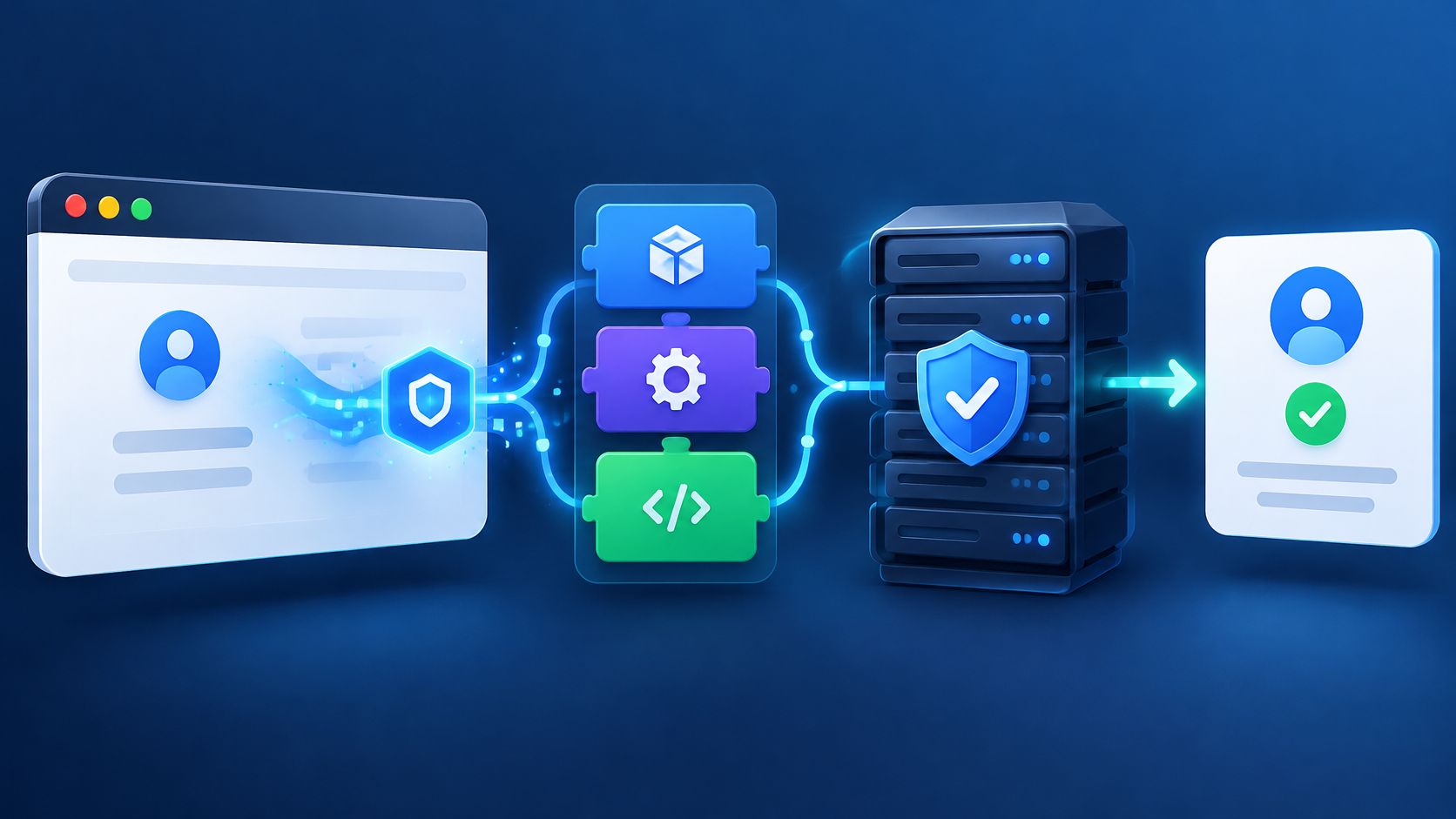
SDK integration means connecting an application to a vendor's packaged code, APIs, tools and documentation so it can use the service without building that layer itself.
A team adding abuse protection to a signup form can install a package quickly. The harder questions appear afterward: where verification runs, what happens during an outage, and whether a successful browser response permits account creation. Those decisions turn a library installation into a production integration.
What SDK Integration Means in Plain English
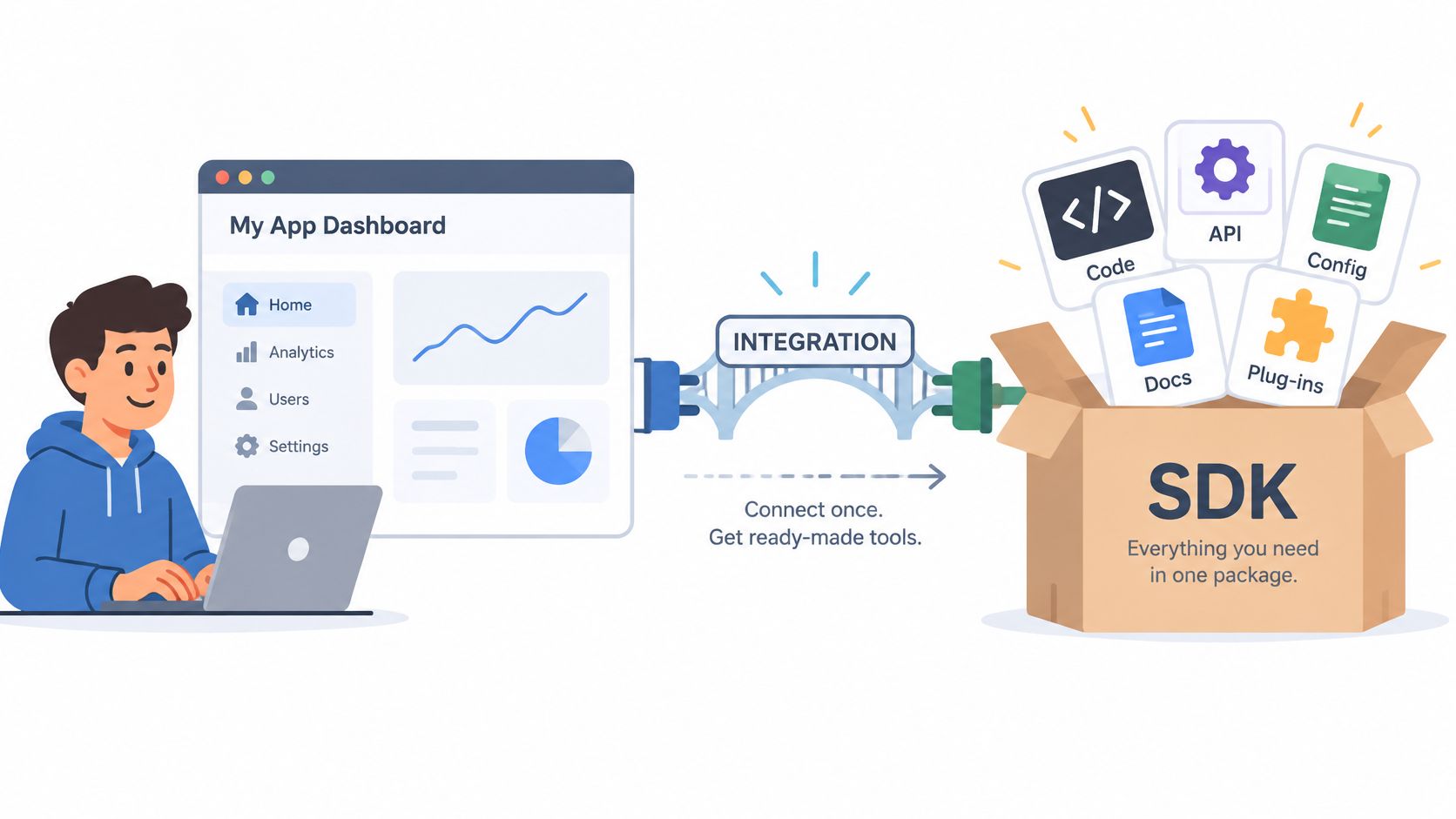
An SDK, or software development kit, is a collection of components developers use to connect an application to a platform or service. Think of a pre-cut kit with labelled parts from a hardware store. The kit saves fabrication work, but the builder still decides where it attaches, what it may touch, and what happens when a part fails.
The distinction between an SDK and an API, or application programming interface, is straightforward. An API defines the callable interface. An SDK packages interfaces with libraries, documentation, tools, and platform-specific helpers, as Unity's SDK glossary explains.
What installation leaves undecided
Say a developer imports a verification library into an account-creation page. The application can now call its methods, but the integration still needs explicit decisions about:
- Credentials: Which values may appear in browser code, and which must remain on the server?
- Request authentication: How does the service recognize an authorized application request?
- Errors and retries: What happens after a timeout or an uncertain response?
- Upgrades: Who reviews SDK changes and compatibility requirements?
- Application state: Where does verification sit relative to authorization and database writes?
For teams sharing functionality across web and native applications, the Digital Souls Studios cross-platform development guide offers adjacent architectural context. Shared application code doesn't eliminate platform-specific integration decisions.
Practical rule: Installing an SDK creates a connection. Engineering the trust boundary determines what that connection is allowed to influence.
Browser verification makes that boundary concrete. The browser collects proof, while server-side verification checks it before a signup, login, recovery, checkout, or reservation proceeds.
Before writing integration code, the team should answer these questions:
- Protected action: Which operation needs protection?
- Decision authority: Which server handler decides whether it proceeds?
- Failure policy: What happens when verification cannot produce an answer?
How the Browser and Server Split the Work
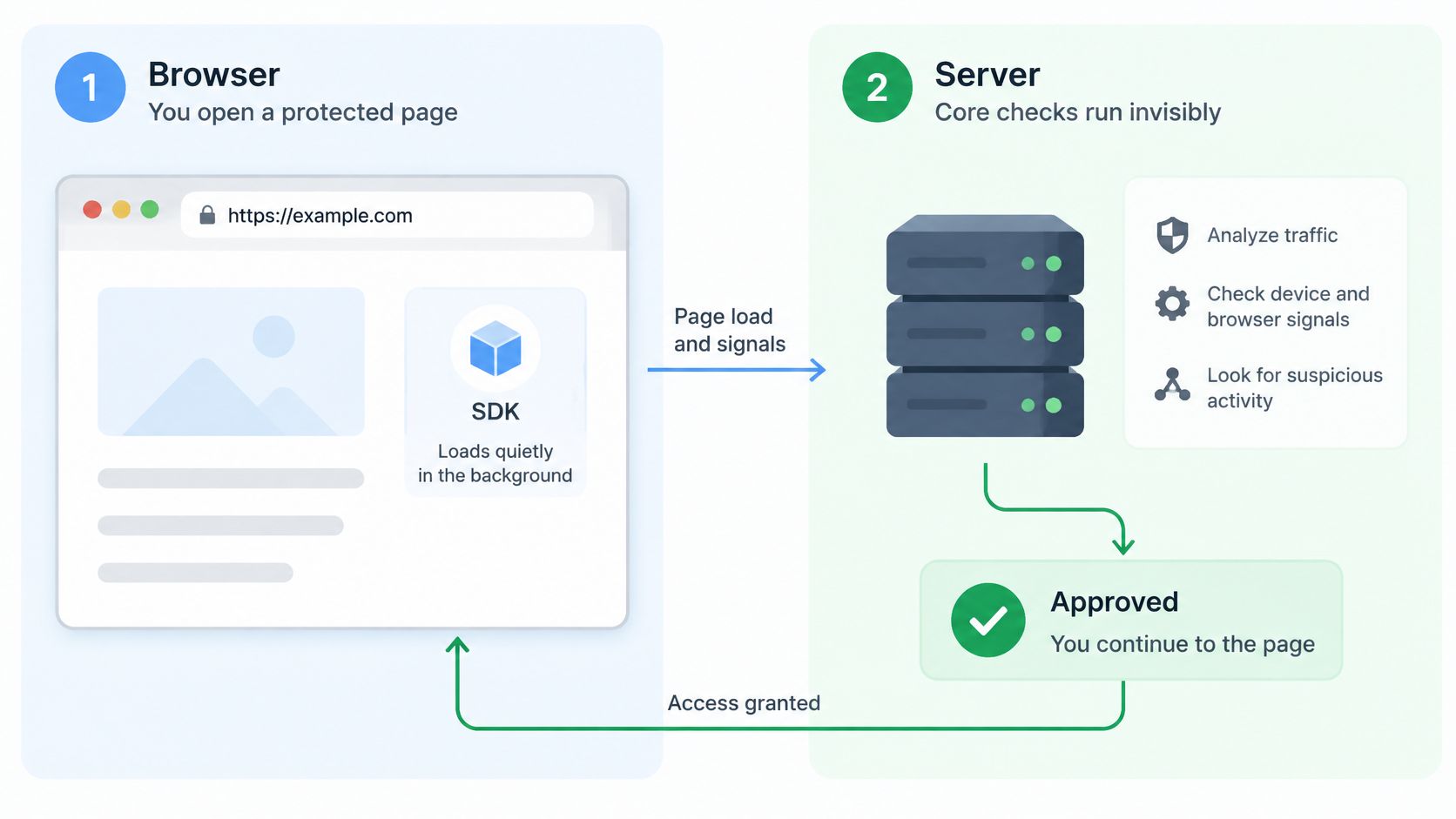
A browser runs code on a device the application doesn't control. Its output therefore needs validation before the server changes account, inventory, or order state. MANDATE's explanation of why browser proof needs server state addresses this distinction directly.
In a supported integration, browser collection loads on the protected page. The core flow runs invisibly, without a checkbox or puzzle. When the person submits the action, the integration attaches an opaque, short-lived credential to the request.
Opaque means the application shouldn't interpret its contents. This credential isn't a JWT, a structured token format often used to carry claims. Decoding a value locally isn't the verification step.
Responsibility split for browser verification
The customer's server submits the proof through its server-side integration to the hosted service. That service checks current state and returns a result before the protected operation runs.
| Responsibility | Browser | Your server | Hosted verification |
|---|---|---|---|
| Collects browser proof | Yes, invisibly on the protected page | No | No |
| Sends the protected request | Attaches the opaque, short-lived credential | Forwards the credential and request | Receives the submitted proof |
| Checks current server state | No | Submits proof through its server-side integration | Checks current state and returns a result |
| Authorizes the account action | No | Yes, decides whether this user may act | No |
| Applies rate limits and idempotency | No | Yes | No |
A passing check is an input to the application decision, not permission to bypass other controls. Authentication establishes the account, authorization determines what that account may do, and transaction validation checks whether the requested operation is valid. Rate limits constrain request volume; idempotency prevents repeated submissions from performing the same operation twice.
MANDATE's client-versus-server verification guide provides additional context for placing these responsibilities.
Synthetic example of a ticket reservation
A ticketing application receives a reservation request containing browser proof and a seat identifier. Its server obtains a passing verification result, checks account permissions and seat availability, then creates the seat hold and order through an idempotent operation.
A rejected request creates neither record. An unanswered verification request follows a documented failure policy rather than falling through to the reservation handler.
Input validation remains separate too. A signup form might combine regex with email validation APIs to assess an email address, but that doesn't establish that the request is authorized or free from scripted abuse.
Choosing Where Verification Runs
Verification can run in-app, where application server code calls it before the protected handler, or at the edge, in front of the application. The placement affects ownership, execution order, testing, and latency.
For a first integration, in-app placement keeps the decision close to the application state it protects. A checkout handler can verify the request before reserving inventory or starting payment processing. A public catalogue page can remain outside browser verification.
In-app and edge placement compared
| Criteria | In-app placement | Edge placement |
|---|---|---|
| Where the check runs | Your server, before the protected handler runs | In front of the application |
| Current availability | Confirm on the MANDATE product pages before planning | Announced as coming soon; do not plan a rollout around it |
| Ordering and error handling | Your team controls both | Confirm supported ordering and error controls when available |
| Added latency | A network round trip on the protected path; measure accepted and rejected requests | Benchmark the supported deployment when available |
| Testing failure paths | Can be tested in your own test suite | Confirm available test tooling before adoption |
An announced placement isn't a deployable dependency. Teams shouldn't commit a production rollout to edge placement until current public materials confirm availability and supported behavior.
In-app verification adds a network round trip to the protected path. Measure the complete action, not just the SDK call: an accepted checkout, a rejected submission, a timeout, and a retry can have different costs. Android's performance measurement guidance illustrates the broader engineering principle of measuring individual execution stages rather than assuming added initialization work is negligible.
Decision criteria for the first route
- Route coverage: Identify the exact actions requiring browser verification rather than applying it indiscriminately.
- Code ownership: Assign the team that can change the protected handler and its error responses.
- Testability: Confirm that staging tests can simulate unavailable verification and interrupted requests.
- Latency budget: Establish how much additional waiting the action can tolerate, then measure against that budget.
Machine-to-machine APIs remain outside browser coverage. Payment webhooks, scheduled jobs, and service calls need their own authentication, request validation, and replay controls.
Starting in-app on a high-value action makes the first deployment easier to reason about. The team can inspect the verification call, authorization checks, and state-changing operation together instead of coordinating an uncertain sequence across infrastructure layers.
How to Connect One Protected Action
The strongest starting point is an action where abuse is costly and completion is easy to observe. Account creation, sign-in, recovery, checkout, reservation, and promotion redemption are candidates, but the first implementation should have a deliberately narrow scope.
Before connecting a sensitive route, the team must decide how verification unavailability, retries, and support escalation will work. Those decisions belong in the implementation ticket, not in an incident discussion after launch.
Implementation checklist
Name the action and its completion event.
For an illustrative sign-in integration, the protected route might bePOST /session, with session creation as the completed application event. Recording a verification request alone won't establish that sign-in succeeded.Load collection on the initiating page.
Connect browser collection to the page that starts the selected action and confirm that the supported flow runs without a visible challenge. Check navigation and resubmission behavior so the protected request carries the expected credential.Install from the dashboard preview instructions.
The new managed SDK packages aren't yet published to their registries, so the package-manager command must come from the dashboard preview. Guessing a registry command risks installing the wrong package or documenting an installation path that doesn't exist.Confirm valid, active configuration.
The managed preview won't run without it. Configuration errors should be distinguishable from rejected evaluations so developers don't debug an inactive setup as though it were a policy decision.Place verification before protected business logic.
The handler must branch on the verification outcome before creating the session or changing protected state. When verification cannot answer, return a clear response under the route's failure policy rather than reporting successful verification.Keep the route in Observe mode for the end-to-end test.
Use a test account and trace the request through collection, server submission, evaluation, and session creation. The expected result is recorded evaluations while the test sign-in still completes normally.
For Next.js applications, the MANDATE API router integration guide provides relevant handler-level context. Installation commands and configuration must still match the active preview rather than an illustrative example.
Illustrative pseudo-code, not the published API
The following synthetic sketch describes call order rather than executable SDK syntax:
- Read the submitted credential and action input.
- Submit the proof through the server-side integration.
- Branch on pass, proposed rejection, or verification error under the active mode.
- Apply the route's authentication, authorization, and validation checks.
- Run the protected operation only when the applicable decision permits it.
- Record the completed application event separately from the evaluation.
A feature page, SDK preview, or example demonstrates an integration concept. It doesn't establish public package availability or prove that protection is deployed in an application.
A useful test record connects the evaluation to the handler outcome without logging secrets. That connection lets the team distinguish successful wiring from a successful business operation, which becomes essential before enforcement.
Failure Modes and Testing Before Launch
SDK methods are security-sensitive interfaces, even when their names look like convenient wrappers. They process application inputs and provider responses inside the application's trust boundary.
The OWASP SDK security testing methodology recommends testing every SDK input for malformed, oversized, boundary, and semantically invalid values. For browser verification, that means testing more than a missing credential: unexpected types, truncated values, incorrect action context, and invalid request combinations also deserve coverage.
Common SDK integration mistakes and safer designs
| Situation | Common mistake | Safer design |
|---|---|---|
| Verification cannot answer | The action proceeds because the error looks like a pass | An explicit failure policy per action, tested in staging |
| Duplicate submission after a timeout | A second order or ticket hold is created | An idempotency key on the operation; replay checks do not replace it |
| Browser result trusted as final | A scripted client skips server-side checks | The server submits proof and waits for the result before acting |
| Browser proof read as identity | The team assumes a verified human | Treat results as abuse signals and keep authentication and recovery controls |
Network interruption creates uncertainty, not a verified result. Teams should test expired credentials, duplicate submissions after timeouts, and provider-side schema changes. A response parser must reject an unexpected result safely instead of treating any successful transport response as permission.
Replay protection and retry safety solve different problems. Rejecting reused proof doesn't prevent a fresh retry from creating another order. The business operation needs an idempotency key, backed by application state that returns the existing outcome rather than repeating the write.
Keep abuse categories separate
- Credential stuffing: Attackers test stolen username-and-password combinations against another service.
- Trial eligibility abuse: Someone deliberately evades eligibility rules to obtain repeated trial benefits.
- Account takeover: An attacker gains unauthorized control of an account.
- Session theft: An attacker obtains a session credential and attempts to use the existing session.
These problems can intersect, but their remedies aren't interchangeable. Browser verification addresses scripted activity at protected actions; it doesn't prove human identity or replace authentication and recovery controls. FIDO's passkey guidance describes a complementary authentication approach that avoids reusable shared passwords.
Operational ownership matters after launch. Pin SDK versions, review transitive dependencies, restrict credential scope, separate public browser configuration from server secrets, and redact sensitive values from logs. Assign an owner for upgrades and failure-policy changes so a dependency update doesn't alter a sensitive route.
Rolling Out From Observe Mode to Enforcement
Observe mode records evidence without enforcing a decision. It allows the team to compare proposed decisions with legitimate application outcomes before introducing interventions.
Grouped evaluations show how requests would be assessed, but an evaluation isn't a completed signup or order. Application events must supply that missing business context. MANDATE's guidance on observing before enforcing supports treating rollout as an evidence review rather than a switch flipped immediately after installation.
Rollout stages and exit conditions
| Stage | What is recorded | What the team checks | Exit condition |
|---|---|---|---|
| Observe | Grouped evaluations and proposed decisions, with nothing enforced | Proposed decisions compared with completed sign-ins and orders | The team's documented coverage and legitimate-completion criteria are met |
| Narrow enforcement | Applied decisions for one protected action | Failed operations, support tickets and legitimate-user impact | Legitimate completions stay within your agreed limit |
| Broader enforcement | Applied decisions across selected protected actions | Authentication, rate limits and idempotency still in place | Reviewed after each policy change |
The team should keep these event categories separate: proposed rejection, verification error, applied intervention, and failed business operation. Combining them into a single blocked count hides whether the system made a policy decision, failed technically, intervened, or merely coincided with an unsuccessful checkout.
Synthetic example: During a defined observation window, proposed signup rejections cluster around a referral source. Before enforcing, the team compares those evaluations with completed signups from that source and investigates whether legitimate applicants share the same pattern. The example illustrates a review process, not customer results.
Rollout gate: Enforcement should follow an explicit decision supported by application outcomes, not merely confirmation that verification calls reached the service.
Conditions for the first enforcement decision
- Named route and method: The deployment record identifies the exact handler receiving protection.
- Documented failure policy: Unavailability, retry handling, and escalation have tested outcomes.
- Reviewed Observe evidence: Proposed decisions have been compared with completed application actions.
- Confirmed application controls: Authentication, authorization, rate limits, and idempotency remain in place.
- Written rollback: The responsible team knows how to withdraw the intervention and verify recovery.
Editing a policy draft does not change the policy used by an installed integration without warning. Changes require deliberate review and publication, with another outcome review after deployment.
MANDATE's managed SDKs cover Node.js, Go, and Python, with policies managed in one place; the new packages still require the dashboard preview installation path. Policy Studio is in beta, native Verify workflows currently observe, and edge placement is coming soon. Before production planning, the team should confirm current language, platform, package-publication, and enforcement status on the official site rather than treating a preview as general availability.
The next engineering task is concrete: select a route, define an Observe period and exit criteria, then record the enforcement decision in writing. Enforce an action at a time, with an owner accountable for reviewing legitimate completions and rollback readiness.
MANDATE protects important website actions from automated abuse without CAPTCHAs, using browser collection and hosted server-side verification. Visit MANDATE to review current integration availability, select a high-value route, and plan an Observe-first deployment before enforcement.