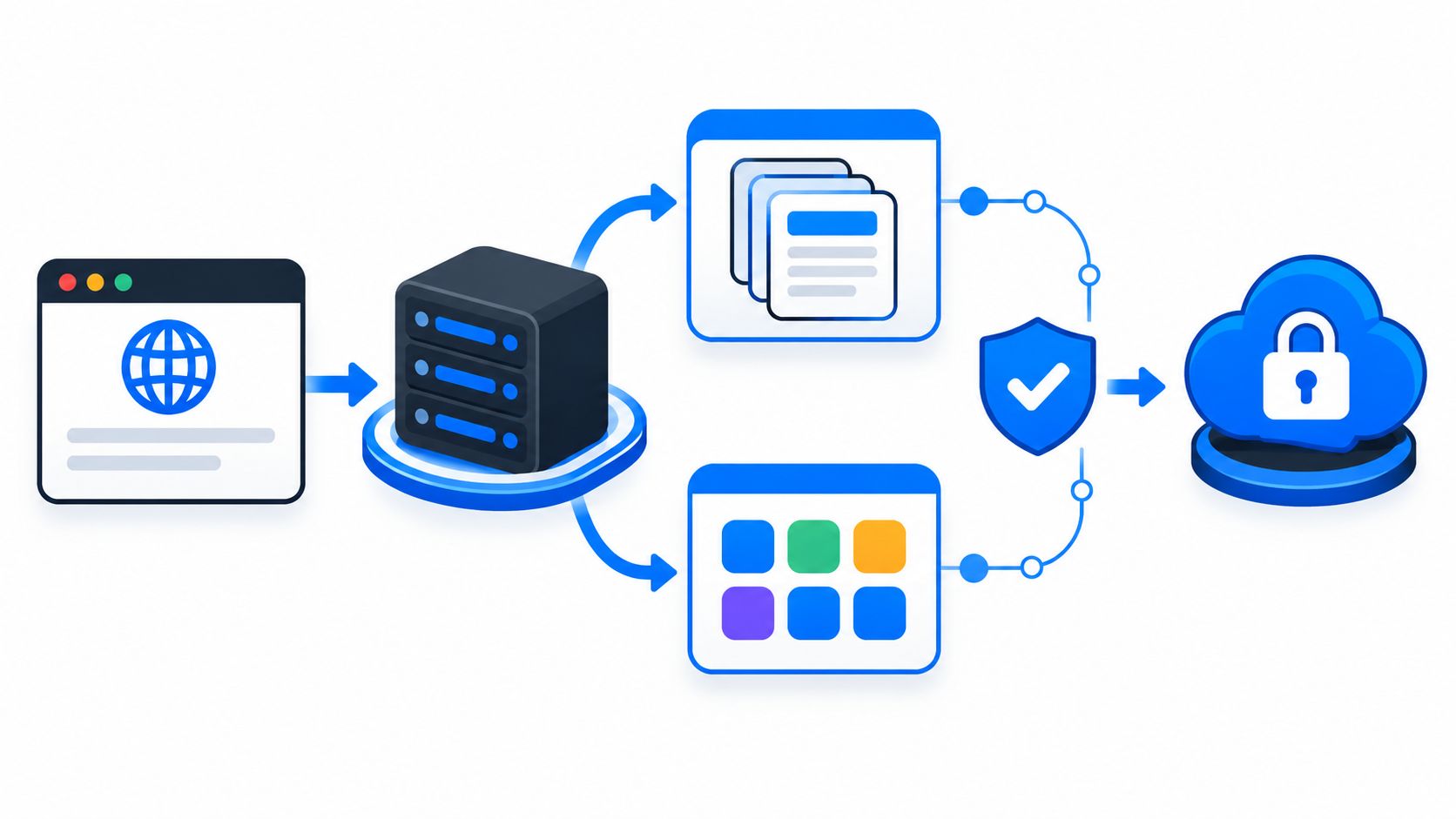
The most common advice about a Next.js API router setup treats a hidden endpoint, a same-origin call, or Middleware as protection. That advice is backwards. Routing only decides which server file receives a request. It doesn't prove who sent the request, stop a captured request from being sent again, or stop a retry from creating a second order.
A protected action needs those checks inside the handler, in a deliberate order. Authentication confirms the caller. Authorization confirms the caller may act on a specific account or resource. Idempotency, meaning a repeated request produces one effect, and replay protection, meaning a captured request can't be reused, need separate server state. Browser verification can add evidence about the browser context, but it doesn't replace any of those controls.
Choose Between Pages and App Router Endpoints
A project has two server endpoint models, and one endpoint needs only one of them. Pages Router API Routes live under pages/api. App Router Route Handlers live in a route.js or route.ts file inside the app directory. Teams should use the router the project already runs rather than mixing models for the same endpoint.
The Next.js API Routes documentation explains that every file under pages/api maps to an /api/* endpoint and the code is bundled only for the server. That code doesn't increase the browser's client-side bundle size. A public API can therefore live in the same Next.js application instead of a separate backend project.
Pages Router API Routes and App Router Route Handlers compared
| Aspect | Pages Router API Route | App Router Route Handler |
|---|---|---|
| File location | pages/api/.js or pages/api/.ts | route.js or route.ts inside the app directory |
| Handler shape | Default export function that receives req and res | Named export per HTTP method that receives a Request |
| Request and response objects | NextApiRequest and NextApiResponse | Web Request and Response, plus NextRequest and NextResponse |
| Method selection | Branch on req.method inside one handler | One exported function per method, such as POST |
| Cross-origin headers | None by default; same-origin unless CORS is configured | None by default; configure CORS explicitly |
| Client bundle impact | Compiled for the server only | Server-only route module |
| Best fit | Existing Pages Router applications | New App Router projects |
File names define the route
A file at pages/api/users/[id].js maps to /api/users/:id. Catch-all paths such as [...slug] work the same way. Routes come from filenames rather than manual registration, so a reviewer can find the endpoint by reading the directory tree.
CORS, short for Cross-Origin Resource Sharing, controls whether a browser on another origin may call an endpoint. Next.js doesn't emit CORS headers automatically. Same-origin calls work by default, while cross-origin access needs explicit configuration and shouldn't be treated as an access control.
Boundary to keep: An endpoint is a routing layer, not a security layer. Neither model provides replay prevention, idempotency, credential-stuffing resistance, or proof that a request came from an approved browser context.
The tradeoff is mostly about project shape. Pages handlers use the older req and res objects. App Router handlers use the standard Web Request and Response APIs. Either can receive sign-in, account recovery, checkout, or reservation requests, validate identity and transaction rules, and call downstream services. The security work still has to be written or integrated separately.
Route Handler Signatures and HTTP Method Exports
In the App Router, a route file exports one function per method, for example export async function POST(request: Request) followed by the handler body. Route Handlers arrived in version 13.2.0 as the App Router equivalent of Pages Router API Routes, and they also support NextRequest and NextResponse, as set out in the Next.js Route Handler file convention.
Dynamic segments arrive through a second argument. Since the Next.js 15.0.0 release candidate, context.params is a promise, so a handler is written as export async function GET(request: Request, { params }: { params: Promise<{ id: string }> }) and awaits params before using id. That same release changed GET Route Handlers from static to dynamic caching by default.
In the Pages Router, the file exports a default function such as export default function handler(req: NextApiRequest, res: NextApiResponse). The handler checks req.method and branches. The App Router form makes the allowed methods visible from the exports alone, which helps review.
Route Handler method exports and browser-action uses
| Export | Typical browser-action use | Handling note |
|---|---|---|
| GET | Read current state, such as a checkout summary | Return only data the caller is allowed to see |
| POST | Sign-in, signup, checkout submission, reservation | Default choice for state-changing protected actions |
| PUT | Replace a whole resource, such as a saved shipping address | Design for repeated delivery, since retries are common |
| PATCH | Partial update, such as changing a display name | Validate each changed field on the server |
| DELETE | Remove a resource, such as a saved payment method | Confirm the resource belongs to the signed-in account |
| HEAD | Headers-only existence or freshness check | Not suited to protected state changes |
| OPTIONS | Preflight response for cross-origin requests | Handle CORS deliberately, not as an access control |
Export only the needed methods
The convention supports seven HTTP methods, namely GET, POST, PUT, PATCH, DELETE, HEAD, and OPTIONS. Supported doesn't mean required. A checkout route that exports only POST has a smaller surface, is easier to review, and makes unexpected method calls obvious in logs.
Read-only data such as a checkout summary belongs in GET. Anything that changes an account, order, or reservation belongs in POST, PUT, PATCH, or DELETE, with protected-action checks before the commit. Method choice also affects caching and retry behavior, so it shouldn't be treated as a naming detail.
A missing export is a useful signal. If a route doesn't export DELETE, a DELETE attempt is not a supported product path and deserves attention in logs.
Dynamic execution matters for these handlers because checks often depend on current server state. Short-lived credentials, nonce validity, account status, and transaction state can change between requests. A nonce is a value meant to be used once. The routing abstraction alone doesn't establish identity or prevent automated replay, regardless of signature style.
Request Parsing and Response Patterns for Protected Actions
In a Route Handler, a JSON body is read with await request.json() and validated before any business logic runs. Pages API Routes parse JSON bodies into req.body by default. Both forms need schema validation, meaning a check that required fields exist and have the expected types and limits.
Every field stays untrusted. A browser can send any price, role, account identifier, or discount value it wants. Server code should load the authoritative price, role, and account from server data and use the request only to identify what the caller is asking to do.
Status codes for protected actions
201 Created: The order, account, or reservation record was committed.
400 Bad Request: The payload failed schema validation, such as a missing email field.
401 Unauthorized: The caller isn't authenticated for the action.
403 Forbidden: The caller is authenticated but may not act on this resource.
409 Conflict: The request conflicts with stored state, such as an idempotency key reused with a different payload.
429 Too Many Requests: A rate limit for the account, IP address, or session was exceeded.
503 Service Unavailable: A dependency, including a verification call, couldn't be reached.
An idempotency key is a client-supplied identifier stored with the first result. A retry with the same key and payload returns that result instead of repeating the effect. The same key with a changed payload is a conflict, not a new order.
Return early and keep failures consistent
For the Pages Router, a handler sets the status with res.status(201).json({ orderId }) and returns after each early response. That prevents a 400 or 401 branch from falling through to the business call. Route Handlers return a Response object, for example Response.json({ orderId }, { status: 201 }), so the status is part of the return value.
Sign-in failures should return the same message whether or not the account exists. Different messages reveal which accounts are real and help an attacker focus later attempts. Error detail belongs in server logs, not in the response body.
Teams should decide before launch whether a verification outage fails open or fails closed for each action. Failing open allows the action when verification can't be reached. Failing closed rejects it. The right answer can differ for sign-in and checkout, and the handler should encode the written policy rather than improvising during an outage.
Middleware Integration and Its Runtime Limits
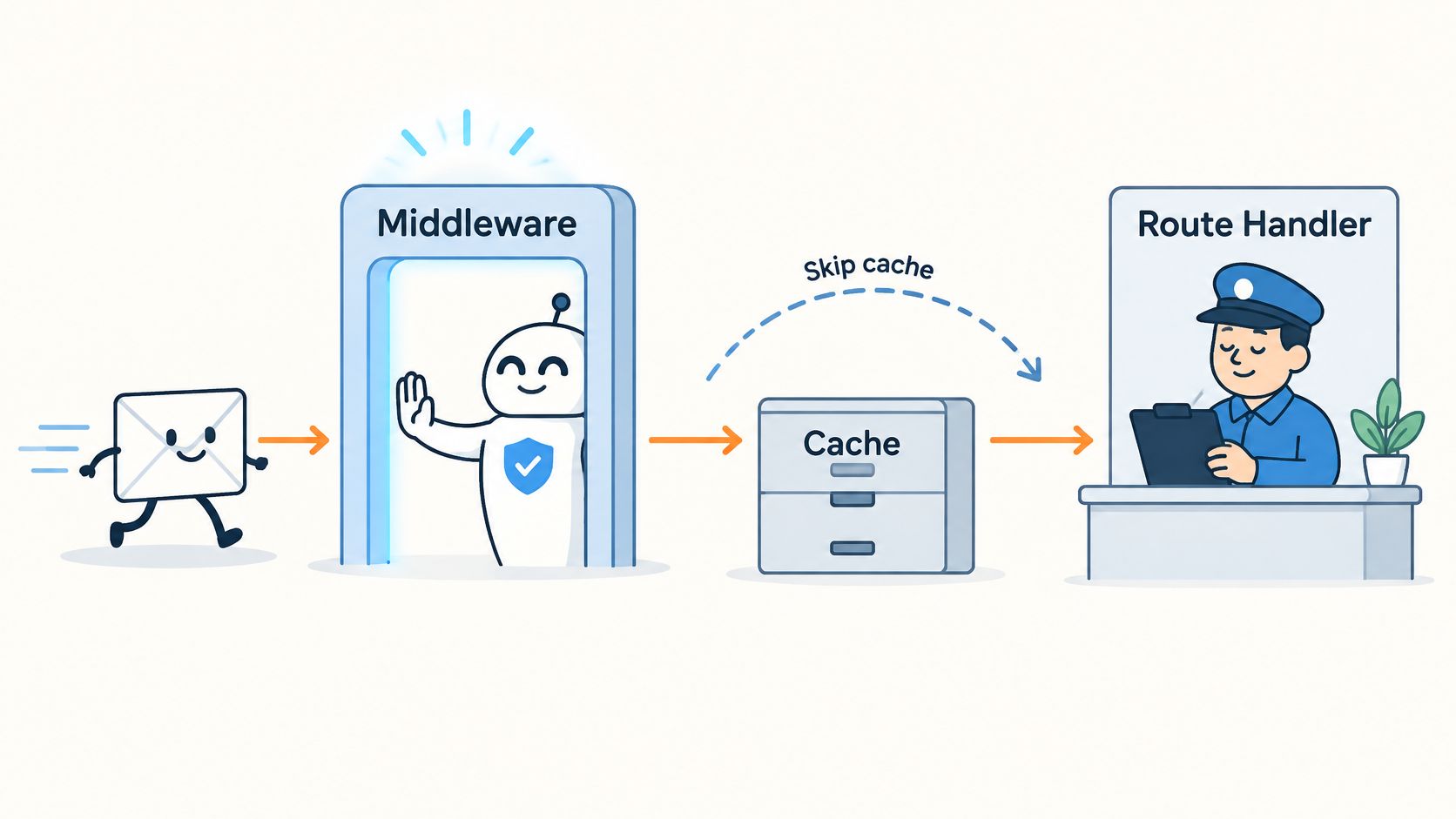
Middleware suits early, coarse decisions. Authoritative checks belong in the handler. That placement rule prevents a common design error where an early check passes, the handler trusts it, and no code near the business operation rechecks account or transaction state.
Middleware runs before a request is completed and before cached content and routes are matched. It can rewrite or redirect a request, modify request or response headers, set cookies, or return a Response or NextResponse directly, as described in the Next.js Middleware documentation.
Runtime limits come first
In the documented Next.js 14 behavior, Middleware supports only the Edge runtime, not the Node.js runtime. Current Next.js 15.5 documentation states that Node.js runtime support can be enabled through Middleware configuration. Teams should verify the deployed version before placing database access, Node-only libraries, or hosted verification logic in Middleware.
The request order is simple. A request reaches Middleware, then route matching, then the Route Handler, then verification and other server checks, then the business operation. A cached response shouldn't shortcut a protected mutation.
Tasks that fit Middleware
Redirect signed-out visitors: Send visitors away from account pages before page work begins.
Read a locale cookie: Route or rewrite based on language or region.
Add security headers: Apply consistent response headers across matched paths.
Route by path: Send old paths to current equivalents without handler changes.
The matcher setting limits Middleware to selected paths. A narrow matcher reduces needless work and makes review easier. Broad matchers need a clear reason, especially where static assets or unrelated API routes would otherwise pass through the same code.
Tasks that stay in the handler
Verify browser proof: Check the credential against current server state near the action.
Look up account status: Confirm the account may perform the requested action.
Check single-use records: Reject a credential or key already marked used.
Enforce idempotency: Return the stored result or a conflict.
Validate transaction state: Recheck price, stock, eligibility, and ownership before commit.
Middleware reduces wasted work, but the handler must repeat any check it depends on. The handler is where the business decision is made. A redirect in Middleware isn't authorization, and a header added early isn't proof that later code can skip validation.
Caching and Dynamic Execution for Mutation Routes
Protected action routes should execute on every request. They shouldn't produce a shared response that another user could receive. That rule covers sign-in, signup, checkout, reservation, and account recovery routes.
App Router Route Handlers aren't cached by default. Caching can be explicitly enabled for GET handlers, while supported non-GET methods aren't cached by default, as explained in the Next.js Route Handlers guide. That default suits mutations, provided later configuration doesn't undo it.
What static and dynamic mean here
A GET route serving only public content can opt into static behavior with export const dynamic = 'force-static'. That setting doesn't belong on any route that checks a credential. A statically generated response can't reflect a just-used credential, a closed account, or a changed transaction state.
Dynamic request data can prevent prerendering. URL properties, headers, cookies, and request bodies are request-specific inputs. Login, account recovery, signup, reservation, and checkout handlers should process current request data and server state explicitly, a distinction also covered in the Next.js guide to Route Handlers and Middleware.
Checklist for protected routes
Use POST for mutations: Apply POST, or another semantically appropriate mutation method, to sign-in, signup, checkout, and reservation submission.
Keep proof routes dynamic: Don't use force-static on routes that verify short-lived credentials.
Send no-store headers: Use Cache-Control: no-store on responses containing account, order, or reservation data.
Verify every time: Check the credential against current server state before accepting the action.
Bind work to a record: Store the result under an idempotency key or an equivalent server-side record.
Operational warning: Caching configuration is not abuse prevention. A proxy or CDN can still store a response if headers allow it.
Dynamic execution sends each request to the server, which costs more than a cached response. That cost is the tradeoff for current checks. Public, read-only routes can use caching where the data is safe to share. Protected mutations need freshness, explicit cache headers at intermediaries, and rate limits as a complementary control.
Embedding Server-Verified Browser Proof in a Handler
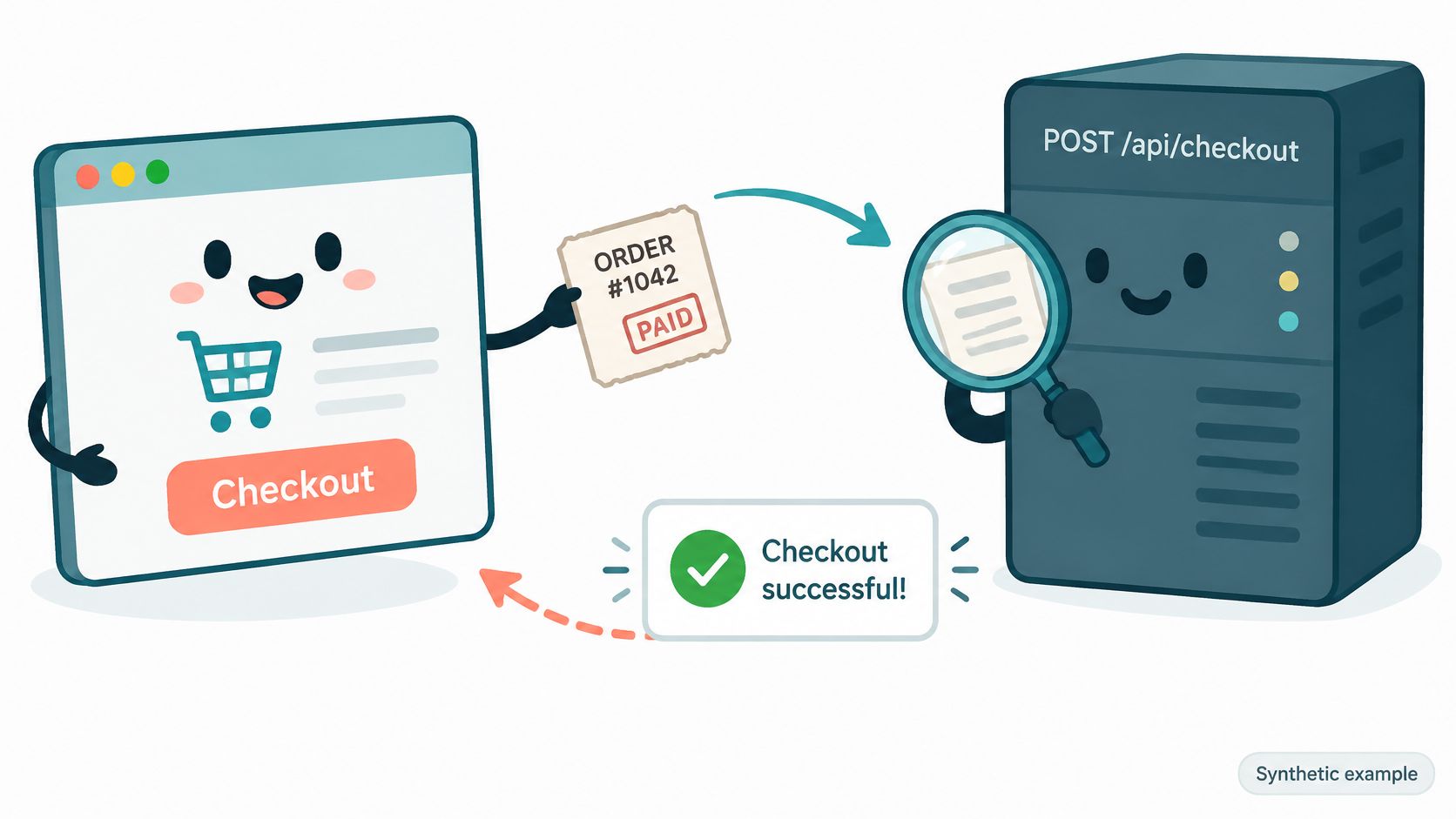
This is a synthetic example for teaching. It describes no customer, result, or measured outcome. The scenario is a Next.js app with a POST Route Handler at app/api/checkout/route.ts. A browser script collects a verification credential and sends it with the cart payload.
Order of operations in the handler
Parse and validate: Schema-validate the body and return 400 before any external call.
Confirm identity and permission: Check the session and confirm the account may buy this cart, returning 401 or 403 where appropriate.
Verify browser proof: Send the opaque, short-lived credential, action name, and request context to hosted server-side verification. The handler doesn't decode the credential itself.
Apply the outage or denial policy: If verification denies the request or can't be reached, apply the policy chosen for checkout. In Observe mode, record the decision and continue.
Check idempotency: Return the prior result for the same key and payload, or 409 for the same key with a different payload.
Validate transaction state: Recheck price, stock, and eligibility against server data.
Commit once: Call the business operation and store its result under the idempotency key.
Return the reference: Respond with 201 and the order reference.
Opaque means application code treats the credential as an unreadable value to pass to verification, not as data to interpret locally. Hosted verification checks current server state before the application accepts the action. That separation is central to the design discussed in the research note on why browser proof needs server-side state.
Why the order matters
Inexpensive checks run first. A malformed body shouldn't trigger a verification call, a database write, or a payment attempt. Identity and permission checks also run before verification because a valid browser credential doesn't make an unauthorized account authorized.
Server state is checked before the commit. Price and stock can change after the browser renders a page, and a credential can expire or be marked used. The recorded idempotency result then makes retries safe after a timeout or a lost response.
This is an architectural example, not a working MANDATE SDK call. Use exact client and endpoint names from the current quickstart, and confirm availability, failure handling, and integration requirements before implementation.
Endpoint placement follows the router models covered earlier. The Next.js API Routes reference describes the Pages and App Router models as alternatives, not layers to combine. A browser-collected credential remains an input to server verification. It doesn't replace identity, authorization, transaction validation, or rate limiting.
Replay, Credential Stuffing and Rate Limit Controls
Each threat needs its own control. No single check covers all of them. The terms also aren't interchangeable, and treating them as synonyms leads to controls that look complete while leaving a specific path open.
Credential stuffing is many sign-in attempts with leaked username and password pairs. Replay is a captured valid request sent again. Account takeover is an attacker gaining control of an account. Session theft is a stolen session used from another client. Trial eligibility abuse is repeated signup to claim an offer meant for new users, distinct from misleading billing or cancellation practices.
Abuse threats, controls and their limits
| Threat | What it looks like | Controls to layer | Limit to remember |
|---|---|---|---|
| Credential stuffing | Many sign-in attempts with leaked username and password pairs | Rate limits across several keys, breached-password checks, multi-factor authentication | Rate limits slow attempts but do not identify every attacker |
| Replay | A captured valid request sent again | Single-use or server-tracked proof, request signing over method, path, timestamp and body | A replay check does not show whether an earlier request completed |
| Account takeover | An attacker gains control of an existing account | Stronger authentication, multi-factor authentication, authorization checks, reviewed account recovery | Browser proof does not replace multi-factor authentication |
| Session theft | A stolen session used from another client | Session expiry, rotation and server-side session checks | Browser verification is not session security |
| Trial eligibility abuse | Repeated signups to claim an offer meant for new users | Eligibility rules enforced in the application, verification on signup | Deliberate abuse only; not a billing or cancellation dispute |
Layer rate limits across several keys
The OWASP Bot Management and Anti-Automation Cheat Sheet recommends layered controls rather than a single IP limit. For credential stuffing, it lists rate limiting, breached-password checks, and multi-factor authentication, meaning a second proof beyond a password. Limits can use account identifier, source IP, session, device or browser signal, and action type.
OWASP also recommends token-bucket or sliding-window algorithms. Fixed-window counters permit bursts at window boundaries because an attacker can use the full allowance at the end of one window and again at the start of the next. Practical limiter design is covered further in the guide to building a rate limiter with layered keys.
Replay protection stays separate from throttling. OWASP gives request signing with the method, path, timestamp, and body as an example. A rate limit can slow repeated sends, but it can't show whether a specific proof was already used or whether the body changed after capture.
Browser verification complements those controls by checking browser-originated actions without CAPTCHA challenges. It doesn't replace multi-factor authentication, authorization, session security, idempotency, or payment-provider fraud controls. A valid browser result also doesn't prove human identity. Keeping those boundaries clear helps reviewers assign each control to the threat it addresses.
Testing Protected Routes with Repeated Requests
This is a synthetic test scenario. It describes no customer result or measured outcome. Before launch, a staging copy of the checkout route from the worked example should receive repeated and conflicting requests, not only one successful request.
Requests to run in staging
New checkout: Send a valid POST with a new idempotency key and expect 201 with an order reference.
Exact retry: Send the same body with the same key and expect the prior result, not a second order.
Changed payload: Send the same key with a changed cart total and expect 409.
Reused proof: Send a valid request with a proof credential already marked used and expect verification to deny it, with the decision recorded.
Rapid sign-in attempts: Send 20 rapid sign-in attempts for one test account from rotating IP addresses and expect 429 from the account-level key, while other test accounts still succeed.
Results should sit in a short table beside the route during review. The route is ready only when every actual status matches the expected status and the database shows one order for the first two requests. The distinction between a retry and an attack matters here, as explained in the overview of what a replay attack is and how reuse differs from retry.
These tests confirm that handler branches work as designed. They don't show that an attacker can't get through. Passing staging tests complements the threat controls in the previous section rather than replacing monitoring, review, or later policy changes.
Launch Review and First MANDATE Rollout
The five-step caching checklist should run against every protected route before launch. The remaining checks sit outside code and prevent a technically correct handler from shipping without an owner or an outage decision.
Inventory and outage checks
Record each action: List the route file, owner, action name, and chosen fail-open or fail-closed policy.
Test the outage path: Make the verification call fail in staging and confirm the handler applies the written policy, returning 503 where the policy is fail-closed.
Confirm limiter keys: Check that rate limits use several keys, not IP alone.
Check cache headers: Confirm intermediaries receive Cache-Control: no-store for account and order responses.
Start with one action
Pick one action: Start with signup rather than the whole site.
Add one verification call: Use the current quickstart for that single Route Handler.
Run Observe mode: Review grouped evidence and any effect on legitimate users.
Enforce narrowly: Enable an enforcement policy for that action only after review.
Repeat deliberately: Move to the next action with the same inventory and staging checks.
Application checks remain necessary after rollout. Browser verification can reduce automated abuse on a protected action, but it doesn't eliminate it and it doesn't turn the Next.js API router into an identity, session, or payment-fraud system.
Protect the first Route Handler that matters, starting with signup, sign-in, or checkout, and review the evidence in Observe mode before enforcing a policy. MANDATE verifies browser-originated actions without CAPTCHAs while application authentication, authorization, idempotency, and rate limits stay in the handler. Visit MANDATE to review the current quickstart and plan a single-action rollout.