
A development team sees a burst of failed sign-ins in its logs. A dashboard highlights the spike, but the team still needs to decide what to do: investigate, apply a rate limit, or reject a request.
Security monitoring is the ongoing collection, analysis and review of security-relevant information. It helps a team assess activity around its assets and judge whether its controls are working. The useful starting point is the decision the evidence should support, not another dashboard.
What Security Monitoring Means in Plain Terms
A guard desk watches doors, cameras and visitor logs throughout the day. An annual building inspection checks conditions at a particular moment. Both help, but they answer different questions: whether safeguards look adequate during inspection, and what people are doing around those safeguards over time.
Security monitoring plays the guard-desk role for software. A web team needs visibility into valuable resources, suspicious activity and the safeguards that should constrain it.
The terms behind the logs
Asset: Anything worth protecting, such as a customer account, a checkout API or seat inventory.
Telemetry: Raw records emitted by systems, including logs, request events and authentication outcomes.
Control: A safeguard, such as a rate limit, a login check or an authorization rule.
The historical foundation is straightforward: NIST's 2011 Information Security Continuous Monitoring guidance described monitoring in terms of awareness of assets, threats, vulnerabilities and control effectiveness.
For a web team, that means watching sign-ins, signups, account recovery and checkout over time. The team compares recorded activity with current server state: whether an account exists, whether a reservation remains valid and whether an action credential has already been consumed.

Visibility needs an owner
A useful event should help someone answer a specific question. A successful signup record confirms account creation; grouped signup records may help an analyst investigate coordinated trial eligibility abuse.
Nutmeg Technologies' overview of continuous threat detection and response offers broader context for connecting observation with follow-up. Application teams still need to define the website actions and business outcomes that deserve attention.
Practical rule: A dashboard earns its place when a named person can explain which decision its evidence supports.
Monitoring isn't a single scan, a dashboard on its own or a replacement for the controls it observes. Its purpose is to make those controls and the activity around them understandable enough to act on.
Why Monitoring Matters Before an Attack Is Obvious
Synthetic scenario, not customer data: An attacker uses a stolen browser session token to reach a checkout page from an unfamiliar country. Later, the attacker returns with the same session and changes the delivery address. Each request passes basic session checks.
A request-by-request view may show nothing more than successful operations. A grouped view reveals a change in location, continued use of the session and a purchase pattern that doesn't resemble the account's earlier activity.
What isolated requests hide
The team needs more than a location alert. Travel, mobile networks and corporate proxies can produce legitimate location changes, so location alone shouldn't determine whether an account is blocked.
Useful evidence includes:
Session continuity: Whether the same session appears across the suspicious activity.
Account history: Whether delivery changes and purchase choices differ from established behavior.
Action sequence: Whether sensitive changes follow access from an unfamiliar environment.
Business outcome: Whether an order completed, inventory was reserved or account details changed.
Dwell time means the interval between an attacker's access and discovery. The CyberRecaps explanation of dwell time describes why that interval matters: delayed discovery gives an attacker more opportunity to continue misuse.
The relevant question for an application team isn't whether a broad intrusion statistic predicts its checkout risk. It's whether anyone would notice continued abuse of a session that the application still considers valid.
Infrastructure can look healthy
The server may have normal CPU usage, successful database queries and no unusual process activity. Session misuse can happen entirely through expected application routes.
An analyst therefore needs action-level evidence, not just infrastructure alerts. The response might be session revocation and re-authentication rather than a network-wide block.
Monitoring shortens the path from an abnormal signal to a defensible decision. It doesn't require treating every unusual purchase as an attack; it requires making the evidence available before repeated misuse becomes routine.
Core Telemetry Types and What Each One Reveals
No single telemetry source explains an application's security state. Application logs can establish that checkout succeeded, but they rarely establish whether the buyer was a person or a script.
The important distinction is between what a record establishes and what an analyst infers from it. Every source has limits.
Core telemetry types for monitoring a web application
All example signals below are synthetic illustrations, not observed results.
| Telemetry type | What it records | Example signal | What it cannot tell alone |
|---|---|---|---|
| Application logs | Requests, errors and application events | Error rate on checkout rises sharply after a deploy | Whether the buyer was a person or a script |
| Authentication events | Sign-in, multi-factor and password reset outcomes | Fifty failed sign-ins for one account in ten minutes | Whether the password was stolen or simply mistyped |
| Network and traffic records | Source addresses, request rates and connections | One source sends requests across many account recovery routes | Who controls the address, since proxies and shared networks are common |
| Endpoint records | Process, file and login activity on servers and staff devices | An unexpected admin process starts on a build server | Whether any customer session is being abused |
| Browser-side action signals | Evidence about a protected action from a browser session | A signup form is submitted with proof that was already used | That the user is a human |
| Business event records | Orders, reservations and account changes after an action succeeds | Three checkouts for the same seat within two seconds | Why the events happened |
| Threat intelligence | Known exposed credentials, infostealer activity and attacker infrastructure | An account email appears in a recent credential dump | Whether this specific account was used by an attacker |
Application errors deserve comparison with deployment records before anyone declares an attack. Authentication failures need account and source context, while network records need caution because an address isn't a person.
Endpoint records answer questions about the machines running the service or used by staff. For teams maintaining Sitecore installations, Kogifi's Sitecore integrity monitoring best practices provide a more focused resource for that separate infrastructure concern.
Start with records that can be joined
For a sign-in or checkout flow, authentication events, business event records and browser-side action signals usually provide a practical starting point. They can connect through account identifiers, session identifiers and timestamps.
Correlation means linking related records into a sequence. A useful join might connect an account's failed sign-ins, a newly created session and a later order change, rather than treating each event as an independent alert.
Browser-side evidence helps explain the protected action, while business records establish what happened afterward. Neither should silently substitute for the other.
For distributed automation, the guide to detecting botnet activity is relevant to grouping activity beyond a single source address.
Treat threat intelligence as context
IBM X-Force reported an 84% year-over-year increase in infostealers delivered through phishing emails in 2024. Infostealers are malware designed to extract information such as credentials from infected devices.
That context supports monitoring for credential exposure. It doesn't establish that an exposed account was accessed by an attacker, or that a particular checkout was malicious.
An exposure signal supports investigation. An application event establishes what occurred inside the application.
Collection, Correlation and Response
Log pipelines transport telemetry from applications, servers and browser instrumentation into a searchable store. Consistent event names and identifiers matter more than collecting every available field.
A SIEM, short for security information and event management, collects and correlates events from multiple sources. A smaller team can begin with an existing log store, saved queries and a clearly assigned review process.
Different jobs, different owners
| Function | What it does | Typical owner |
|---|---|---|
| Monitoring | Maintains ongoing observation | Application and platform teams |
| Detection | Flags a pattern through a rule or model | Security engineers and analysts |
| Response | Investigates, applies a control or closes an alert | Named responder with application support |
A synthetic detection rule might flag repeated failed sign-ins from the same device across unrelated accounts. The alert should include the grouped records, the rule's reason and the next action available to the reviewer.
Application owners define protected actions and meaningful success events. Security analysts assess grouped evidence, while engineers own the enforcement path and its failure handling.
Tooling doesn't provide ownership
A SIEM can extend coverage, but it adds ingestion costs, configuration work and maintenance. An unreviewed alert queue can distract responders from more useful evidence.
For organizations evaluating external operational support, F1Group's description of continuous monitoring and incident support is a resource to assess alongside internal staffing and escalation needs. Coverage, response responsibilities and service availability still need confirmation.
A small set of reviewed, well-tuned rules is more useful than a large queue that nobody owns.
How a Monitoring Loop Turns Events Into Decisions
A monitoring program needs a repeatable path from a raw event to an application decision. NIST's continuous monitoring definition connects ongoing awareness with risk-management decisions, rather than treating information collection as the endpoint.
The loop starts with an action worth protecting, not a list of fields available from a collector.
A decision loop for protected actions
Define the protected action and acceptable risk. A seat reservation has different consequences from a newsletter signup, so the team should specify what harm the policy is intended to prevent.
Collect evidence tied to that action. Authentication outcomes, browser-action records and reservation results need shared identifiers so the team can reconstruct the request's path.
Group related events. Account, session, device and proof identifiers help an analyst recognize a coordinated sequence instead of unrelated-looking records.
Estimate legitimate-user impact. Review known legitimate activity that matches the proposed signal, including retries, shared networks and assistive workflows.
Choose a proportionate response. Observation, a rate limit, step-up verification or a narrowly scoped block should follow the evidence and the consequences of being wrong.
Review outcomes and tune the rule. Compare the intended reduction in abuse with completed business operations and legitimate activity affected by enforcement.
A false positive occurs when a rule flags legitimate activity as suspicious. A policy review needs to account for those mistakes rather than counting every rejected request as prevented abuse.
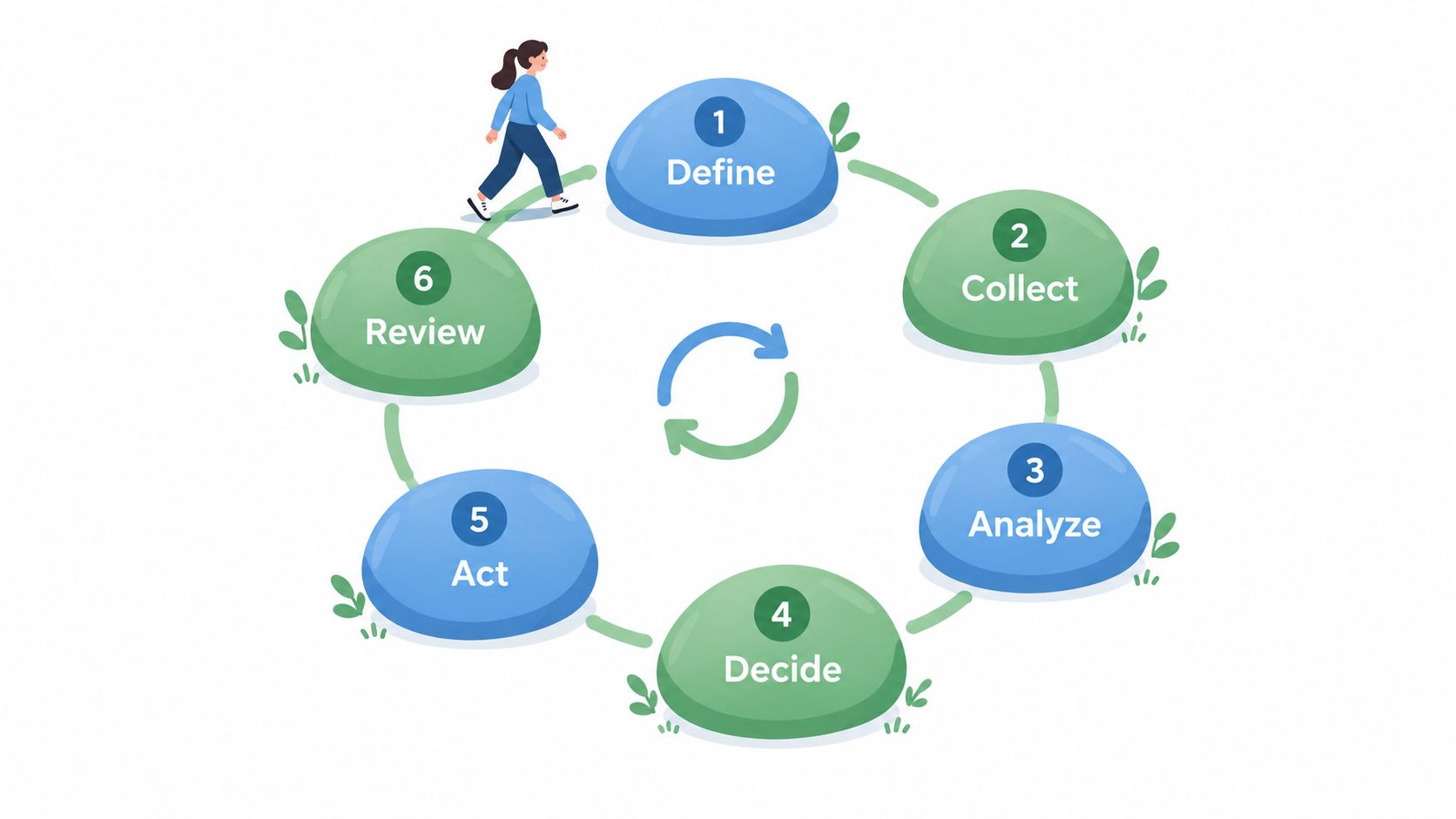
The operating sequence can also be represented directly:
[Observe period]
Define → Collect → Group → Assess impact
   ↑                            ↓
Review outcomes ← Choose response
Match review timing to the decision
Continuous monitoring doesn't mean every record needs an immediate human review. An engineering team can place freshness checks directly in a high-value action's acceptance path while reviewing broader signup trends on a slower schedule.
The useful timing depends on how long the application can safely wait before making the relevant decision. A reservation request can't wait for a retrospective investigation if the inventory must be allocated immediately.
The guide to understanding website bot traffic provides context for interpreting automation before turning a traffic pattern into a policy. An automated request isn't automatically harmful; the protected action and its consequences determine the response.
An Observe-first rollout lets the team define, collect, group and assess impact before applying new enforcement. Reviewers can inspect proposed decisions while the application continues to record its actual outcomes.
Monitoring Browser Actions Like Sign-Ins and Checkouts
Many web attacks use valid-looking credentials and normal application flows. A successful HTTP response confirms that the application accepted a request, not that the request was safe.
The qualitative gap discussed in Stingrai's compromised-credential overview is relevant here: infrastructure visibility alone doesn't explain misuse through apparently valid access. Monitoring needs to connect the browser-originated action with the account and business operation.
Abuse types on browser-originated actions and the signals that reveal them
| Abuse type | What is reused or taken | Signal that helps reveal it | Control layer that addresses it |
|---|---|---|---|
| Credential stuffing | Leaked username and password pairs tried across many accounts | Many accounts failing from few sources, or one source spanning many accounts | Rate limits, breached-password checks and multi-factor authentication |
| Account takeover | Control of an account after access is gained; an outcome, not a method | Sign-in from a new device followed by a payout or email change | Step-up checks, recovery controls and account alerts |
| Session theft | A valid session token copied from a browser or device | The same session used from distant networks or with sudden device changes | Short session lifetimes, re-authentication and session binding |
| Replay | A captured valid request sent again | The same proof identifier submitted twice | Server-side single use of proof and idempotency on the operation |
| Trial eligibility abuse | Repeated new accounts created to reuse a free trial | Many signups sharing payment or device signals | Eligibility rules checked on the server against current account state |
These aren't interchangeable labels. Credential stuffing describes a method, account takeover describes an outcome, and session theft can provide access without another password attempt.
Trial eligibility abuse concerns deliberate reuse of an offer across accounts. It isn't a description of misleading billing or cancellation practices.
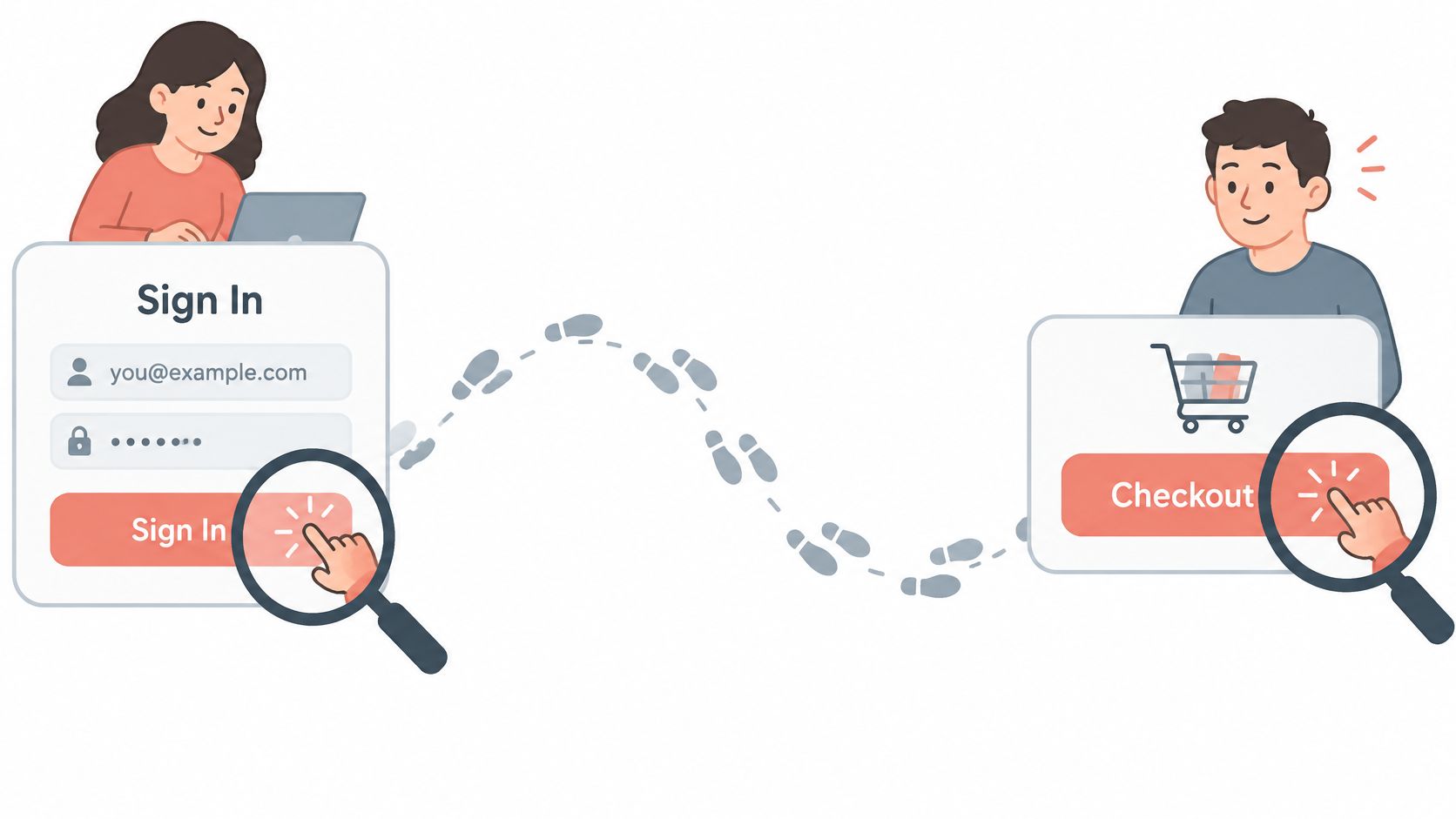
A checkout event becomes a decision
Synthetic ticketing example, not customer data: A ticketing site records six checkouts for the same event from different accounts within one minute, all sharing an unusual proof-identifier pattern. The team reviews the grouped evidence in Observe mode before choosing a narrow response.
A shared pattern is a lead, not proof of replay. Reviewers check whether the exact same proof was submitted again, whether requests refer to the expected action and whether duplicate submissions came from ordinary retries.
The grouped record should distinguish proposed policy decisions from applied decisions and completed orders. Otherwise, an analyst may mistake a proposed block for an action the application rejected.
For genuine proof reuse, the application can reject the reused credential without blocking every account buying tickets for that event. For distinct, valid proofs, the team needs additional evidence before treating clustered purchases as abuse.
Freshness belongs on the server
A nonce is a server-issued challenge used to establish freshness. NIST's digital identity guidance explains how nonces or challenges help detect previously recorded messages and why transport encryption alone doesn't solve replay.
Browser verification supplies evidence about a browser-originated action, checked against server state. That scope is narrower than general bot management, a web application firewall or identity proof, and it doesn't replace the application's business rules.
Where Monitoring Stops and What to Confirm Before Enforcing
Monitoring becomes useful when the team understands both its evidence and its limits. More aggressive enforcement isn't automatically a more effective policy.
Four misconceptions that distort enforcement
More logs mean better monitoring. Volume without a named question creates noise and storage work. Collection should begin with a protected action and the evidence needed to evaluate it.
Monitoring proves a user is human. Behavioral signals and browser proofs provide evidence about activity and proof use. They don't establish human identity.
Monitoring prevents abuse on its own. Observation informs decisions, but an application must apply the relevant safeguard. Attackers can adapt, and no monitoring setup guarantees complete protection.
Browser evidence replaces application controls. Authentication establishes access, authorization governs permissions, and transaction validation checks the operation. Rate limits, idempotency and payment-provider controls address separate failure modes.
Proof acceptance isn't order completion
“Atomically” means the check and state change happen as an indivisible operation. Concurrent submissions must not both observe an unused credential and proceed.
That replay check doesn't establish whether an order committed successfully. Idempotency ensures repeated attempts at the same business operation don't produce duplicate effects, which matters when a valid checkout encounters a timeout after payment or order creation.
Enforcement boundary: A consumed proof and a completed business operation are different facts. Both need explicit records.
Every enforcement rule can reject a legitimate customer. Review should therefore include retry behavior, support reports and completed operations, not just the number of requests flagged.
An implementation checklist for this week
Name the protected action and its success event. For checkout, distinguish request acceptance from payment authorization and order commitment so the team knows which outcome it is measuring.
List the telemetry feeding that action. Identify the application, authentication, browser and business records available, then document missing evidence rather than filling gaps with assumptions.
Set the grouping keys. Use account, session, device and proof identifiers where appropriate, with consistent timestamps and retention limits; don't log raw passwords, session tokens or reusable credentials.
Assign a reviewer and a review time limit. Each rule needs an owner, an escalation route and a deadline appropriate to the action's risk.
Run an Observe period. Record proposed decisions and applied actions separately beside completed business operations; the Observe-before-enforce approach provides a relevant framework for evaluating impact before blocking.
Confirm the surrounding controls. Authentication, authorization, transaction validation, rate limits, idempotency and payment-provider protections should remain independently testable.
Write a rollback path and confirm availability. Each enforcement rule needs a way to disable it without removing unrelated safeguards; teams evaluating browser verification should also confirm current availability and integration options before scheduling a rollout.
Among browser-verification options, MANDATE protects important website actions from automated abuse without CAPTCHAs, and its public materials describe Observe mode for reviewing evidence before enforcement. Current integration options and availability should be confirmed on the product site rather than inferred from an architectural description.
MANDATE offers browser verification for high-value actions such as signups, logins and checkouts without CAPTCHA puzzles. Teams evaluating that layer can visit MANDATE to review the Observe-first approach and confirm current availability before planning enforcement.