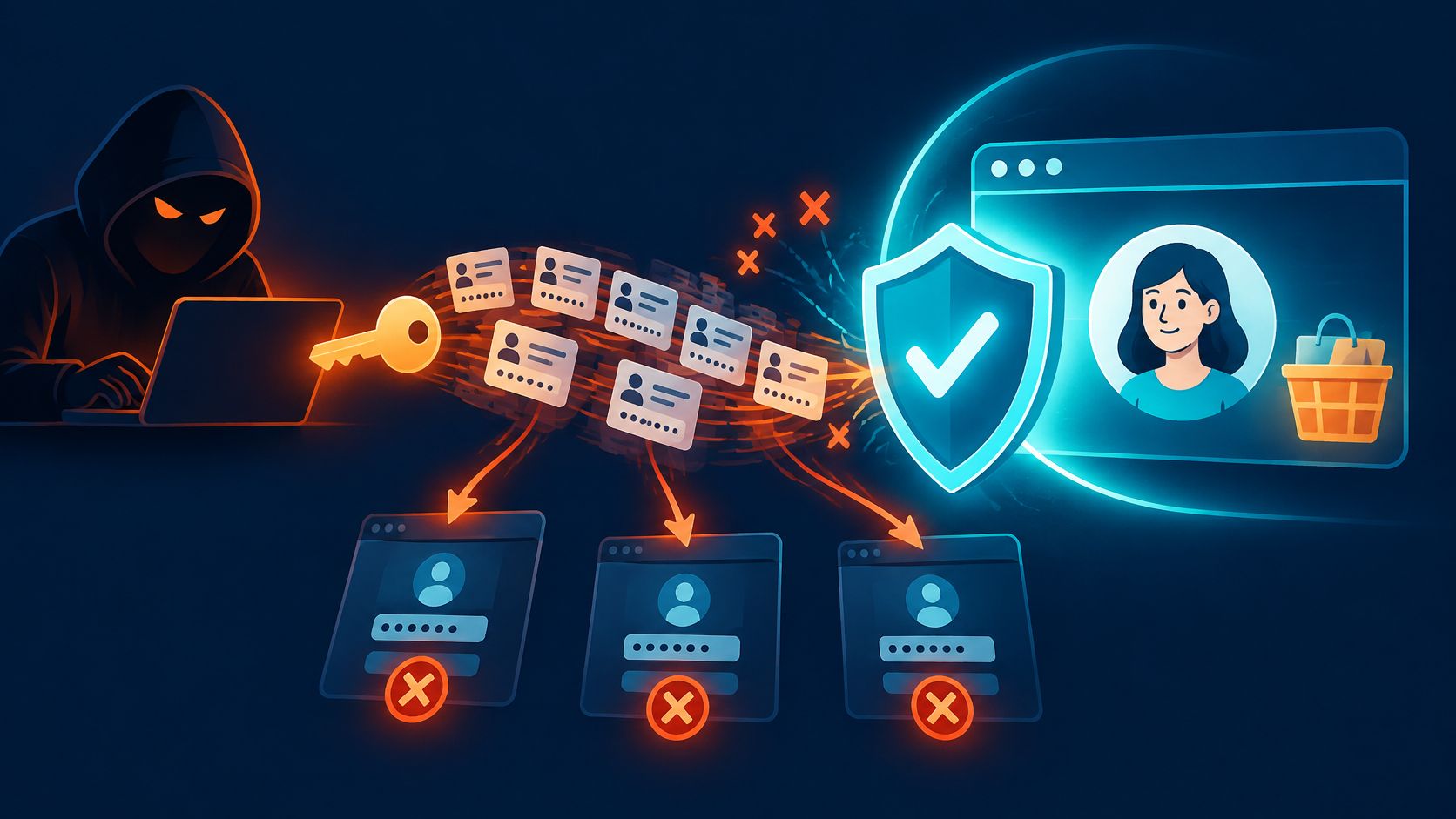
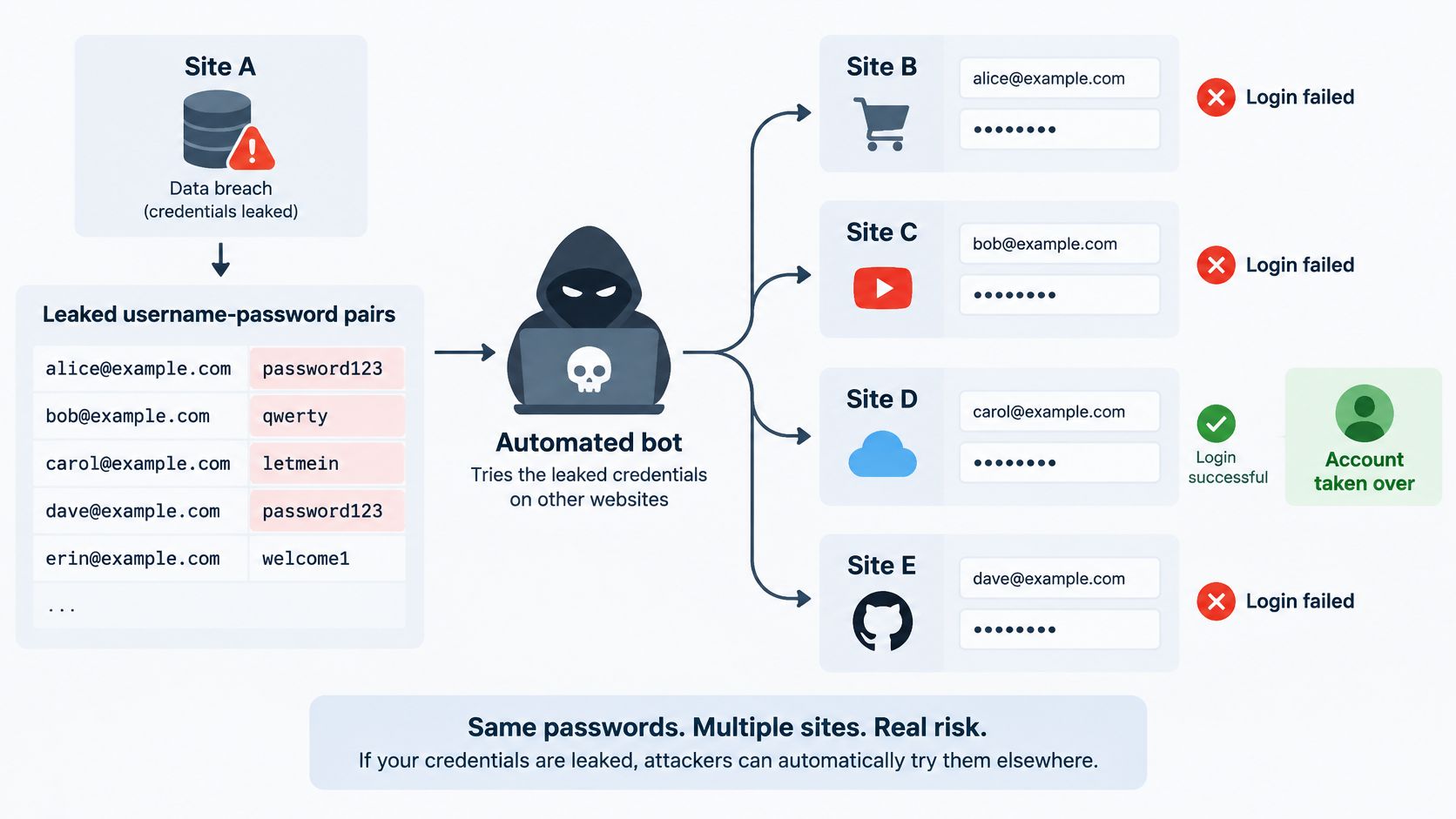
Credential stuffing is the automated replay of username and password pairs leaked from one website against the login pages of other websites to take over accounts.
A development team might encounter it when login failures rise, yet no individual account triggers a lockout. Meanwhile, support receives reports of changed recovery details or missing gift card balances. The password checker may be working correctly: the attacker has submitted passwords that genuinely belong to those accounts.
For engineering leaders, the practical question isn't just how to reject suspicious sign-ins. It's how to prevent a compromised login from becoming an unauthorized checkout, recovery change, or promotion redemption.
What Credential Stuffing Is and Why Password Reuse Makes It Work
Password reuse connects otherwise unrelated breaches. Say someone uses the same email address and password for a discussion forum and a shopping account. If the forum exposes that pair, an attacker can test it at the retailer without breaching the retailer's password database.
The analogy is a thief carrying a copied house key down a street, trying each door because some residents use the same key. The weakness isn't necessarily a flimsy lock. It's a key that works in several places.
The National Institute of Standards and Technology's credential-stuffing guidance classifies this as a brute-force attack and identifies account takeover as a typical outcome. That classification can cause confusion: credential stuffing belongs to the broader attack category, but its defining mechanism is replaying exposed pairs, not guessing new passwords.
Five account-abuse terms that are often confused
| Term | What it means | Typical input | Main control family |
|---|---|---|---|
| Credential stuffing | Replays breached pairs across unrelated accounts | Leaked username and password pairs | Breached-password screening, rate limits, MFA, browser verification |
| Password guessing | Tries many passwords against an account | Common or dictionary passwords | Lockout thresholds, password policy, MFA |
| Account takeover | Someone else gains control of an account | Compromised login, including stuffing or phishing | Post-login change alerts, hardened recovery |
| Session theft | Copies an active session and acts as its user | Stolen browser cookie or token | Short-lived tokens, session binding, replay checks |
| Trial eligibility abuse | Repeatedly claims an offer intended once per person | Multiple accounts or identities | Eligibility checks on the offer action |
These mechanisms need different controls. Trial eligibility abuse is deliberate misuse of an offer, not necessarily a login attack, while account takeover describes an outcome rather than a particular technique.
Attackers may exploit access through fraudulent purchases, gift card redemption, loyalty-point misuse, or access to stored personal information. Credential stuffing is therefore both an authentication problem and a business-action problem: a correct password check doesn't establish that a subsequent recovery or checkout request is legitimate.
How a Credential Stuffing Attack Unfolds, Step by Step
Synthetic example: HarborPlay is a fictional streaming service. A subscriber reused a password from an unrelated website, and that website's breached credentials now appear in an attacker's list.
The attacker's automation tests the pair at HarborPlay. If it works, the subscriber's account becomes useful for resale or for collecting saved personal details, even though HarborPlay itself hasn't leaked a password.
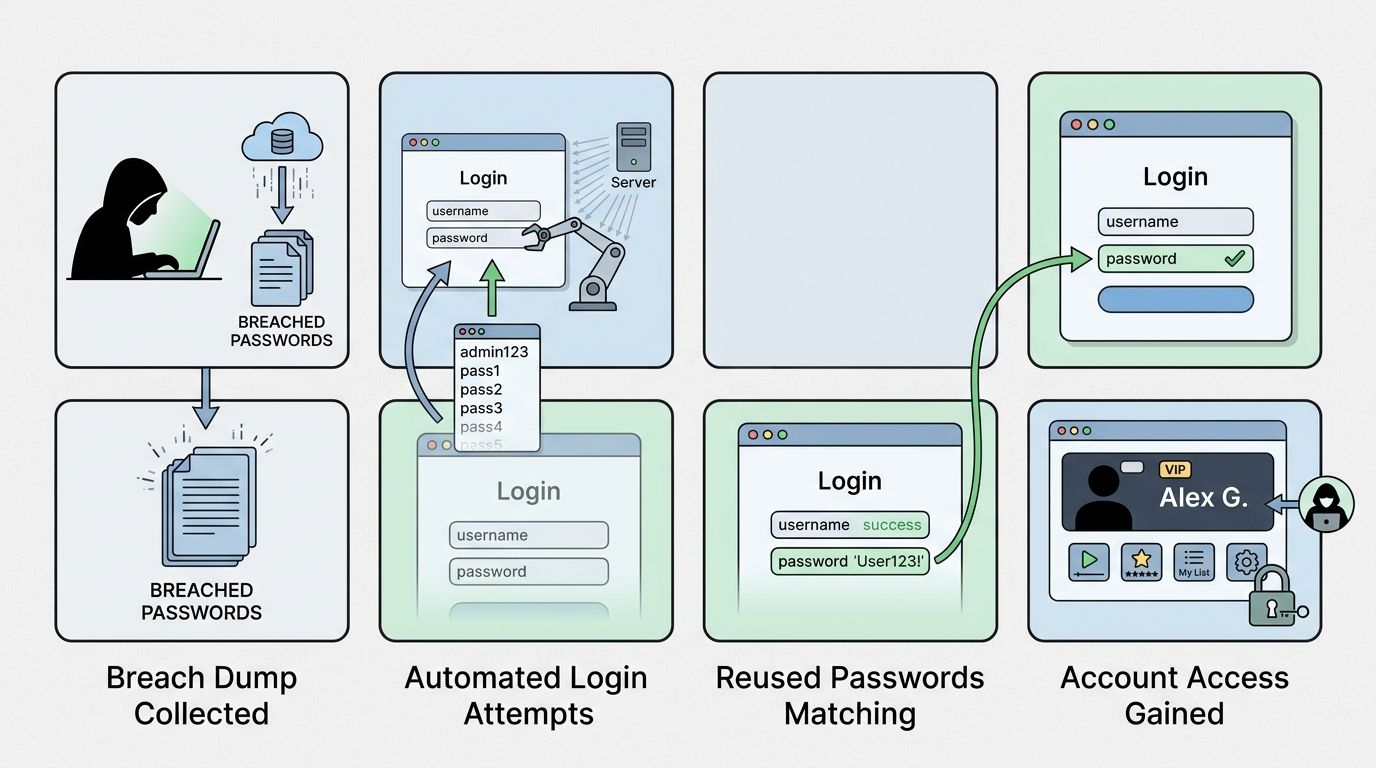
From exposed credentials to account misuse
Acquire exposed pairs. The attacker obtains credentials from an earlier breach or infostealer logs. Infostealers are malware that extracts secrets from devices; directly using a stolen session is session theft, not credential stuffing.
Prepare the list. Automation removes duplicate and malformed entries, filters unusable addresses or domains, and groups remaining pairs by likely target. An email domain alone doesn't establish whether someone has an account.
Find an authentication path. HarborPlay's web sign-in is one possibility. A mobile API or embedded checkout login could expose another route accepting the same credentials.
Distribute submissions. Requests arrive through different network addresses and automated browsers. A source address can remain quiet even while the application receives a coordinated campaign.
Record authentication outcomes. The attacker separates rejected pairs from accepted passwords and accounts that require an additional authentication factor. An accepted password isn't necessarily an established session.
Use the access. At HarborPlay, the attacker might change recovery details or collect saved information. At a retailer, the equivalent stage could involve gift cards or orders.
Resell or repeat. Validated accounts may be offered for sale, while the original list gets tested against another service.
The OWASP credential-stuffing prevention cheat sheet recommends combining endpoint-, identity-, and IP-level controls rather than trusting a single volume threshold. Each stage offers a different control point, from credential screening to monitoring sensitive account changes.
Investigation rule: A successful password check is an authentication event, not evidence that the resulting activity belongs to the account owner.
This is a simplified model; campaigns differ in sequence and tooling. The guide to brute-force attacks provides context for separating exposed-pair replay from password-guessing behavior.
Warning Signs That Separate Attack Traffic From Real Users
A campaign can look ordinary account by account. An attacker may try each stolen pair only once, leaving no repeated guessing for a per-account threshold to catch.
In Verizon's 2025 DBIR analysis, credential stuffing represented a median 19% of daily authentication attempts in analyzed single-sign-on provider logs. That's a finding about the analyzed authentication environment, not a prediction for every website.
Login signals across accounts and actions
The patterns below are investigative clues, not automatic verdicts.
| Signal | Ordinary pattern | Possible stuffing pattern |
|---|---|---|
| Attempts per account | Occasional retries after typos | A single attempt per account across a broad account set |
| Failure ratio | Relatively steady against the site's baseline | Rising failures across many accounts, with limited success |
| Source addresses | Often consistent for an individual user | Many addresses, each sending few requests |
| Timing | Often follows local daily activity | Regular machine-like spacing or coordinated bursts |
| Actions after sign-in | Browsing and expected purchases | Recovery edits, gift card use, or checkout immediately afterward |
| Account and device clustering | Familiar account-client relationships | Many accounts sharing unusual network or client patterns |
A failed login alone proves little. A rising failure ratio, dispersed addresses, and similar client characteristics across unrelated accounts together deserve investigation.
Successful attempts matter too. A cohort that fails frequently but produces sessions followed by recovery edits can be more consequential than a larger burst that never authenticates.
Baselines and privacy-conscious evidence
Thresholds should come from the application's own traffic, segmented by route and client type. A mobile sign-in endpoint and an employee administration console shouldn't inherit identical assumptions.
Travelers can change networks unexpectedly. Shared corporate addresses can represent many legitimate people, and users responding to a real breach may generate unusual password-reset traffic. Blanket blocking can turn those situations into avoidable support incidents.
Useful event records include:
- Account reference: A keyed hash of a normalized account identifier, rather than the raw email address.
- Request context: Time, action type, and authentication outcome.
- Risk context: Network reputation and coarse client characteristics.
- Business outcome: Whether the request completed the protected action.
Passwords, session cookies, verification credentials, and raw device fingerprints don't belong in these logs. Retention and access controls should reflect that even pseudonymous authentication records remain sensitive.
A useful signal distinguishes suspicious cohorts from legitimate users. A large count alone doesn't make that distinction.
Browser evidence can supplement these records, but it doesn't replace authentication, authorization, rate limiting, or recovery protections.
What a Successful Campaign Costs Your Business
A campaign can expose many accounts even when only a small share of tested credentials work. The U.S. Department of Health and Human Services cybersecurity briefing reports typical success rates of about 1–2%. Treat that range as an illustration, not a forecast for a particular application.
Illustrative account takeovers at the cited 1 to 2 percent range
The table applies the reported range mechanically. These are synthetic calculations, not measured company results.
| Stolen pairs tried | Accounts at 1 percent | Accounts at 2 percent |
|---|---|---|
| 10,000 | 100 | 200 |
| 100,000 | 1,000 | 2,000 |
| 1,000,000 | 10,000 | 20,000 |
| 10,000,000 | 100,000 | 200,000 |
The calculation estimates potential account access, not distinct victims or financial losses. Results depend on list quality, password reuse, whether the accounts are valid, and the defenses in place. Duplicate credential pairs can also mean accepted attempts do not represent separate compromised accounts.
A synthetic retailer's exposure
Northbay Outfitters, a fictional retailer, faces the million-pair scenario shown above. The resulting range represents potential account access. It does not mean every accessible account leads to a fraudulent purchase.
The login is only the first step. Losses can follow when attackers use account access to:
- Misuse stored value: Attempt purchases with saved payment methods, spend gift card balances, or drain loyalty points.
- Trigger recovery work: Require support staff to establish ownership, restore access, and investigate changed recovery information.
- Create fraud operations work: Lead staff to review orders, coordinate cancellations, and handle disputes or chargebacks.
- Affect customers: Leave people to regain account access and decide whether to keep using the service.
Account counts alone cannot produce a defensible loss estimate. Purchase limits, additional payment checks, stored balances, and how quickly the business contains an incident all affect the outcome.
The account takeover fraud guide covers the broader consequences of compromised accounts. For engineering teams, checkout, account recovery, promotion redemption, and reservations merit attention because activity on those actions can turn stolen access into business harm.
Layered Defenses for Logins and High-Value Browser Actions
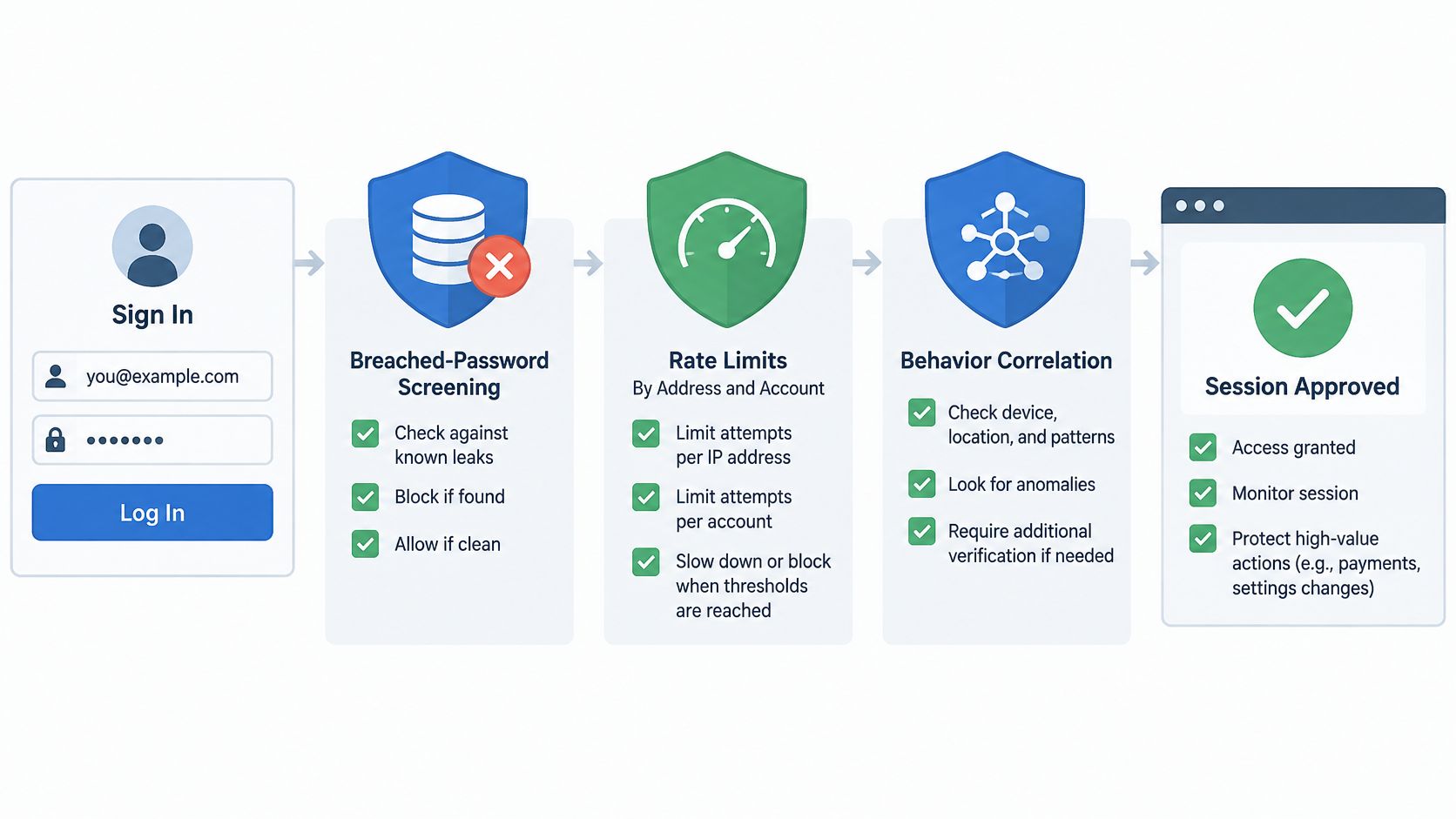
Evaluate risk before creating a session. Screen proposed passwords against known-compromised values, apply quotas by account and network address, and correlate failures with network reputation. When risk increases, require stronger authentication, preferably phishing-resistant MFA or passkeys.
Multi-factor authentication requires an additional factor beyond the password. Passkeys use cryptographic credentials rather than a reusable password, reducing the value of exposed password pairs without removing the need to protect recovery and active sessions.
The OWASP bot-management and anti-automation cheat sheet cautions against relying on IP blocking alone because attackers can rotate addresses. Graduated controls allow suspicious requests to receive additional scrutiny without treating every unfamiliar network as hostile.
Credential stuffing controls and their limits
| Control | Strong against | Gap it leaves |
|---|---|---|
| Breached-password screening | Passwords already known to be leaked | Exposed passwords absent from the screening source |
| Per-account and per-address quotas | Concentrated attempts from few sources | Distributed attempts below individual thresholds |
| Risk-based MFA or passkeys | Attackers presenting valid password pairs | Established sessions and weaker recovery paths |
| Browser verification on high-value actions | Scripted submissions to protected actions | Doesn't replace authentication or authorization |
| Idempotency on orders and recovery | Duplicate effects caused by retries | Doesn't establish requester legitimacy |
A multi-dimensional rate-limiter design helps translate quotas into application controls. Token buckets or sliding windows can evaluate several dimensions without relying on a single network address.
For teams comparing identity platforms, Passflow presents a lightweight alternative to Auth0. That evaluation concerns the authentication layer; it shouldn't substitute for assessing abuse controls on business actions.
Browser verification without a CAPTCHA
Invisible browser verification adds evidence at a protected action without asking the user to solve a puzzle. A browser script collects proof, and hosted server-side verification checks current state before the application accepts the request.
Removing the visible challenge doesn't remove the server-side decision. Nor does browser verification prove who a person is or establish whether an authenticated account may perform a particular transaction.
In a stateful design, opaque, short-lived proof references server-side state rather than exposing credentials or acting as an indefinitely reusable permission slip. The verifier can reject expired or already-consumed proof. Applications must still validate the intended action and its current business conditions.
Idempotency solves a different problem: repeated requests with the same operation key shouldn't create duplicate effects. Authorization, transaction validation, recovery safeguards, and payment-provider controls remain necessary even when browser proof is accepted.
Signup routes deserve attention too. Stolen pairs can be submitted there, but eligibility for an offer must be checked separately from whether a browser submission is acceptable.
Roll Out Browser Verification in Observe Mode First
A narrow rollout makes failures easier to diagnose. Protecting a selected action also gives engineers a concrete completion event to measure, rather than treating every blocked request as a successful security outcome.
Observe mode means recording what a policy would decide without enforcing that decision. Product availability and integration behavior must be confirmed before relying on a named Observe feature; otherwise, the team can implement equivalent shadow evaluation with its own logging.
A practical rollout checklist
Choose a high-value action. Sign-in, recovery submission, or checkout is a clearer starting point than the entire website. Assign an engineering owner and a business owner.
Inventory its callers. Identify browsers, mobile applications, service clients, and webhooks. Each needs an explicit handling path so browser requirements don't accidentally break non-browser traffic.
Define legitimate completion. For checkout, measure the accepted order event rather than a button click. For recovery, distinguish a submitted request from a completed ownership-verified change.
Record decisions without enforcement. Capture the proposed policy outcome alongside the application result. Keep secrets out of telemetry and make correlation possible across the relevant events.
Review grouped evidence. Include a normal weekly traffic cycle and examine legitimate-user impact by route, client type, and outcome. Investigate disagreements instead of accepting the policy's classification as ground truth.
Enforce narrowly with rollback ready. Enable a policy on the selected route, document how to disable it, and ensure support can identify affected requests.
Retain existing safeguards. Authentication, quotas, idempotency keys, and recovery protections stay active throughout the rollout.
What observation can't establish
Observation reveals how a policy classifies existing traffic. It doesn't show how an attacker will adapt once enforcement begins, and it can miss legitimate users whose requests fail before the completion event.
False positives still need a support process. A successful checkout rollout also says little about mobile sign-in unless that client path has been evaluated separately.
Release criterion: Acceptance should depend on protected-action outcomes and legitimate-user impact, not simply the number of rejected requests.
The team's first action this week is to select a protected route and write down its completion event. Availability, hosted verification behavior, failure handling, and integration options should be confirmed before scheduling enforcement.
MANDATE offers browser verification for high-value website actions without CAPTCHAs, complementing authentication and rate limits against automated credential abuse. Engineering teams can visit MANDATE to confirm current availability and integration options for a selected login, recovery, or checkout action before planning an Observe-to-enforce rollout.